6 Best TikTok Video Downloader Chrome Extensions
TikTok stamps a watermark + username overlay on every video you download via the official save button — server-side rendered into the pixels, not removable after the fact. These six Chrome extensions intercept the original MP4 before TikTok applies the watermark. For content creators, swipe-file builders, and any reshare workflow where the watermark is a deal-breaker.
By PlugMonkey Team, Editorial
TL;DR
TikTok's native "Save video" option adds a TikTok logo + username watermark that's specifically designed to discourage cross-platform reuploads. For creators studying competitors, marketers building swipe files, or anyone who genuinely owns the rights to a video they want to archive cleanly, the watermark is an immediate problem. Several Chrome extensions detect TikTok's underlying MP4 stream and save it without the watermark overlay. We tested each on detection reliability, watermark removal accuracy (some claim no-watermark but actually preserve a small one), and TikTok's anti-scraping measures.
- Best overall: Video Downloader Pro (#1) — only extension we tested that delivers genuinely watermark-free TikTok downloads on the free tier with reliable detection across the FYP, profile pages, and direct video URLs. No companion desktop app, no login.
- TikTok's watermark is server-side rendered into the pixels of the file you get from the official 'Save video' button. It can't be removed after the fact — extensions intercept the original MP4 from TikTok's CDN before the watermark is applied.
- Watermark-removal extensions are different from video-downloader extensions. If you already have a watermarked TikTok file and want to remove the watermark, see our separate [Best TikTok Watermark Remover Chrome Extensions](/best/best-tiktok-watermark-remover-chrome-extensions/) roundup.
- Privacy reality: SaveFrom and Y2Mate are web tools — every TikTok URL you paste is logged on their servers. For privacy-sensitive downloads (your own private content, client work), use a local-processing extension.
How We Evaluated
True No-Watermark Output
Some extensions claim 'no watermark' but actually preserve a small persistent username overlay. The best tools save the genuinely original MP4 from TikTok's CDN, with no watermark and no username overlay.
TikTok Detection Reliability
TikTok's For You feed loads videos rapidly via lazy infinite scroll. Detection must work on the FYP, on profile pages, on direct video links, and on shared TikTok URLs.
Quality Preservation
TikTok serves video at varying quality levels depending on device. The extension should download the highest quality stream available, not the lower-quality preview version.
Bypass Resistance
TikTok periodically updates its streaming infrastructure to block scraping. The best tools maintain compatibility through updates; weaker tools break frequently and get abandoned.
The Rankings
6 tools tested and ranked
Video Downloader Pro
Best overall — true no-watermark TikTok downloads, reliable detection on FYP and profiles
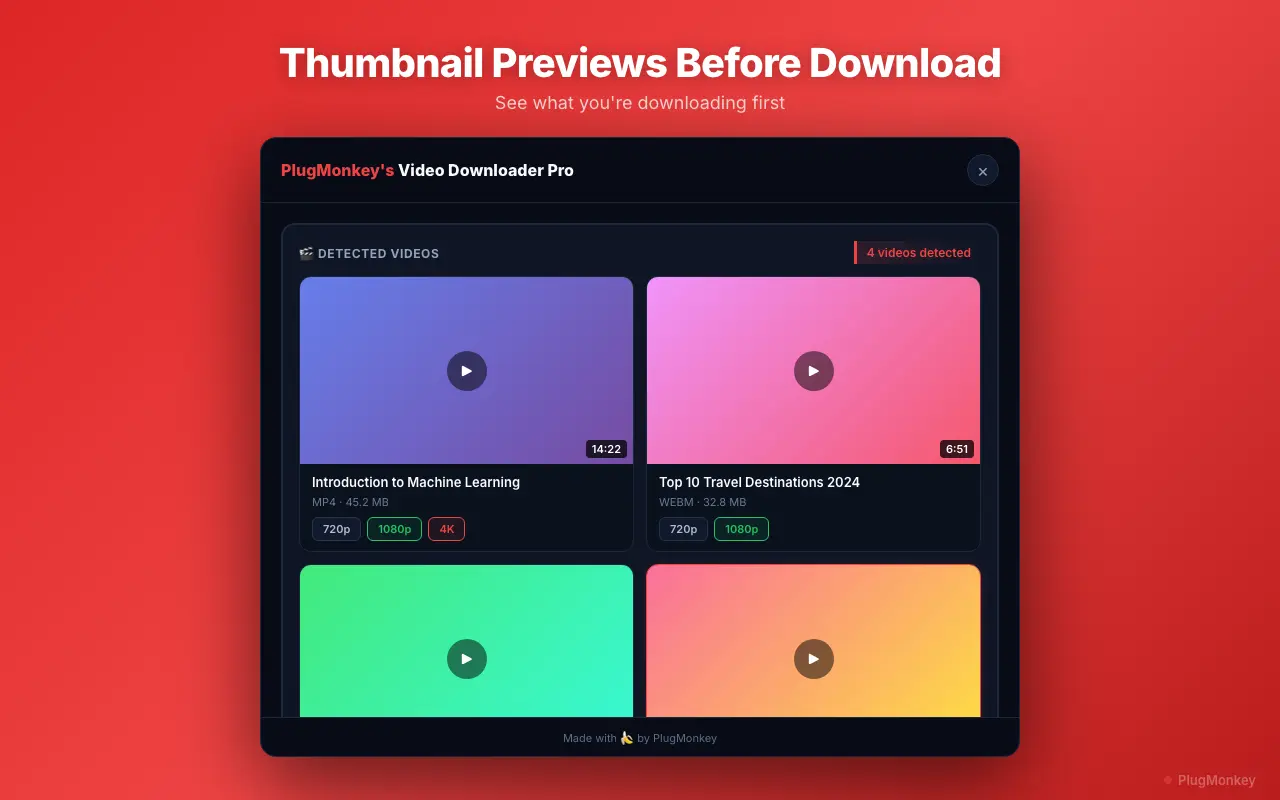
Video Downloader Pro detects TikTok videos on the For You feed, profile pages, individual video URLs, and shared TikTok links. Saves the original MP4 from TikTok's CDN — genuinely watermark-free, no username overlay. Maintained through TikTok infrastructure updates.
Pros
- True no-watermark output (no logo, no username overlay)
- Reliable detection on FYP, profiles, video URLs, shared links
- Original-quality MP4 from TikTok's CDN
- Quality selection where TikTok exposes multiple resolutions
- No login required
Cons
- Free tier capped at 5 downloads/week
- Cannot download videos from private accounts you don't follow
- TikTok occasionally updates anti-scraping; brief detection gaps possible after major updates
Verdict: The cleanest TikTok download experience in 2026. Genuinely watermark-free, reliable across TikTok's surfaces, and actively maintained against the platform's anti-scraping updates.
SaveFrom.net Helper
Web-based — paste TikTok URL, get watermark-free MP4 (with privacy trade-off)
SaveFrom's web tool handles TikTok URLs and returns watermark-free MP4 downloads. Massive search demand makes it well-known. The privacy trade-off: every TikTok URL you submit is logged on their servers, with your IP recorded.
Pros
- No installation required (web tool)
- Watermark-free TikTok output
- Reliable for individual video URLs
Cons
- Extension version unstable (Chrome Web Store removal history)
- Heavy ads on web interface
- Privacy: TikTok URLs logged on SaveFrom servers
- Single-URL workflow — no FYP browsing integration
Verdict: A reasonable web-based fallback if you only need occasional TikTok downloads and don't mind the URL-logging trade-off. For repeat use, an extension is faster.
CocoCut
Solid HLS detection — works on TikTok, free tier has limits
CocoCut detects TikTok videos via HLS stream interception. Output is watermark-free. Free tier has download caps. Detection on the FYP can be inconsistent compared to direct video URLs.
Pros
- Watermark-free TikTok output
- Strong HLS detection
- Clean interface
Cons
- FYP detection less reliable than direct URL detection
- Free tier download limits
- Smaller TikTok-specific user base
Verdict: A reliable secondary pick if you primarily download TikTok videos by URL rather than browsing the For You page.
Y2Mate
Web-based — TikTok support via URL paste, no real Chrome extension
Y2Mate is a high-volume video download website (~301,000 monthly searches) that handles TikTok URLs alongside YouTube and other platforms. No official Chrome extension — claimed Y2Mate extensions are unaffiliated and risky. As a web tool: paste TikTok URL, download MP4.
Pros
- High recognition / discoverability
- Watermark-free TikTok output
- Multi-platform support (TikTok + others)
Cons
- No official Chrome extension
- Heavy ads on web tool
- Privacy: URLs logged
- Quality and reliability varies
Verdict: A web-tool alternative. For users who want extension-based TikTok workflow, Y2Mate is the wrong shape — use a real Chrome extension.
Video DownloadHelper
Veteran extension — TikTok works, but watermark on free downloads
Video DownloadHelper detects TikTok videos through its general-purpose video-detection layer. Like everywhere else, the free Chrome tier adds a QR-code watermark to downloads — which defeats the purpose of using a TikTok-specific tool to remove watermarks.
Pros
- Long track record
- 2.8M+ users
- Detects TikTok reliably
Cons
- QR-code watermark on free Chrome downloads (ironic for a 'no-watermark' use case)
- Companion desktop app required for HD
- HLS throttled on free tier
Verdict: Capable but the free-tier watermark contradicts the primary reason most users want a TikTok downloader. Premium tier is fine.
FetchV
Modern UI — TikTok detection works, free tier restrictive
FetchV handles TikTok with its general-purpose detection. Modern interface. Free tier limits restrict casual TikTok archiving. Less platform-specific edge-case handling than tools that have been on TikTok specifically for longer.
Pros
- Modern, clean UI
- Active development
- Watermark-free output
Cons
- Restrictive free tier
- Less battle-tested on TikTok edge cases
- Newer — fewer reviews specifically on TikTok use
Verdict: Worth considering as a newer alternative. For battle-tested TikTok-specific reliability, the established tools have more proof points.
Want AI's Take on Our Rankings?
Ask AI to analyze this roundup and give you an independent perspective.
AI responses are generated independently and may vary
Quick Comparison
Top 4 tools at a glance
| Feature | Video Downloader Pro | SaveFrom.net | CocoCut | Video DownloadHelper |
|---|---|---|---|---|
| True no-watermark output | Yes | Yes (web) | Yes | Premium only |
| FYP detection | Reliable | URL paste required | Inconsistent | Works |
| Direct video URL detection | Reliable | Yes (web) | Reliable | Yes |
| Privacy | Local processing | URLs logged on server | Local processing | Local processing |
| TikTok update resilience | Active | Active | Active | Active |
| Free-tier limits | 5 / week | Heavy ads | Daily cap | Watermarked |
Save TikToks without the watermark. From the FYP, profile, or any URL.
Video Downloader Pro: true no-watermark TikTok downloads, reliable FYP detection, no login required. Free to install.