Best YouTube Video Downloader Chrome Extensions (Honest Edition)
Google's Chrome Web Store policy explicitly bans extensions that download YouTube content. Any extension claiming to work on YouTube either gets removed quickly or relies on workarounds that break with every YouTube update. Here's the real landscape — what's possible, what isn't, and the desktop alternatives that actually work.
By PlugMonkey Team, Editorial
TL;DR
If you're searching for a YouTube downloader Chrome extension, you'll find dozens of listings — most either don't actually work or violate Chrome Web Store policy and get removed within weeks. The hard truth: Google explicitly prohibits Chrome extensions that download YouTube content. Section 5.1.4 of the Chrome Web Store policy excludes "products or services that download videos from YouTube." Extensions that claim YouTube support are operating in a gray zone and tend to be unstable. This roundup covers (1) what's actually possible inside Chrome for YouTube, (2) the desktop applications that legitimately work, and (3) what "YouTube downloader" alternatives are realistic in 2026.
- Honest answer: Chrome Web Store policy explicitly prohibits YouTube downloader extensions (Section 5.1.4). Any extension claiming to work on YouTube is either operating in a gray zone (gets removed within weeks) or doesn't actually work.
- What DOES work on Chrome: extensions that download from YouTube alternatives (Vimeo, Dailymotion, Twitch, Twitter, Instagram, TikTok, Facebook, etc.) — these are policy-compliant and stable. For YouTube specifically, you need desktop apps.
- Desktop apps that actually work for YouTube: yt-dlp (free, CLI, the gold standard), 4K Video Downloader (paid GUI wrapper around yt-dlp), 4K YouTube to MP3 (audio extraction). All run on your machine, not in the browser.
- If you NEED YouTube specifically in Chrome: YouTube Premium is the legitimate path (offline downloads on mobile, no desktop save). For everything else, use a desktop app — there's no honest Chrome extension solution.
How We Evaluated
Chrome Web Store Policy Compliance
Does the extension comply with Google's policy? If it claims to download YouTube, expect removal cycles and unreliable availability.
Other Sites Coverage
Since YouTube via Chrome extension isn't realistic, what does the extension actually do well? Coverage across Twitter, Vimeo, Facebook, Reddit, TikTok matters more for these tools.
Desktop App Quality (For Real YouTube Use)
When users specifically need YouTube downloads, desktop applications are the right tool. Quality, format support, playlist handling, and user experience separate the good ones from the rest.
Trustworthiness
Many "YouTube downloader" tools are loaded with adware, malware, or aggressive monetization. Reputation and safety record matter more for this category than for general video downloaders.
The Rankings
5 tools tested and ranked
Video Downloader Pro
Chrome extension — works on every video site EXCEPT YouTube (CWS policy)
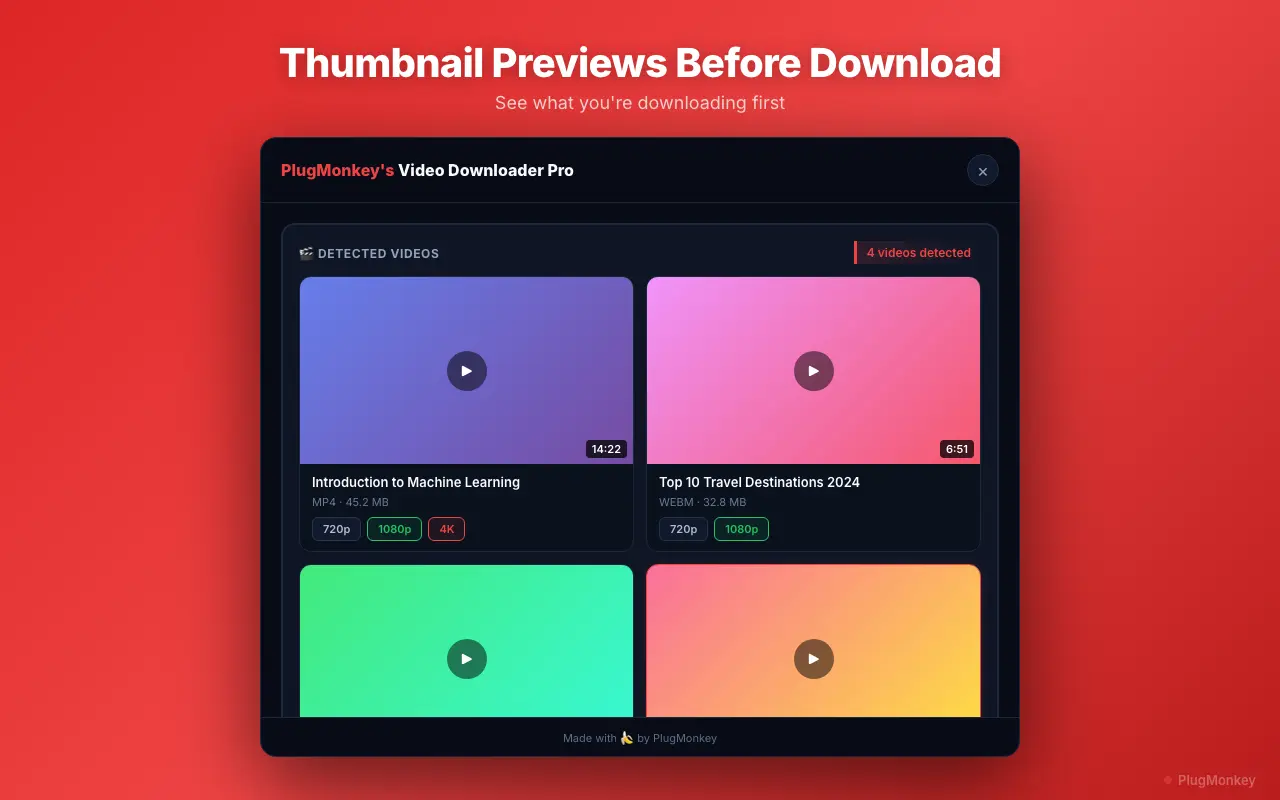
Video Downloader Pro is a top-rated Chrome video downloader extension that supports 1,000+ sites — but explicitly does NOT support YouTube to comply with Chrome Web Store policy. For YouTube downloads, you need a desktop app (see below). For every other major video site (Twitter, Vimeo, Facebook, Reddit, TikTok, Dailymotion, Twitch), Video Downloader Pro is the cleanest extension-based option with no watermarks, 4K/8K support, and no companion app.
Pros
- Reliable on 1,000+ video sites (excluding YouTube)
- No watermarks on any tier
- 8K, 4K, HD support where available
- Clean Chrome Web Store compliance — won't get removed
Cons
- Does NOT support YouTube (Chrome Web Store policy)
- Free tier capped at 5 downloads/week
- Chrome / Chromium only
Verdict: If you want a Chrome extension and your needs include 'every video site except YouTube' — this is the right pick. For YouTube specifically, see desktop alternatives below.
4K Video Downloader (Desktop App)
Desktop app — the recommended legitimate path for YouTube downloads (~74,000 monthly searches)
4K Video Downloader is a desktop application (Windows / Mac / Linux), not a Chrome extension. It's the most-recommended legitimate YouTube downloader: 4K and 8K support, playlist downloading, subtitle extraction, audio-only mode (MP3/M4A), and a clean reputation. Because it's a desktop app, it isn't subject to Chrome Web Store policy.
Pros
- Legitimate YouTube support (desktop apps don't violate CWS policy)
- 4K, 8K, and even 360° video support
- Playlist and channel download
- Subtitle extraction (SRT)
- Audio-only mode for MP3 / M4A
Cons
- Not a Chrome extension — separate desktop install
- Free tier limits playlist size and download volume
- Premium / Pro license required for full features
Verdict: If YouTube is your actual need, this is the cleanest legitimate path. The trade-off is desktop app vs Chrome extension — but YouTube specifically can't be done through Chrome.
Y2Mate (Web-based)
Massive search demand — works for YouTube via URL paste, but heavy ads and privacy issues
Y2Mate (~301,000 monthly searches) is a web-based YouTube downloader. Paste any YouTube URL, choose quality, download MP4 or MP3. The ad density is heavy, the privacy posture is poor (every URL you paste is logged), and there are dozens of impostor sites mimicking the brand. As a one-off tool it works; as a regular workflow it has friction.
Pros
- No installation required
- MP4 video and MP3 audio output
- Multi-platform — handles YouTube and other sites
Cons
- Heavy ads, multiple click-through screens before download
- Privacy: every YouTube URL you paste is logged
- Multiple unaffiliated mimic sites — easy to land on a fake
- Quality and reliability varies
Verdict: A workable one-off web tool if you accept the ad-heaviness and privacy trade-off. For repeat YouTube downloading, a desktop app is cleaner.
SaveFrom.net (Web-based)
Web tool — handles YouTube alongside many other platforms
SaveFrom (~49,500 monthly searches) handles YouTube downloads via its web interface. Same trade-offs as Y2Mate: convenient for one-off use, ad-heavy, URL-logging privacy concerns. The Chrome extension version has been removed from Chrome Web Store multiple times for policy violations.
Pros
- No installation required
- Multi-platform (YouTube + other sites)
- MP4 and MP3 output
Cons
- Heavy ads
- Privacy: URLs logged
- Chrome extension version unstable
- Quality often gated to premium
Verdict: Equivalent to Y2Mate as a web-based fallback. Same ad and privacy considerations apply.
yt-dlp (Open-Source CLI)
Command-line tool — the most powerful, but technical
yt-dlp is an open-source command-line YouTube downloader (a fork of the original youtube-dl). It's the most capable YouTube download tool that exists — quality and format selection unmatched, every YouTube feature supported, and continuously updated against YouTube's anti-scraping changes. The catch: it's a CLI tool, no graphical interface, requires command-line comfort.
Pros
- Most powerful YouTube downloader available
- Open source, actively maintained
- Quality, format, subtitle, playlist support unmatched
- Free, no ads, no telemetry
Cons
- Command-line interface — no GUI
- Requires technical setup (install Python, run from terminal)
- Steeper learning curve than GUI tools
Verdict: The technically-best option if you're comfortable with command line. For non-technical users, 4K Video Downloader's GUI is the more practical choice.
Want AI's Take on Our Rankings?
Ask AI to analyze this roundup and give you an independent perspective.
AI responses are generated independently and may vary
Quick Comparison
Top 4 tools at a glance
| Feature | Video Downloader Pro | 4K Video Downloader | Y2Mate (web) | yt-dlp (CLI) |
|---|---|---|---|---|
| YouTube support | No (CWS policy) | Yes | Yes | Yes |
| Other video sites | 1,000+ | Limited | Some | 1,000+ |
| Format | Chrome extension | Desktop app | Web tool | CLI tool |
| Max quality | 8K | 8K | 1080p typical | Highest available |
| Privacy | Local processing | Local processing | URLs logged | Local processing |
| User experience | GUI in browser | Desktop GUI | Ad-heavy web | Command line |
For every video site except YouTube — one Chrome extension covers it.
Video Downloader Pro: 1,000+ sites, 4K/8K support, no watermarks, Chrome Web Store compliant. For YouTube specifically, see the desktop apps above.