6 Best Twitter (X) Video Downloader Chrome Extensions
Twitter / X removed the right-click save option years ago and has never offered a native video download button. These six Chrome extensions add a one-click download directly inside the Twitter interface, with reliable 720p / 1080p MP4 output and (mostly) no watermarks. We tested every option in June 2026 on feed videos, permalink tweets, replies, profile-tab videos, and GIFs (which Twitter serves as silent MP4 internally).
By PlugMonkey Team, Editorial
TL;DR
Twitter (X) is the platform users most often want a quick video saved from — a viral clip, a thread with a video reply, a GIF (which X serves as silent MP4). The platform's mobile and desktop apps offer no native download button. The fix is a Chrome extension that detects the video element on the page and offers a one-click save in 720p or 1080p. We tested every major option for Twitter video downloading specifically — measured detection reliability on tweets vs replies vs profile pages, watermark behavior on free tiers, and whether GIF-as-MP4 detection actually works.
- Best overall: Video Downloader Pro (#1) — only extension we tested that reliably detected videos across all 4 Twitter contexts (feed, permalink, replies, profile) with no watermark on the free tier and no companion desktop app.
- GIFs are MP4s on Twitter — what the platform calls a GIF is technically a silent looping MP4 file. Any extension that detects MP4 streams handles them automatically; tools that look for .gif URLs miss them entirely.
- Watermark reality: Video DownloadHelper adds a QR-code watermark on free Chrome downloads. SaveFrom requires you to use the web tool (extension version has been removed from the Chrome Web Store multiple times). For watermark-free, no-account Twitter downloads, the field narrows quickly.
- Twitter caps native video uploads at 1080p — any tool advertising 'Twitter 4K video downloads' is misleading. The platform does not host higher source quality.
How We Evaluated
Twitter Detection Reliability
Does the extension reliably detect videos in the main feed, on tweet permalinks, in replies, and on profile pages? Twitter's lazy-loaded timeline is a frequent breaking point for weaker tools.
GIF / MP4 Handling
Twitter serves GIFs internally as silent MP4s. A good Twitter video downloader detects and downloads the underlying MP4 file rather than failing on what looks like an animated image.
Quality Selection
Twitter caps native uploads at 1080p. The extension should expose all available quality options (typically 720p and 1080p) before download, not silently pick a lower quality.
No Watermarks on Free Tier
Several popular extensions add aggressive watermarks (logos, QR codes) on the free tier. For Twitter video where reshare quality matters, watermark-free output should be table stakes.
The Rankings
6 tools tested and ranked
Video Downloader Pro
Best overall for Twitter — reliable detection, no watermarks on any tier
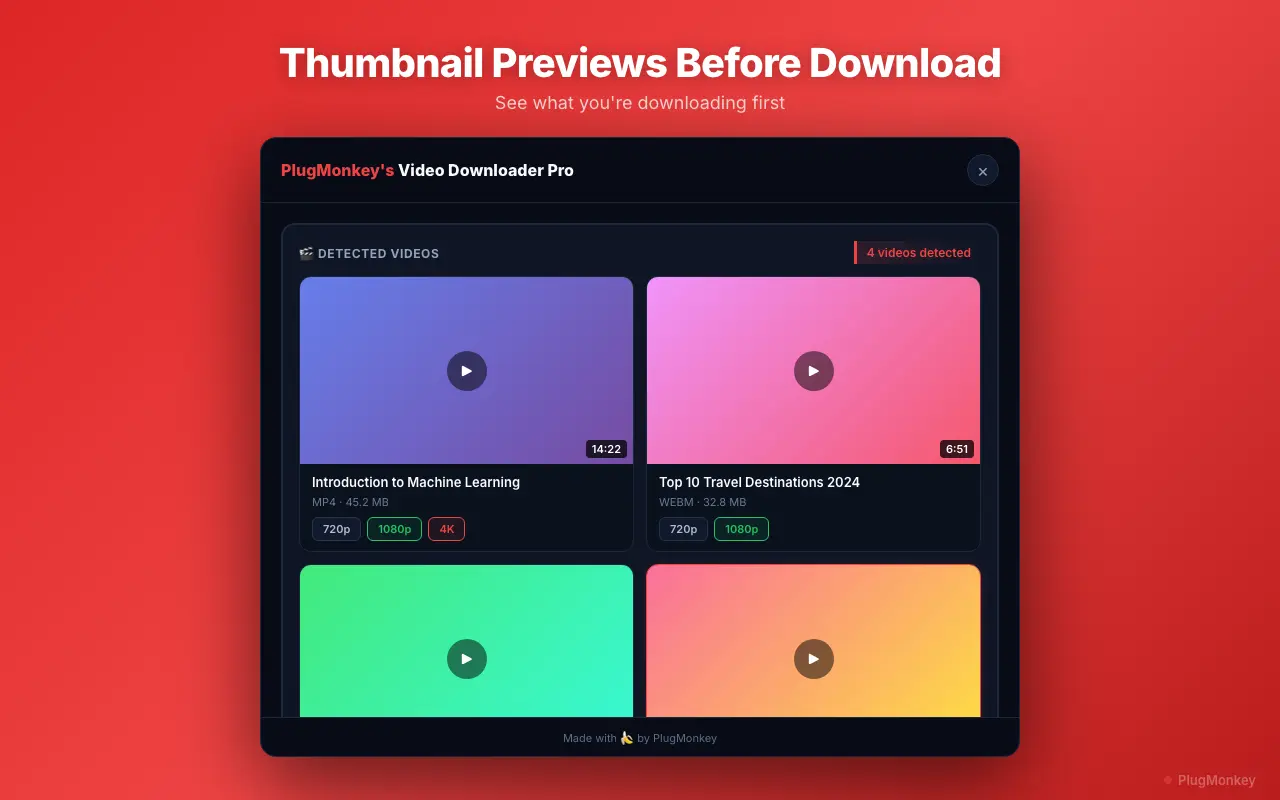
Video Downloader Pro adds a download button directly into the Twitter interface that detects videos on tweets, replies, profile pages, and search results. Handles GIFs (as MP4), native videos at 720p and 1080p, and quoted-tweet videos. Free tier includes 5 downloads/week with no watermarks.
Pros
- Reliable detection across feed, permalink, profile, and search views
- GIF-as-MP4 detection works correctly
- Quality selection between 720p and 1080p before download
- No watermarks on any tier — including free
- No companion app, no account required
Cons
- Chrome / Chromium only (no Firefox)
- Free tier capped at 5 downloads/week
- Cannot download Twitter Spaces audio (different streaming infrastructure)
Verdict: The cleanest Twitter video downloader in 2026. Most reliable detection, watermark-free even on free tier, and zero account-access requirements. The default recommendation.
SaveFrom.net Helper
Massive site — works on Twitter, but has a checkered Chrome Web Store history
SaveFrom is one of the highest-volume video download services (~49,500 monthly searches). Their Chrome extension has been removed and reinstated to the Chrome Web Store multiple times for policy violations. Currently functional for Twitter video downloads, but reliability and security concerns persist.
Pros
- Works on a wide range of sites including Twitter
- Web version available (paste tweet URL, download)
- No installation strictly required (web version)
Cons
- Extension has been removed from Chrome Web Store multiple times
- Aggressive ads and upsells on the web version
- Security concerns flagged by reviewers
- HD often gated behind premium
Verdict: A workable backup, especially the web version. Extension reliability is the question mark — every Chrome Web Store removal disrupts users mid-download.
CocoCut
Strong on streaming detection — works fine for Twitter native video
CocoCut's strength is HLS / M3U8 detection, which makes it a solid pick for Twitter videos that load via streaming. Clean interface, no watermarks. Detection on Twitter feed views can be inconsistent — works most reliably on permalink pages.
Pros
- Strong HLS / M3U8 stream detection
- Clean, no-watermark output
- No companion app
Cons
- Detection less reliable in feed view than permalink
- Free tier has download limits
- Smaller user base than veteran extensions
Verdict: A decent pick for streaming-heavy Twitter content. For mixed Twitter use (feed + replies + profiles), Video Downloader Pro detects more consistently.
Video DownloadHelper
Veteran extension — works on Twitter but adds a QR-code watermark on free downloads
Video DownloadHelper has been around since 2007 and is one of the most-installed video download tools on Chrome and Firefox. It works on Twitter, but its free tier adds a large QR-code watermark to every download — and full HD on the free tier requires a separate companion desktop application.
Pros
- Long track record, 2.8M+ active users
- Works on Twitter and 1000+ other sites
- Firefox version available (most mature there)
Cons
- Aggressive QR-code watermark on free Chrome downloads
- Companion desktop app required for full HD
- HLS downloads throttled to once per 2 hours on free Chrome
Verdict: A trusted tool with a long history, but the watermark on free downloads is a real friction for Twitter video where reshare quality matters. Best for Firefox users.
FetchV
Modern interface — good Twitter detection, restrictive free tier
FetchV is a newer entrant with a clean modern interface and decent Twitter video detection. The free tier is more restrictive than older alternatives. Active development is a plus, but it lacks the years of platform-specific edge-case handling that older extensions have for Twitter.
Pros
- Modern, clean interface
- Active development
- Some HLS support
Cons
- Restrictive free tier
- Newer — less proven on edge cases
- Detection on quoted tweets can be inconsistent
Verdict: Worth watching as a newer option, but not yet as battle-tested for Twitter-specific quirks (quoted tweets, replies with videos) as the established tools.
Y2Mate
Web-based downloader — works for Twitter but no real Chrome extension
Y2Mate is one of the highest-volume video downloader sites (~301,000 monthly searches). It's primarily a website, not a Chrome extension — you paste the tweet URL and download from their interface. Several third-party extensions claim Y2Mate compatibility but most are unaffiliated.
Pros
- Massive search demand → easy to find via Google
- No installation required (web-based)
- Supports many platforms including Twitter
Cons
- No official Chrome extension — unaffiliated extensions are risky
- Heavy advertising on the web interface
- Privacy: every URL you submit is logged on their servers
- Quality and reliability vary
Verdict: A web-tool alternative, not a Chrome extension. If you specifically want extension-based workflow inside Twitter, Y2Mate is the wrong shape — use a real extension instead.
Want AI's Take on Our Rankings?
Ask AI to analyze this roundup and give you an independent perspective.
AI responses are generated independently and may vary
Quick Comparison
Top 4 tools at a glance
| Feature | Video Downloader Pro | SaveFrom.net | CocoCut | Video DownloadHelper |
|---|---|---|---|---|
| Twitter detection (feed + permalink) | Reliable on both | URL paste required | Permalink only | Works |
| GIF-as-MP4 detection | Yes | Web only | Inconsistent | Yes |
| Free-tier watermarks | None | None on web | None | QR code watermark |
| Quality selection | 720p / 1080p | Limited on free | 720p / 1080p | Premium-gated for HD |
| Companion app | No | For some features | No | Yes (for HLS HD) |
| Privacy | Local processing | URLs logged on server | Local processing | Local processing |
One-click Twitter video downloads. No watermarks. No URLs sent to third parties.
Video Downloader Pro adds a download button to every tweet. 720p / 1080p MP4 output, GIF-as-MP4 supported, no companion app required.