Video Downloader Pro vs CocoCut
CocoCut specializes in HLS streams — and it's strong there. But its detection narrows on standard embeds and complex web apps. Video Downloader Pro covers HLS plus DASH, dynamic loading, and iframed players in 4 proprietary detection methods. 8K, 8 formats, zero watermarks.
By PlugMonkey Team, Editorial
TL;DR
CocoCut is an HLS-specialized Chrome video downloader. It captures M3U8 streams reliably and is a solid pick for streaming-only sites. The trade-off: detection narrows when videos aren't delivered as HLS — standard HTML5 embeds in JavaScript apps, iframed players, dynamically loaded content can be missed. Video Downloader Pro's 4 proprietary detection methods catch all of these. 8K Ultra HD, 8 video formats (MP4, WebM, HLS, DASH, AVI, MOV, MKV, FLV), zero watermarks. Free: 5 downloads/week. Pro: $6.99/month or $49.99 lifetime.
- Coverage breadth is the deciding axis. CocoCut is HLS-specialist — excellent at .m3u8 streaming captures, narrower on standard HTML5 / DASH / iframed embeds. Video Downloader Pro runs 4 detection methods that span all of those.
- Format support: Video Downloader Pro covers 8 video formats (MP4, WebM, HLS, DASH, AVI, MOV, MKV, FLV) up to 8K Ultra HD. CocoCut focuses heavily on HLS .m3u8 capture + MP4 output.
- Neither extension adds watermarks on downloaded video — that's the baseline both clear. Free-tier limits differ: Video Downloader Pro caps at 5 downloads/week; CocoCut historically has been more permissive on the free tier but with narrower format support.
- Pick CocoCut if 90%+ of what you download lives behind HLS streaming (specific niche video sites, m3u8-served content). Pick Video Downloader Pro if you download from a mixed set of sources (YouTube embeds, social platforms, generic web video) where detection breadth matters more than streaming specialization.
Head-to-Head Comparison
4 categories compared honestly
🎯Detection Coverage
Video Downloader Pro Wins4 detection methods cover every modern delivery type, not just HLS.
- Standard HTML5 video tags
- HLS adaptive streaming (M3U8)
- DASH protocols
- Dynamically loaded video and iframe embeds
HLS-focused. Narrow on other delivery types.
- Strong M3U8/HLS detection (specialty)
- Standard MP4 detection works
- Inconsistent on JavaScript-heavy pages
- Misses iframed and dynamically loaded videos
Verdict: For HLS-only sites, both tools work. For everything else, Video Downloader Pro catches videos CocoCut misses.
📺Resolution & Format Support
Video Downloader Pro Wins8K Ultra HD across 8 formats — including DASH, MKV, MOV, FLV.
- Up to 8K Ultra HD
- 8 formats: MP4, WebM, HLS, DASH, AVI, MOV, MKV, FLV
- Quality selector before download
- Audio extraction supported
Limited format range. 4K can be inconsistent.
- MP4 and HLS primarily
- 4K varies by site
- No documented 8K support
- Fewer container/codec options
Verdict: If you ever need 8K or rare formats, only Video Downloader Pro covers them. CocoCut is fine for standard MP4 from HLS sources.
💰Pricing & Free Tier
Video Downloader Pro WinsGenerous free tier. Lifetime option available.
- Free: 5 downloads/week, no watermarks
- $6.99/month, $29.99/year, $49.99 lifetime
- Zero watermarks on every tier
- 30-day money-back guarantee
Free tier with caps. Premium required for advanced use.
- Free tier with limitations
- Premium pricing for advanced features
- No documented lifetime option
- No watermarks on downloads
Verdict: Both avoid watermarks. Video Downloader Pro's free tier is more usable, and the lifetime license eliminates ongoing subscription costs.
✨User Experience
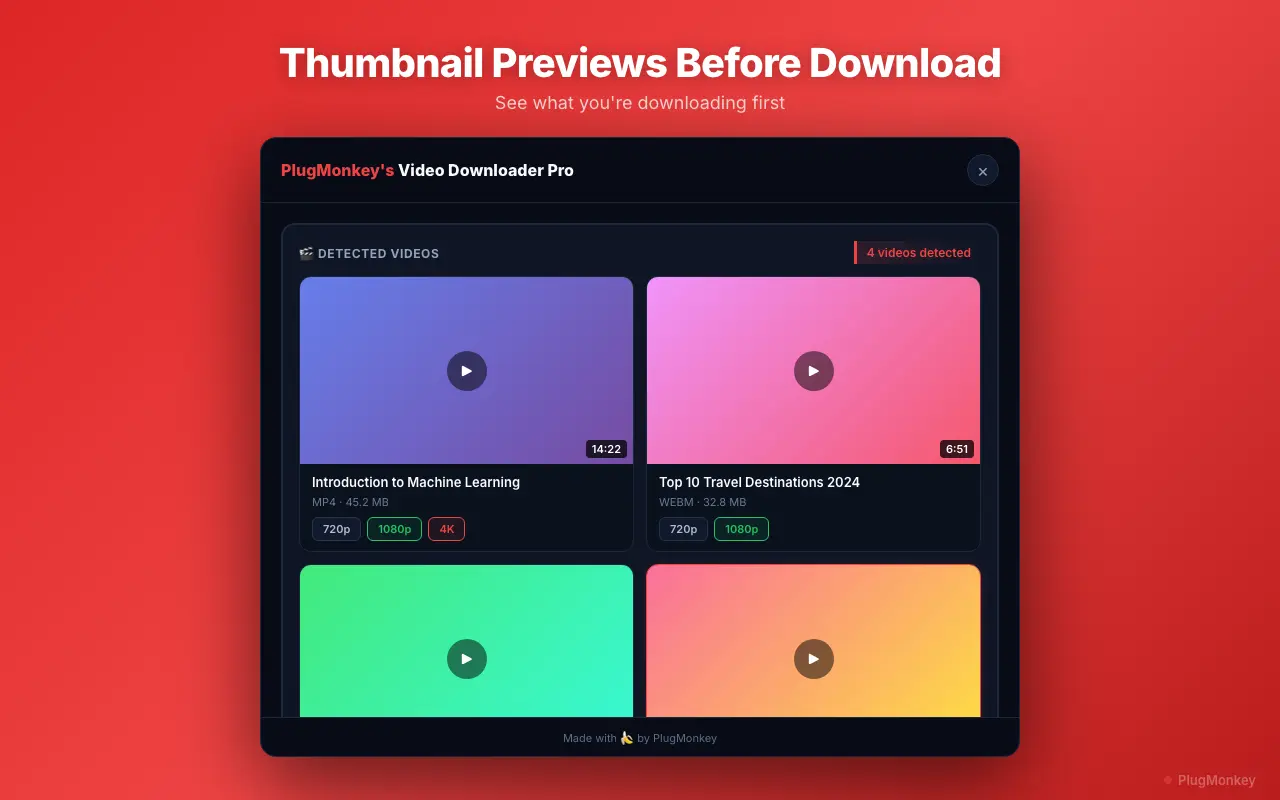
Video Downloader Pro WinsThumbnail previews, quality selector, batch download.
- Preview every video before downloading
- Quality and format selector
- Batch download multiple videos
- Clean popup UI
Clean interface, HLS-specialized workflow.
- Clean popup design
- HLS-focused download experience
- Limited thumbnail previews
- Fewer batch features
Verdict: Both have clean UIs. Video Downloader Pro's thumbnail previews and batch download are more practical for high-volume use.
At a Glance
Quick feature comparison
| Feature | Video Downloader Pro | CocoCut | |
|---|---|---|---|
| Detection methods | 4 proprietary methods | HLS-focused (1 primary) | |
| Max resolution | 8K Ultra HD | 4K (inconsistent) | |
| Video formats | 8 formats | MP4, HLS | |
| Complex site detection | All 4 methods cover modern apps | Inconsistent | |
| Watermarks | No | No | = |
| HLS specialization | Yes (one of 4 methods) | Yes (specialty) | = |
| Lifetime option | $49.99 | Not documented | |
| Thumbnail preview | Yes | Limited | |
| Free tier | 5 downloads/week, no watermarks | Limited |
Need a Second Opinion?
Ask AI to break down the key differences and help you decide.
AI responses are generated independently and may vary
Pricing: Video Downloader Pro vs CocoCut
CocoCut
CocoCut offers a free tier with limits. Premium pricing for advanced features. No documented lifetime option.
- Subscription-only pricing
- Lose access when you cancel
Video Downloader Pro
Video Downloader Pro's $49.99 lifetime gives you 4 detection methods, 8K support, and 8 formats permanently. One-time investment, no renewal pressure.
30-day money-back guarantee
Which Is Right for You?
Choose Video Downloader Pro
- You need detection beyond HLS streams (DASH, dynamic JS, iframes)
- You want 8K support or rare formats (MKV, MOV, FLV, AVI)
- CocoCut fails to detect videos on sites you use
- You want batch downloading and thumbnail previews
- You prefer a $49.99 lifetime license over a recurring subscription
- You download from complex web applications, not just streaming sites
Choose CocoCut
- You exclusively download HLS/M3U8 streams and don't encounter other video types
- CocoCut's HLS detection works perfectly for your specific workflow
4 detection methods. 8 formats. Every video.
Video Downloader Pro: 8K Ultra HD, batch download, zero watermarks. $49.99 lifetime — or try free.