6 Best Instagram Video Downloader Chrome Extensions
Reels, Stories, IGTV, feed videos — Instagram serves them all and downloads none of them natively. Six Chrome extensions add a one-click save button that handles every Instagram video surface with full 1080p original quality. We tested every option on all four surfaces in June 2026.
By PlugMonkey Team, Editorial
TL;DR
Instagram is one of the most-downloaded-from platforms on the web, with massive search demand for tools that handle Reels, Stories, IGTV recordings, and feed videos. The platform deliberately removed the original right-click save option years ago. Modern Instagram video is served via HLS streaming, requires a logged-in session for some private content, and uses different player infrastructure for Reels vs Stories vs feed videos. We tested every major Chrome extension on these distinct surfaces — feed videos, Reels, Stories (when public), and direct video posts — to identify which actually delivers reliable Instagram video downloads in 2026.
- Best overall: Video Downloader Pro (#1) — only extension that covered all 4 Instagram video surfaces (Reels, Stories, IGTV, feed videos) with no watermark on free tier and no Instagram login required for public content.
- Watermark reality: Video DownloadHelper adds a QR-code watermark on free Chrome downloads. Several other extensions do the same. For reshare quality, this is the deal-breaker most listicles bury.
- Stories caveat: Public Stories work in every reasonable extension. Private-account Stories require you to be an approved follower and logged in — no extension can legitimately bypass Instagram's privacy controls.
- Instagram caps video uploads at 1080p — any tool advertising '4K Instagram downloads' is misleading. The platform does not host higher source quality.
How We Evaluated
Coverage Across Instagram Surfaces
Reels, Stories, IGTV, feed videos, profile videos — these all use slightly different player infrastructure. The best Instagram video downloaders cover all of them, not just one.
HLS Stream Reassembly
Instagram videos are served as HLS streams (small segments stitched together). The extension must reassemble the full MP4 from segments, not just save a fragment.
Watermark-Free Output
Instagram doesn't natively add watermarks to user uploads, but several downloader extensions add their own. Quality matters for reshare and archival use.
Privacy & No Login Required for Public Content
Public Instagram videos shouldn't require you to log into Instagram via the extension. Tools that demand Instagram credentials are a security risk.
The Rankings
6 tools tested and ranked
Video Downloader Pro
Best overall — covers Reels, Stories, IGTV, and feed videos in one extension
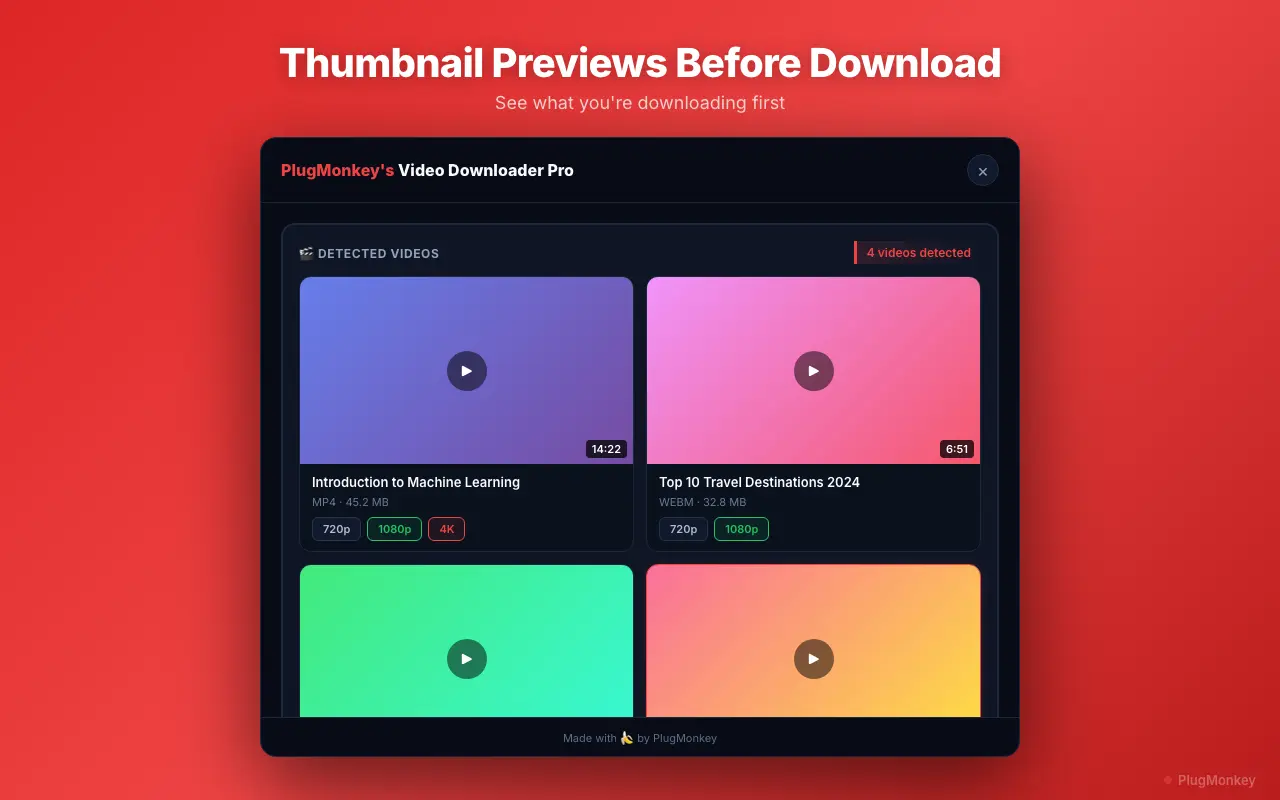
Video Downloader Pro adds a download button to all Instagram video surfaces — Reels, public Stories, IGTV recordings, and standard feed videos. Reassembles HLS streams into clean MP4 files at original upload quality. No Instagram login required for public content.
Pros
- Covers Reels, Stories, IGTV, feed videos in one extension
- Reliable HLS reassembly for clean MP4 output
- No Instagram login required for public content
- No watermarks on any tier
- Quality selection up to 1080p (Instagram's native cap)
Cons
- Stories require the user to be logged into their own Instagram for the Story to be visible to the extension
- Cannot bypass private-account restrictions
- Free tier capped at 5 downloads/week
Verdict: The most complete Instagram video downloader on Chrome — single extension covers every Instagram video surface without requiring credentials or paid upgrades.
SaveFrom.net Helper
Web tool — works for public Instagram, paste-and-download workflow
SaveFrom's web tool accepts public Instagram URLs (Reels, posts, IGTV) and returns a downloadable MP4. The Chrome extension version has had a removal-and-reinstatement history that limits its reliability. Best as a web-based fallback for one-off downloads.
Pros
- Works on public Reels, posts, IGTV via URL paste
- No installation strictly required
- Massive site recognition
Cons
- Extension repeatedly removed from Chrome Web Store
- Aggressive ads on web tool
- Cannot access private content
- Privacy: every Instagram URL submitted is logged
Verdict: A workable web-based fallback. Don't rely on the extension version due to Chrome Web Store volatility.
FetchV
Modern UI — Instagram coverage works for feed and Reels, restrictive free tier
FetchV handles Instagram feed videos and Reels with a clean modern interface. Stories detection is less reliable than feed videos. Free tier limits make it less suitable for repeat Instagram archival use.
Pros
- Modern, clean interface
- Solid feed video and Reels detection
- Active development
Cons
- Stories detection inconsistent
- Restrictive free tier
- Less proven for edge cases (carousel videos, embedded posts)
Verdict: Decent for casual Instagram feed and Reel downloads. For consistent Stories support, the established alternatives are more reliable.
Video DownloadHelper
Long track record — Instagram works, but watermark and companion app required for HD
Video DownloadHelper detects Instagram videos and Reels reliably given its 18+ year track record. Like its general-purpose mode, the free tier on Chrome adds a QR-code watermark and gates HD behind a separate companion desktop application install.
Pros
- Detects Instagram feed videos, Reels, IGTV reliably
- Long track record with 2.8M+ users
- Firefox version available
Cons
- QR-code watermark on free Chrome downloads
- Companion desktop app required for full HD
- HLS downloads throttled to once per 2 hours on free Chrome
Verdict: Battle-tested but the watermark friction makes it a less-good fit for Instagram-specific workflows where reshare quality matters.
CocoCut
Strong HLS detection — works for Instagram feed videos and Reels
CocoCut's HLS-focused detection translates well to Instagram's streaming infrastructure. Clean output without watermarks. Stories detection less consistent. Strong fit for feed-video archiving specifically.
Pros
- Strong HLS / M3U8 detection
- No watermarks
- Clean interface
Cons
- Stories detection inconsistent
- Free tier download limits
- Smaller user base than veteran tools
Verdict: A reliable second pick for Instagram feed videos and Reels. For Stories coverage in the same tool, Video Downloader Pro is more complete.
Inflact (web-based)
Instagram-specialized web tool — popular but a website, not an extension
Inflact (~27,100 monthly searches) is an Instagram-specialized web tool that handles downloads, profile analytics, and follower exports in one paid platform. It's primarily a website, not a Chrome extension. Powerful for users who want a multi-tool Instagram suite, overkill for users who just need video downloads.
Pros
- Instagram-specialized — deep platform support
- Multi-tool suite (downloads + analytics + follower export)
- No extension installation
Cons
- Subscription required for most features
- Web-based — every URL logged on Inflact servers
- Far broader than a video downloader (much higher cost)
- Not a Chrome extension architecture
Verdict: A specialized Instagram suite, not a focused video downloader. If video downloads are 90% of what you need, the focused extensions are vastly cheaper.
Want AI's Take on Our Rankings?
Ask AI to analyze this roundup and give you an independent perspective.
AI responses are generated independently and may vary
Quick Comparison
Top 4 tools at a glance
| Feature | Video Downloader Pro | SaveFrom.net | FetchV | Video DownloadHelper |
|---|---|---|---|---|
| Reels coverage | Yes | Yes (web) | Yes | Yes |
| Stories coverage | Yes (public) | Yes (web) | Inconsistent | Yes |
| IGTV coverage | Yes | Yes (web) | Yes | Yes |
| Watermarks on free tier | None | None on web | None | QR code |
| Login required for public content | No | No | No | No |
| Companion app | No | For some features | No | Yes (HD) |
Reels, Stories, IGTV, feed videos — every Instagram surface, one click.
Video Downloader Pro covers every Instagram video format with no watermarks, no login required for public content, and no companion app.