Facebook Video Downloader — Chrome Extension, Free, HD
Free Chrome extension that saves any public Facebook video, Reel, or Watch video as a clean MP4 in SD or HD up to 1080p — no third-party websites, no URL pasting, no ads. Detects video streams on the Facebook page you're already on and downloads in one click. Handles feed posts, Reels, Watch, recorded Live broadcasts, and embedded videos on Pages and in Groups (where you have access).
Last updated: June 28, 2026
Facebook offers no native video download button on its desktop website — and disabled right-click 'Save video as' for video specifically (right-click still works on images) to keep video consumption inside the platform. The third-party fallbacks are mostly web tools (fdown.net, SaveFrom, getfvid, etc.) that require pasting the video URL on their site — every URL gets logged on their server, the workflow is multi-step, and the sites are heavily ad-monetized with bait links. Video Downloader Pro works directly inside Chrome, detecting Facebook video streams as you browse and offering a clean one-click download with local processing — the URL never leaves your browser. Same workflow handles standard feed video posts, Facebook Reels (the short-form vertical format introduced in 2022), Watch videos (Facebook's video tab), recorded Live broadcasts, and embedded video content across Pages and Groups where you have view access.
How to Download
Install Video Downloader Pro from the Chrome Web Store
Navigate to the Facebook video post
Open the extension panel and detect the video
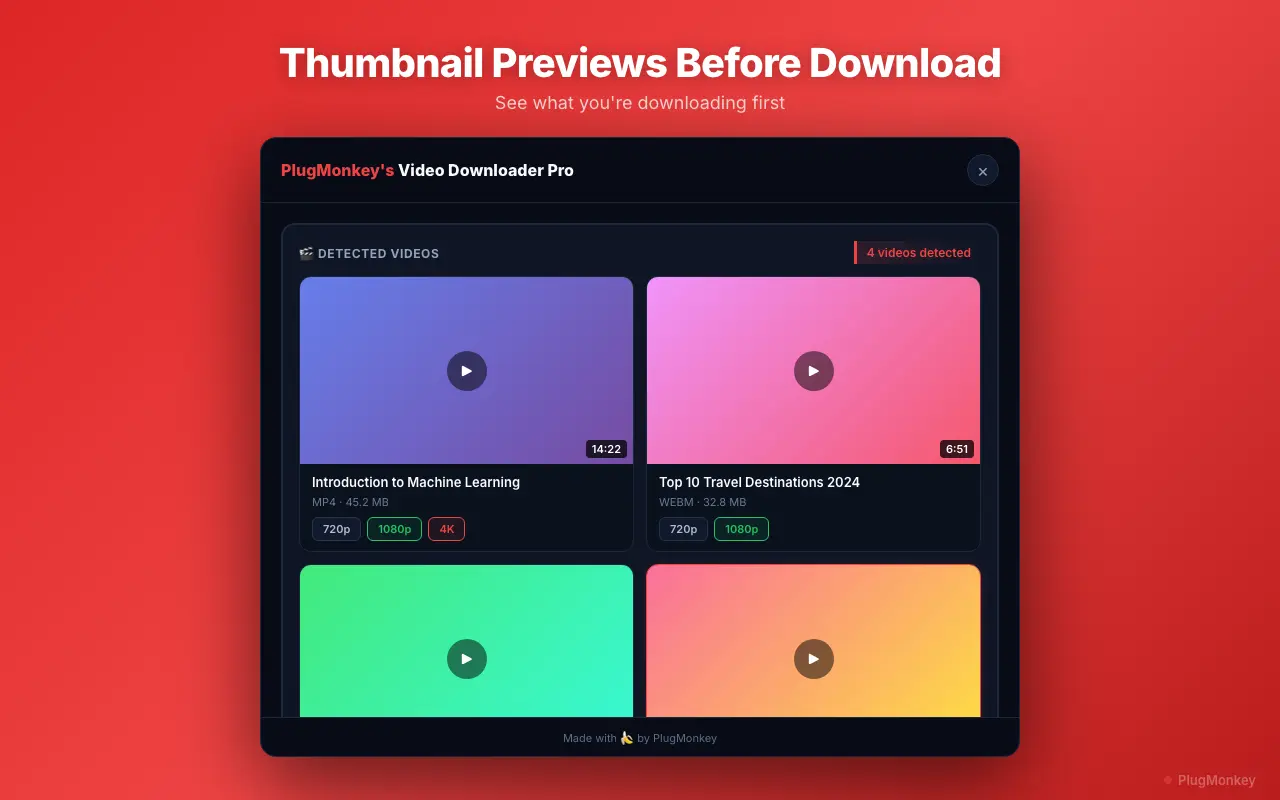
Choose SD or HD and download
Verify the downloaded video
Handle Facebook-specific edge cases (Reels, Watch, Live, Groups, embeds)
Each Facebook video surface has its own quirks worth knowing about:
- Facebook Reels: Open from the Reels feed (facebook.com/reels) or from the main feed. Reels are vertical 9:16 short-form (up to 90 seconds), introduced 2022 as Facebook's TikTok / Instagram Reels competitor. Cross-posted Reels from Instagram (when accounts are linked) are the same CDN file as the Instagram version.
- Watch videos: Facebook's curated video tab at facebook.com/watch. These are longer-form, often professional uploads from Pages and creators. Same download workflow as feed posts.
- Live broadcasts (in progress): Cannot download while live (different streaming infrastructure). Wait for the broadcast to end and become a Live Replay (Facebook publishes it as a regular video typically within minutes of stream end), then download as VOD.
- Group videos: Videos posted in closed or private Groups require Group membership AND active logged-in session. The extension uses your session — if you can view the video manually, you can download it. If you're not a member, neither you nor the extension can access the video.
- Page embeds on external sites: Facebook video embeds on external websites (news articles, blog posts) use Facebook's iframe embed player. The extension detects the underlying Facebook stream regardless of the iframe wrapper, so downloads work on embeds the same as on facebook.com itself.
Supported Formats
- MP4 SD — 480p (older uploads, mobile-quality)
- MP4 HD 720p — common quality tier on most uploads
- MP4 HD 1080p — Facebook's platform cap (when the creator uploaded at 1080p)
Limitations
- Videos in private Facebook Groups require group membership and a valid logged-in session — the extension can only download content that Facebook loads into your browser. No privacy-bypass.
- Facebook Live streams in progress cannot be downloaded as they play (different streaming infrastructure) — only completed live stream replays are downloadable.
- Facebook caps native video uploads at 1080p. No video downloader can recover higher quality that Facebook doesn't store. Any tool advertising '4K Facebook downloads' is misleading.
- Facebook CDN URLs expire within a few minutes — if the extension detects a video but the download fails, refresh the page to get a fresh URL and re-trigger detection.
- Mobile Chrome on Android does not support extensions — use desktop Chrome (Windows, macOS, Linux).
Need More Download Help?
Ask AI for additional tips on downloading Facebook content.
AI responses are generated independently and may vary
Frequently Asked Questions
One-click Facebook video downloads — HD 1080p, no watermark, free
Video Downloader Pro detects Facebook video streams as you browse and saves them as clean MP4 files at original quality, locally — no third-party server ever sees the URL. Same extension handles Reels, Watch, Live replays, and Group videos you have access to.