How to Export Twitter Followers in 2026 — Without Paying for X's Enterprise API
X killed the free follower-listing API in 2023. The official replacement starts at $200/month for the Basic tier and $42,000/month for Enterprise — and PhantomBuster, the historical SaaS leader, now caps every export at the 70 most recent followers per account. Here is the only path that still works at full scale in 2026: a client-side Chrome extension that exports the same follower data you can already see in your own browser, with 20+ metadata fields, no API keys, no credentials forwarded.
By PlugMonkey Team, Editorial
TL;DR
Exporting Twitter/X followers in 2026 is genuinely harder than it was in 2022, because X paywalled the developer API and broke most of the SaaS tools that used to handle this. There are three workable methods today: (1) manually scroll a profile's Followers list at x.com, copy-paste usernames, and reconstruct metadata by clicking each profile — practical only for the first 20-50 accounts; (2) pay for the X Developer API at $200/month Basic, $5,000/month Pro, or $42,000/month Enterprise tier, which is only economically sensible if you're a research institution or enterprise platform; or (3) use a client-side Chrome extension that runs inside your own logged-in x.com tab and exports the follower data X is already showing you — no credentials forwarded, no API keys, no paywall. Most legacy SaaS tools (PhantomBuster, TwExporter, several Apify scripts) are either non-functional or capped at the first 70 followers per account in 2026 because they depended on API access that's now either restricted or unaffordable. The Chrome-extension path remains viable because it operates at the browser layer rather than the API layer — it's the same data your eyes see when you open the profile yourself, just structured into CSV with 20+ metadata fields per account.
- X's free follower-listing API was deprecated in 2023; current paid tiers cost $200/mo (Basic, 10K reads), $5K/mo (Pro, 1M reads), or $42K/mo (Enterprise). For most use cases the API is no longer the economic answer.
- PhantomBuster — historically the dominant SaaS follower-export tool — now hard-caps every Twitter export at the 70 most recent followers per account, per their own product page disclosure. The same is true for most legacy API-based tools.
- A client-side Chrome extension exports the same follower data X already renders in your own browser. No credentials are forwarded, no API key is required, and the 70-follower cap doesn't apply because the extension reads what X shows you, not what the API returns.
- Every field exported (username, display name, bio, follower count, verified status, location, account creation date, profile image URL, and 12+ more) is data X publishes on the public profile page itself. The legal model is closer to copying what you can see than to scraping a protected resource.
“This Phantom can extract up to 70 of the most recent followers per Twitter account. This is a hard limit set by Twitter/X due to current platform restrictions.”
The Numbers, By the Source
Every figure below cites a primary source. Click through to verify.
The hard cap PhantomBuster (the historical SaaS leader in follower export) discloses on its own product page for the Twitter Follower Collector phantom. Every other API-dependent legacy tool in this space (Apify Twitter scrapers, several Zapier integrations) has hit similar limits since X's 2023 API restructure. Tools that operate at the browser layer rather than the API layer are not subject to this cap.
Source: PhantomBuster — Twitter Follower Collector product page2025
X's current developer API pricing tiers in 2026: Basic ($200/mo, 10,000 reads), Pro ($5,000/mo, 1,000,000 reads), and Enterprise (starts at $42,000/mo, with custom volume). The free tier that supported follower-listing endpoints was deprecated in early 2023. For non-enterprise use cases (audience research, small-team competitive intel, journalism), API pricing made follower export economically infeasible — which is what created the demand for browser-based alternatives.
Source: X Developer Platform — Pricing2025
The number of metadata fields exported per account by a properly designed Chrome-extension exporter — every public field X exposes on the profile page itself. This includes username, display name, bio, location, website URL, follower count, following count, tweet count, listed count, verified status, account creation date, profile image URL, banner image URL, protected status, default profile flag, and additional behavioral indicators useful for bot heuristics. None of these fields are private; all are visible to any logged-in X user who opens the profile.
Source: X — Public profile data fields2025
Number of Twitter/X username/password pairs forwarded to any server when you use a client-side Chrome extension built on the content-script architecture. The extension runs inside the x.com tab you're already logged into, so it never sees your password and never sends one to a third party. It also doesn't require an X API key, OAuth token, or any developer-tier subscription. Architectural credential isolation is enforced by Chrome itself, not by the extension's good intentions.
Source: Chrome for Developers — Content Scripts2025
The 9th Circuit ruling (affirmed on remand in 2022) held that accessing publicly available data on a website does not violate the Computer Fraud and Abuse Act, even when the platform attempts to prohibit it. This is the leading U.S. precedent on the legal status of collecting publicly-visible profile data. It doesn't override a platform's terms of service for logged-in users, but it does separate the criminal-law question from the contractual one — and most browser-based export tooling operates inside the user's own session against publicly displayed data.
Source: Electronic Frontier Foundation — hiQ v. LinkedIn case page2022
Before You Start
- An X (Twitter) account you can log into via the X web app (x.com)
- Google Chrome (or a Chromium browser: Edge, Brave, Arc) on desktop
- The username of the public account whose followers you want to export — this can be your own account, a competitor, an influencer, or any other public profile
- Optional: Followers Exporter Pro for X installed from the Chrome Web Store for Method 3 (the only method that still works at scale in 2026)
- Optional: A spreadsheet application (Excel, Google Sheets, Numbers, Airtable) for opening the CSV
Method 1 — Manually scroll the Followers list at x.com (no tool, no scale)
x.com/[username]/followers on desktop (replace [username] with the account you want to export). X renders the followers list as an infinite-scroll feed. You can manually note each account's username, display name, and any visible metadata. For 10-20 followers this is workable; for 1,000+ it's a multi-day exercise with high error rates. There is no native export button on X — the platform has never shipped a 'Download follower list as CSV' feature, and no public roadmap suggests they ever will. This method is what AI Overviews list first because it's the only platform-owned path, but it's not a serious option above small-N use cases.If you only need the top 20-30 most-active or most-recent followers of a small account (under 500 total followers), the manual method is fine — and it generates zero rate-limit risk. For anything larger, jump to Method 3.
X intentionally throttles infinite-scroll on Followers lists past a few hundred records. The list visibly stops loading new entries after 1,000-2,000 scrolls. This is a platform-side limit, not a browser limit — refreshing the page or scrolling in a different tab won't get past it.
Method 2 — Pay for the X Developer API (only sensible if you have enterprise budget)
Before paying for any API tier, check what endpoints your specific use case actually needs. X's follower-listing endpoint documentation lists which tier each method requires — some follower endpoints are gated behind Pro or Enterprise even when read quota would be sufficient at Basic.
Don't sign up for the Basic tier expecting it to behave like the old pre-2023 free tier. The numbers look high (10,000 reads/month) but pagination, rate limits, and the per-account follower volume on large accounts will exhaust the quota much faster than the headline number suggests.
Method 3 — Install a client-side Chrome extension (the only method that scales in 2026)
Before installing any exporter, check the Chrome Web Store listing's Data Disclosure section. Reputable exporters declare exactly what data they read (typically: page content of x.com tabs only) and explicitly state they don't transmit it to remote servers. Any tool that asks you to type your Twitter password into its own UI — or any SaaS dashboard that wants OAuth permissions broader than 'read public profile' — is the credential-forwarding pattern X explicitly warns against in its Automation Rules.
Navigate to the profile whose followers you want to export
x.com/[username] for any public account — your own account, a competitor, an influencer in your niche, a journalist covering your industry, or any other public profile. The extension auto-fills the username when you're on a profile page; you can also type any username manually into the panel without visiting the profile first. The target account does not need to follow you, and you do not need to follow it — only that it's a public (not protected) account. Protected accounts whose tweets are hidden behind follow approval cannot be exported, because the follower list itself isn't public for those accounts.If you're researching a niche of 50-100 influencers, build a spreadsheet of their usernames first, then queue each one in turn through the extension. The CSVs concatenate cleanly in Google Sheets via the IMPORTDATA function or in Python via pandas.concat().
Don't try to export the follower list of an account that has blocked you. X hides the entire profile from blocked users; the extension can only read what X shows your browser, and a blocked profile shows nothing.
Choose Followers or Following and start the export
The 'Following' list is often more useful for competitive intelligence than the 'Followers' list — who an account chooses to follow signals what they pay attention to, while their followers are often a mixed quality bag of fans, bots, and lurkers. For finding outreach targets, export Following lists of your peer accounts.
Review the data in the paginated table before downloading
Sort by Tweet Count ascending and Account Created Date descending to surface the most likely bot accounts at the top of the table. A meaningful percentage of every large account's follower list is inactive or automated; knowing that going in prevents bad analysis downstream.
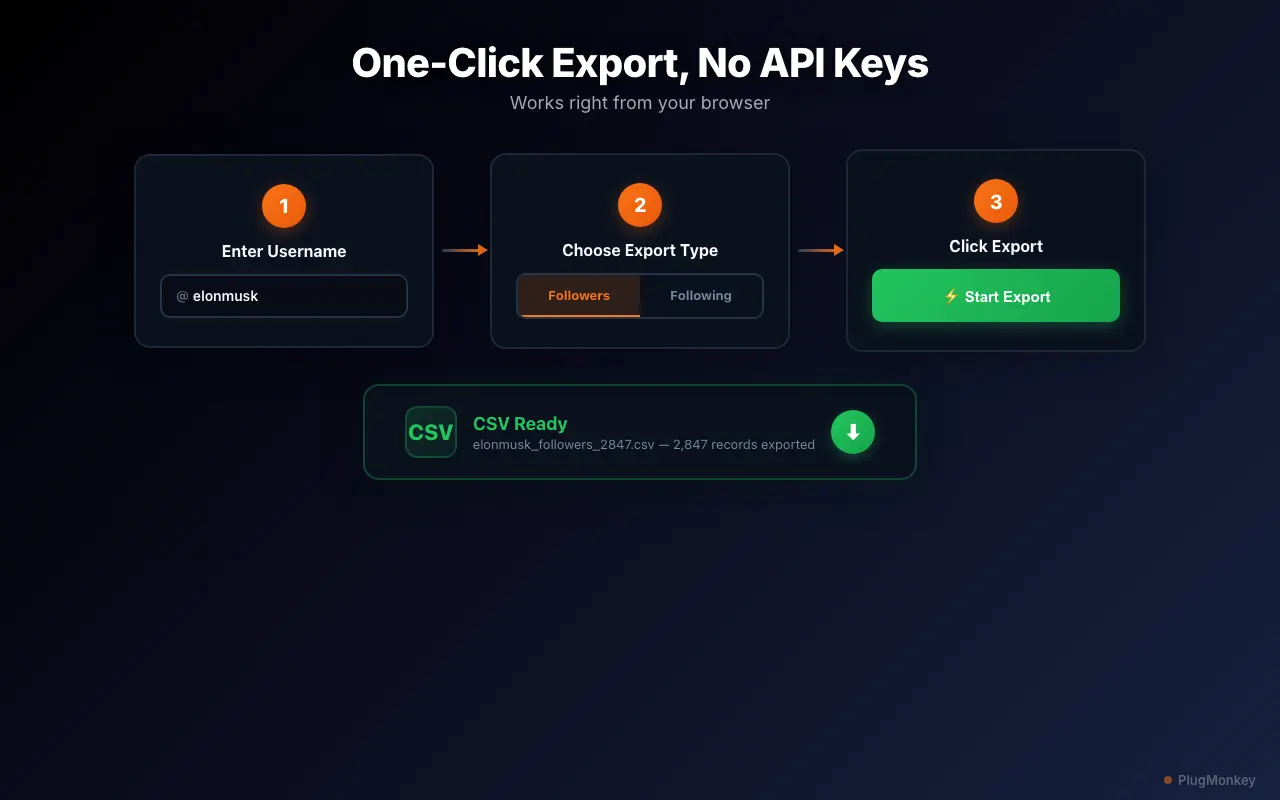
Download the CSV and import it into your analysis tool
elonmusk_followers_2026-05-22.csv). The CSV uses standard UTF-8 encoding with comma separators and quoted strings — it opens directly in Excel, Google Sheets, Numbers, Airtable, and Notion databases. For programmatic analysis, the file imports cleanly into Python (pandas.read_csv()), R (read_csv()), or any SQL bulk-loader. Every field is a separate column, so you can pivot, filter, and join against other datasets without any preprocessing.In Google Sheets, use Data → Create a filter to sort by Followers Count descending to surface the most influential accounts in the list. Filter by Verified = TRUE to isolate verified followers. Use COUNTIF formulas to count followers whose bios contain specific keywords ('CEO', 'founder', 'journalist') for quick audience-segment analysis.
Run periodic re-exports to track audience change over time
Save CSVs with consistent date-stamped filenames (the extension already does this) and store them in a single folder. Even a year of monthly snapshots is only 12 files — easy to keep, easy to diff, and an extremely useful longitudinal dataset for any account-level research.
Summary
Exporting Twitter/X followers in 2026 looks harder than it was in 2022 because X paywalled the API and broke the SaaS tools that depended on it — but the underlying browser-based path is actually unchanged: the follower data is still publicly visible to any logged-in X user, and a Chrome extension can structure that data into CSV without forwarding credentials, calling the paid API, or running into the 70-follower-per-account cap that hobbles PhantomBuster and similar legacy tools. The economic and architectural realities are: (1) the manual scroll-and-copy path is fine for 10-20 records and impractical above that; (2) the X Developer API is the right answer if you have $200-$42,000/month of budget and an enterprise use case; and (3) a client-side Chrome extension running inside your own logged-in x.com tab is the only path that combines reasonable cost, full follower-list scale, and 20+ metadata fields per record. The legal framing throughout is 'export data you can already see' — every field captured is data X publishes on the public profile page itself. For accounts marked Protected, neither this path nor any other (legal) path works, and that's a feature of the platform, not a limitation of the tool.
Need More Help?
Get personalized AI assistance with additional tips and troubleshooting.
AI responses are generated independently and may vary
Frequently Asked Questions
Sources & Further Reading
- X Developer API — Basic, Pro, and Enterprise pricing tiers (2026) — X Developer Platform (accessed May 22, 2026)
- X Developer Community Forum — follower-listing endpoint changes and migration discussions — X Developer Community Forum (accessed May 22, 2026)
- PhantomBuster — Twitter Follower Collector (70-follower-per-account cap disclosure) — PhantomBuster (accessed May 22, 2026)
- TechCrunch — Twitter announces new API pricing with $200/mo Basic tier (March 2023) — TechCrunch (accessed May 22, 2026)
- Ars Technica — Twitter's API paywall and the third-party service breakage (Feb 2023) — Ars Technica (accessed May 22, 2026)
- Chrome content scripts — credential isolation and same-origin architecture documentation — Chrome for Developers (accessed May 22, 2026)
- hiQ Labs v. LinkedIn — 9th Circuit precedent on publicly visible data and the CFAA — Electronic Frontier Foundation (accessed May 22, 2026)
- GDPR Article 6 — lawful basis for processing personal data — GDPR.eu (accessed May 22, 2026)
- X Automation Rules — third-party tool and credential-forwarding policy — X Help Center (accessed May 22, 2026)
Export Any Twitter Audience — Without Paying for the Enterprise API
Followers Exporter Pro for X runs entirely inside your browser — no Twitter password forwarded, no API keys, no $200/mo developer tier. 20+ metadata fields per follower, CSV output, free to install.