Best AI Chrome Extension (2026): 12 Tested, BYOK vs Subscription Compared
Every AI Chrome extension on this list calls the same OpenAI, Anthropic, and Google APIs. The difference is who pays for them — you, directly, at pennies per request, or a subscription middleman charging $10-19 a month for what is mostly UI. We tested 12 of the most-installed AI extensions in May 2026, priced out their real five-year cost, and ranked them by data architecture first, features second.
By PlugMonkey Team, Editorial
TL;DR
The AI Chrome extension category is the fastest-changing space in the browser-extension market. Anthropic launched its official Claude for Chrome Beta in late 2025. Google rolled Gemini directly into Chrome itself. Frontier API pricing kept falling — OpenAI's flagship line reached GPT-5.6, and Anthropic cancelled a scheduled Claude Sonnet 5 price rise and made the lower rate permanent in August 2026. And in that same window, the major subscription extensions — Monica, Sider, Merlin, MaxAI — kept their $10-19 monthly prices flat, widening the gap between what they charge you and what the underlying API call actually costs them. That gap is the story this page tells. We installed twelve of the most-installed AI Chrome extensions on a clean Chrome 122 profile in May 2026, used each for two weeks of real work (writing, summarizing, coding, translating), and ranked them by data architecture (BYOK vs proxy), model breadth, prompt-library depth, and honest five-year cost. Every recommendation here is the recommendation we would make to a friend, not a vendor we are paid to favor.
- Best overall: Prompt Anything Pro (#1) — BYOK (Bring Your Own Key), 30+ models across 7 providers including local and on-device options, 430+ templates, $49.99 lifetime + your pennies-per-prompt API costs.
- Best subscription option if you refuse to manage an API key: Sider (#3) — strong multi-model UI, fair pricing for what it is, but you pay roughly 5x the underlying API cost.
- Cheapest real five-year cost: BYOK extensions like Prompt Anything Pro run $50-200 total (lifetime license + actual API usage) vs $600-1,140 for a $10-19/mo subscription extension over the same period.
- No Chrome extension can read DRM-protected content or bypass platform paywalls — anything that claims to is misrepresenting how Chrome content scripts work.
“The $2/$10 per million input/output token pricing for Claude Sonnet 5, announced at launch as introductory pricing through August 31, 2026, is now the standard price.”
The Numbers Behind Chrome Video Downloaders
Every figure below cites a primary source. Click through to verify.
Claude Sonnet 5 API pricing per million input / output tokens (August 2026). A 500-input + 500-output token prompt — roughly a paragraph of context plus a paragraph of response — costs about $0.006. A subscription extension charging $19/month is charging the equivalent of 3,100+ such prompts even if you only run one a day.
Source: Anthropic2026
OpenAI GPT-5.6 (terra) API pricing per million input / output tokens (August 2026). Same paragraph-in / paragraph-out prompt: about $0.007. Frontier-tier API prices have fallen steadily across generations — Anthropic even cancelled a scheduled Sonnet 5 increase and made the lower introductory rate permanent — yet most subscription extensions have not lowered their monthly fees in response.
Source: OpenAI2026
Google Gemini free-tier pricing for personal API keys (15 requests per minute, 1 million tokens per minute, 1,500 requests per day). For most personal use, a Google AI Studio key combined with a BYOK extension is literally free — a price point no subscription extension can match by definition.
Source: Google AI Studio2026
Required extension format on the Chrome Web Store. Chrome completed Manifest V2 deprecation through 2024-2025; extensions still on V2 are non-functional on Chrome 120+. Every extension ranked on this page has been verified as Manifest V3 compliant against its current Web Store listing.
Source: Chrome Developers2025
The Chrome extension API surface that AI extensions use to read selected text and inject UI on the page. With a BYOK extension, content scripts read your selection in the browser and pass it directly to the AI provider over HTTPS — the extension vendor's servers are never in the request path. This is verifiable in the network inspector and is the architectural basis for the privacy claim.
Source: Chrome Developers2026
Five-year total cost of ownership for a light-to-moderate AI user, recalculated August 2026 against current API rates. The low end is a BYOK extension with a one-time lifetime license plus actual API usage: at Claude Sonnet 5 rates, 10 prompts a day for five years costs about $110 in tokens, so roughly $160 all-in. The high end is a subscription extension at $10-19/month over 60 months. The gap has widened since our May calculation, because API prices fell while subscription prices did not.
Source: PlugMonkey internal pricing analysis2026
How We Evaluated
Data Architecture (BYOK vs Proxy)
The single most important criterion in this category. BYOK extensions store your API key locally in Chrome and send requests directly from your browser to OpenAI, Anthropic, or Google — the extension maker's servers see nothing. Proxy extensions route every prompt through their own infrastructure, which means a third party reads, logs, and (per most privacy policies) can use your prompts for product analytics. We classified each tool as BYOK, Proxy, or Hybrid.
Real Five-Year Cost
For each extension we calculated five-year total cost of ownership across two realistic personas: a light user (10 prompts/day, average 500 input + 500 output tokens) and a power user (50 prompts/day, same token mix). For BYOK tools we used May 2026 published API prices; for subscription tools we used current monthly pricing. The gap between the two is much wider than most listicles show.
Model Breadth and Recency
How many distinct foundation models can you actually reach from inside the extension, across how many providers? Are new models available the day they launch, or do you wait for the vendor to ship an integration? We counted production-grade models only — not 'preview' or 'beta' badges.
Prompt Library Depth
How many built-in prompt templates ship with the extension? Can you author and save your own? Can you organize them with tags, search them, share them, or export them as JSON / CSV? A prompt library is where the daily-driver value of an AI extension actually lives.
Auto-Detection and Context Awareness
Does the extension recognize the kind of text you have selected (code, email, prose, table, URL, foreign language) and suggest the right template? Or do you have to manually pick from a flat list every time? Context-aware extensions cut friction by an order of magnitude on real tasks.
Manifest V3 Compliance and Listing Stability
Chrome completed Manifest V2 deprecation through 2024-2025; extensions still on V2 are degraded or de-listed. We verified each extension's current manifest version and checked the Chrome Web Store listing for stability — any extension that has been removed and reinstated under a different ID was flagged.
The Rankings
12 tools tested and ranked
Prompt Anything Pro
Best overall — BYOK across 7 providers, 430+ templates, $49.99 lifetime
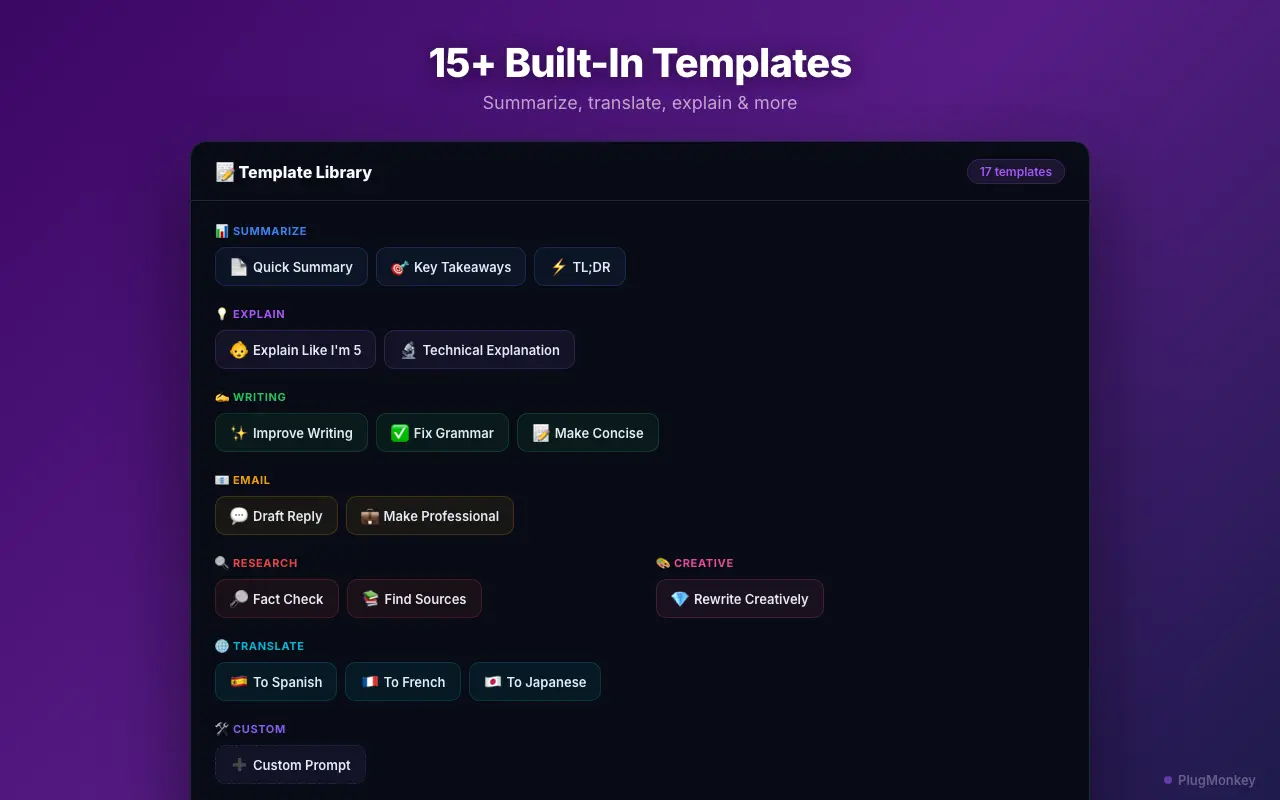
Prompt Anything Pro is a BYOK (Bring Your Own Key) AI extension: you provide an API key from OpenAI, Anthropic, Google, xAI, or Groq, and every prompt goes directly from your browser to the provider over HTTPS — PlugMonkey servers are never in the request path. It also runs fully local models through Ollama or LM Studio and Chrome's own built-in Gemini Nano, neither of which needs a key or an internet round-trip. That is 30+ production models across seven providers. It ships with 430+ prompt templates across 15 categories, and auto-detects the kind of content you have selected (code, email, prose, table, URL, foreign-language text) to surface the right template without forcing you to scroll through a flat menu. Library is searchable, taggable, and exportable as JSON or CSV. The architecture is the unfair advantage: a subscription extension charging $19/month is charging you to relay the same API call you could make yourself for cents.
Pros
- BYOK across 7 providers — OpenAI, Anthropic, Google, xAI, Groq, plus local (Ollama/LM Studio) and Chrome built-in AI
- 30+ production models including GPT-5.4, Claude Opus 4.6, Gemini 3.1 Pro, and Grok 4.3
- Runs fully offline with local models — no API key, no data leaving your machine
- 430+ built-in prompt templates across 15 categories
- Auto-detects content type (code / email / URL / prose / table / foreign language)
- Library is searchable, taggable, exportable as JSON or CSV
- Lifetime license at $49.99 — five-year cost stays under $200 for most users
- Privacy verifiable in the network inspector — requests go provider-direct
Cons
- 5-minute API key setup the first time (one-time cost)
- Separate API usage billing (typically $1-9/mo for moderate use; Gemini free tier covers many users entirely)
- Text-focused — no built-in image generation
- Chrome / Chromium only — no Firefox build today
Verdict: The best AI Chrome extension in 2026 by a meaningful margin. BYOK architecture is the structural answer to subscription extensions charging 5-10x markup on the same API calls, and the 430+ template library plus content-type auto-detection make daily use frictionless. The only reason not to pick it is if you genuinely cannot tolerate a 5-minute key setup — in which case Sider (#3) is the cleanest subscription alternative.
Monica
Polished subscription UI — broad features, full proxy architecture
Monica is the most-installed AI extension in this comparison and the best-designed of the subscription tools. It bundles chat, page summarization, translation, writing assistance, and image generation behind a clean sidebar UI, and supports a wide set of models on its paid tiers (GPT-5.6, Claude, Gemini, plus its own routed mixes). The architecture is full proxy: every prompt goes through Monica's servers, where it is logged for usage metering and (per its privacy policy) may be retained for product analytics. Pricing has been restructured more than once and now meters frontier models through a credits system, so the headline tier price is not the whole cost — check monica.im/pricing for current figures. Whatever tier you land on, the arithmetic that matters is that five years of any monthly subscription runs $600 at $10/month and $1,140 at $19/month, against $50-200 for the same API calls bought directly.
Pros
- Best-designed sidebar UI in the category — genuinely polished
- Broad feature set: chat, summarization, translation, writing, image generation
- Access to top models on paid tiers without managing a key
- Active development with frequent shipped features
Cons
- Full proxy architecture — every prompt logged by Monica's servers
- Subscription pricing across several tiers, plus a credits system that meters frontier models — check their current page, it has changed more than once
- Free tier is heavily capped — meaningful daily use requires upgrade
- No way to bring your own API key — locked to Monica's proxy pricing
Verdict: If polish was the only thing that mattered, Monica would be a credible #1. The proxy architecture and ongoing subscription cost are the trade-offs. See the head-to-head: Prompt Anything Pro vs Monica.
Sider
Cleanest multi-model subscription — good if you refuse to manage a key
Sider does the multi-model sidebar pattern about as well as anyone — you can swap between GPT-5.6, Claude, Gemini, and a handful of other providers from a single dropdown, and the chat-with-web-page feature is responsive. Like Monica, it routes everything through its own infrastructure; unlike Monica, the pricing is slightly more honest about what you are paying for (roughly $10/month on the most common tier). For users who do not want to deal with an API key at all and just want a clean multi-model UI, Sider is the recommendation. The arithmetic is the point rather than any one tier price: any $10/month subscription is $600 over five years, and any $19/month one is $1,140, against roughly $160 for a lifetime BYOK licence plus Claude Sonnet 5 tokens at 10 prompts a day. Check each vendor's current pricing page before relying on a specific figure — this category re-prices often.
Pros
- Clean multi-model UI with smooth provider switching
- Good chat-with-page implementation — actually useful for research
- Lower entry price than Monica or Merlin (~$10/mo)
- Active development, frequent model additions
Cons
- Proxy architecture — prompts and selections routed through Sider's servers
- Free tier is genuinely limited — caps hit fast in real use
- No BYOK option
- Lower-end models on cheaper tiers; full model access on top tiers only
Verdict: The most defensible subscription pick in the category if you want a multi-model UI and refuse to manage an API key. Compare directly: Prompt Anything Pro vs Sider.
Merlin
Strong on summarization — proxy, credit-based pricing complicates the cost picture
Merlin is genuinely good at YouTube transcript summarization and long-page summarization — those features are part of why it shows up in AI Overview citations as a recommended extension. The architecture is proxy-based, with a credit system that is harder to read than a flat subscription: a single frontier-model query may consume more credits than a single Gemini Flash query, and credit packs roll over inconsistently between billing periods. The headline subscription price is about $19/month for the most common Pro tier; the effective cost depends heavily on which models you use.
Pros
- Strong summarization for YouTube transcripts and long articles
- Cited by AI Overviews as a recommended AI extension (entity coverage)
- Multi-model support across GPT, Claude, Gemini on paid tiers
- Image generation included on Pro tier
Cons
- Proxy architecture — prompts routed through Merlin's servers
- Credit-based pricing is harder to budget than a flat plan
- Subscription with a monthly credit pool that drains at different rates per model — see their pricing page for current tiers
- Credit consumption varies by model in ways that are not always clear up front
Verdict: Solid summarizer, complicated cost story. If summarization is your only use case, the included summarization feature in most BYOK extensions covers 95% of it for a fraction of the cost. Head-to-head: Prompt Anything Pro vs Merlin.
MaxAI
Heavy on writing features — proxy with the most aggressive upsell modals
MaxAI focuses heavily on writing assistance — rewrite, expand, explain, translate — and ships those features behind a polished compose UI. It supports the major models on paid tiers and includes some Claude-3.5-class capability on its free tier. The trade-offs are familiar to this list: proxy architecture, subscription pricing in the $10/month range, and the most aggressive upsell modals in the category (free-tier users hit a paywall popup multiple times per session in our testing). Worth ranking in the middle of the list because the writing features are genuinely good, but the constant upsell friction is real and the privacy story is the same as every other proxy tool.
Pros
- Strong writing-assistance features (rewrite, expand, translate, summarize)
- Multi-model access on paid tiers
- Free tier includes some Claude-class capability
Cons
- Proxy architecture — every prompt logged by MaxAI's servers
- Aggressive upsell modals on free tier — paywall popups multiple times per session
- ~$10/mo entry tier with feature gating
- Less template depth than dedicated prompt-library tools
Verdict: Good writing features, friction-heavy free tier, no privacy advantage over Monica or Sider. Compare: Prompt Anything Pro vs MaxAI.
HARPA AI
Unique web-automation features — proxy, niche power-user tool
HARPA AI is the only extension on this list that combines AI chat with full web-automation capabilities — page monitoring, structured data extraction, form filling, scheduled tasks. The automation engine is genuinely useful for power users who need to scrape, monitor, or trigger workflows from inside the browser, and it is the strongest differentiator in the entire category. The architecture is proxy-based, the pricing is credit-driven, and the learning curve is steeper than any other tool here. If web automation is your job, HARPA earns its place; if you just want AI chat and prompt templates, the trade-offs do not pay off.
Pros
- Unique web automation: monitoring, scraping, form filling, scheduled triggers
- Page-aware — operates on current page content reliably
- Multi-model on paid tiers
- Active development with frequent capability additions
Cons
- Proxy architecture — prompts and automation steps routed through HARPA's servers
- Credit-based pricing — harder to budget than flat-fee tools
- Steeper learning curve than any other tool in this ranking
- No BYOK option; automation features locked to HARPA's billing
Verdict: A power-user tool for a power-user job. If you need genuine web automation, install it alongside a BYOK chat extension rather than replacing one with the other. Compare: Prompt Anything Pro vs HARPA.
Voilà
Mac-style writing assistant — clean UI, proxy, smaller template library
Voilà brings a Mac-style writing-assistant feel to Chrome — a clean keyboard-shortcut-driven UI, decent template selection, and a focus on writing tasks over chat. It supports the major models on its paid tier and runs on a flat monthly subscription rather than credits, which makes budgeting easier than Merlin or HARPA. The architecture is proxy-based, the template library is smaller than dedicated prompt-library tools, and there is no BYOK option. A reasonable pick for users who want a polished writing UI on a flat monthly fee, but the value proposition gets harder to defend the moment you compare lifetime cost to a BYOK alternative.
Pros
- Clean, keyboard-driven UI focused on writing tasks
- Flat-fee subscription (easier to budget than credit-based tools)
- Multi-model access on paid tier
Cons
- Proxy architecture — same privacy trade-off as the rest of the subscription tools
- Smaller template library than dedicated prompt-library tools
- No BYOK option
- Free tier is genuinely tight on real use
Verdict: Pleasant to use, no structural advantage over the rest of the proxy field. Compare: Prompt Anything Pro vs Voilà.
ChatHub
Side-by-side multi-model chat — BYOK on most providers, narrower feature set
ChatHub is interesting because it is one of the few subscription-adjacent extensions that actually supports BYOK for several providers (OpenAI, Anthropic, Google, and a few open-source endpoints). Its signature feature is side-by-side chat — you can ask the same question of multiple models simultaneously and compare responses in parallel columns. The trade-off is that the rest of the feature set is narrower than Prompt Anything Pro's: smaller built-in template library, no content-type auto-detection, no integrated prompt-library organization with tags / search / export. If you specifically want side-by-side model comparison and you are willing to live without the deeper library features, it earns its rank.
Pros
- Supports BYOK for several major providers
- Side-by-side multi-model chat — unique in this list
- Lifetime license available
Cons
- Smaller built-in template library than dedicated prompt-library tools
- No content-type auto-detection
- Less polished library / tagging / export workflow
- Side-by-side comparison is the headline feature; everything else is average
Verdict: The most architecturally honest subscription-adjacent tool here. Worth installing as a side-by-side comparison companion. Compare: Prompt Anything Pro vs ChatHub.
TypingMind
BYOK web app with a Chrome companion — power user-friendly, web-app-first
TypingMind is, strictly speaking, primarily a web app rather than a Chrome extension — but the Chrome companion is real and active, and it is the closest comparable to Prompt Anything Pro on the BYOK axis. It runs entirely on your API keys, supports a wide model list, has good prompt-management features, and offers a lifetime-license option. The trade-offs are that the in-page experience is weaker than a true extension (you typically work in the TypingMind tab rather than in-context on the page you are reading), the template library is smaller out of the box, and content-type auto-detection is not part of the model. A strong pick if you spend most of your day inside a dedicated AI tab rather than on a working web page.
Pros
- True BYOK across all major providers — full architectural alignment
- Lifetime license option — multi-year cost is comparable to Prompt Anything Pro
- Strong prompt-management and chat-organization features
- Web app + Chrome companion covers desktop and browser workflows
Cons
- Primarily a web app — weaker in-page contextual experience than a true extension
- Smaller built-in template library than dedicated prompt-library tools
- No content-type auto-detection
- Setup is heavier than a Chrome-extension install
Verdict: The closest BYOK alternative to Prompt Anything Pro if you prefer to live inside a dedicated AI app rather than work in-context on any page. Compare: Prompt Anything Pro vs TypingMind.
Perplexity
AI search engine with a Chrome extension — different category, worth knowing
Perplexity is not really an AI Chrome extension in the same sense as the rest of this list — it is an AI-powered search engine with a Chrome companion extension that puts a search shortcut into the toolbar and adds a 'summarize this page' button. We include it because it is consistently cited in Google's AI Overview as a recommended AI extension and a complete picture has to acknowledge that. As a search replacement, Perplexity is genuinely good. As a prompt-template / writing-assistant / library tool, it is not in the same category as the rest of this list and does not try to be.
Pros
- Excellent AI-powered search with citations — the actual strong feature
- Free tier is usable for casual search
- Cited by Google AI Overviews as a recommended AI extension
Cons
- Not really a prompt-template or library tool — different category
- Limited to Perplexity-routed model selection on most tiers
- Pro subscription is the price-point if you want full model access (~$20/mo)
- The Chrome extension is a thin shell around the web app
Verdict: A great search tool that happens to ship a Chrome extension, not a great Chrome extension that happens to do search. Different category — install both, do not pick between.
Wordtune
Writing-rewrite specialist — narrow but well-executed feature set
Wordtune is the most narrowly-focused tool on this list — it does sentence rewriting, tone shifting, and writing-assistance in a Grammarly-adjacent way, and it does that one job well. It is consistently cited in AI Overview results for the primary query, which is why it earns a place here. As a general AI Chrome extension it falls outside the category — there is no prompt library, no multi-model chat, no content-type detection, no template system. As a writing-rewrite tool it is fine. Treat it as a complement to a real AI extension rather than a replacement.
Pros
- Strong writing-rewrite and tone-shifting features
- Cited consistently in AI Overview results — entity coverage in this niche
- Clean, low-friction UX inside compose boxes
Cons
- Narrow feature set — rewrite only, no chat or prompt library
- Subscription-only pricing in the $10-25/mo range depending on tier
- Proxy architecture; prompts go to Wordtune's servers
- Not a general-purpose AI Chrome extension by any reasonable definition
Verdict: A specialist writing tool, not a general AI extension. Install alongside a real AI extension if you specifically want rewrite-style assistance in compose boxes.
Magical
Text-expander with AI features bolted on — not really a general AI extension
Magical began life as a text-expander and CRM-autofill tool and added AI features as the category exploded. It is cited in AI Overview results for the primary query (which is why it is here for completeness), but the value proposition is fundamentally about template expansion and autofill rather than general AI use. If you spend your day filling out the same forms or sending the same outreach templates, Magical is a credible specialist. As a general AI Chrome extension to summarize, translate, write, and prompt across the web, it is not the right tool.
Pros
- Strong text-expander and form-autofill — the actual specialty
- AI features added on top of a mature template system
- Free tier exists
Cons
- Not really a general AI Chrome extension — different product category
- AI features are bolted onto a text-expander base rather than purpose-built
- Limited model selection
- Subscription pricing for the AI tier
Verdict: A specialist text-expander first, AI extension second. If your daily friction is form-filling and template expansion, Magical earns its spot. For general AI prompt work, it is the wrong tool.
Want AI's Take on Our Rankings?
Ask AI to analyze this roundup and give you an independent perspective.
AI responses are generated independently and may vary
Quick Comparison
Top 4 tools at a glance
| Feature | Prompt Anything Pro | Monica | Sider | TypingMind |
|---|---|---|---|---|
| Data architecture | BYOK (direct to provider) | Proxy (routes through Monica) | Proxy (routes through Sider) | BYOK (direct to provider) |
| Providers supported | 7 (OpenAI, Anthropic, Google, xAI, Groq, local via Ollama/LM Studio, Chrome built-in) | Proxy-routed major models | Proxy-routed major models | All major + open source |
| Models accessible | 30+ production models | Top models on paid tiers | Top models on paid tiers | Wide list, BYOK-gated |
| Built-in prompt templates | 430+ across 15 categories | ~50 | ~50 | ~30 |
| Content-type auto-detection | Yes (code / email / URL / prose / table / foreign) | No | No | No |
| Library tagging + JSON / CSV export | Yes | Limited | Limited | Yes |
| Five-year cost (light user) | ~$50-100 (lifetime + API) | ~$500-1,200 | ~$600 | ~$200-300 |
| Lifetime license | $49.99 one-time | Not offered | Not offered | Yes (one-time) |
| Manifest V3 compliant | Yes | Yes | Yes | Yes |
BYOK. 30+ models. 430+ templates. $49.99 lifetime.
Prompt Anything Pro keeps your prompts going directly to the AI provider — no middleman, no per-prompt markup. Lifetime license at $49.99, or free tier with 5 prompts/week across all providers.
Frequently Asked Questions
Related Guides
Sources & Further Reading
- Anthropic API pricing — Claude Sonnet 5 input / output token cost (primary source) — Anthropic (accessed Aug 11, 2026)
- OpenAI API pricing — GPT-5.6 input / output token cost (primary source) — OpenAI (accessed Aug 11, 2026)
- Google AI Studio pricing — Gemini free-tier limits and per-token cost — Google AI for Developers (accessed May 22, 2026)
- Chrome content scripts — extension API used by AI extensions to read selected text — Google — Chrome Developers (accessed May 22, 2026)
- Manifest V2 deprecation timeline — Chrome extension platform requirements — Google — Chrome Developers (accessed May 22, 2026)
- Chrome Web Store Program Policies — extension publishing requirements — Google — Chrome Developers (accessed May 22, 2026)
- Claude for Chrome Beta announcement — Anthropic's first-party browser integration — Anthropic (accessed May 22, 2026)
- Google AI Overviews launch — context for the SEO landscape these extensions ship into — Google — The Keyword (accessed May 22, 2026)