How to Clean Up Your Twitter Following List
A comprehensive playbook for auditing your entire following list. Identify inactive accounts, likely bots, and irrelevant follows — then remove them systematically without losing anyone important.
Before You Start
- Google Chrome browser (desktop)
- An X (Twitter) account
- Unfollow Pro for X installed from the Chrome Web Store
- 15-30 minutes for a thorough audit (depending on list size)
Audit your current following count and set a target
A healthy following-to-followers ratio on Twitter/X is generally below 1:1. If you follow significantly more people than follow you, a cleanup will improve both your feed quality and how your profile appears to potential followers.
Install Unfollow Pro for X and open the management panel
Phase 1: Remove inactive accounts (90+ days dormant)
This first phase alone typically removes 15-25% of a following list. Start here because these accounts contribute zero value to your timeline.
Phase 2: Identify likely bots and spam accounts
Not every account with a low follower count is a bot. Some may be new, genuine users. Check their bio and recent posts before removing. Focus on accounts with default profile pictures, no bio, and suspicious patterns.
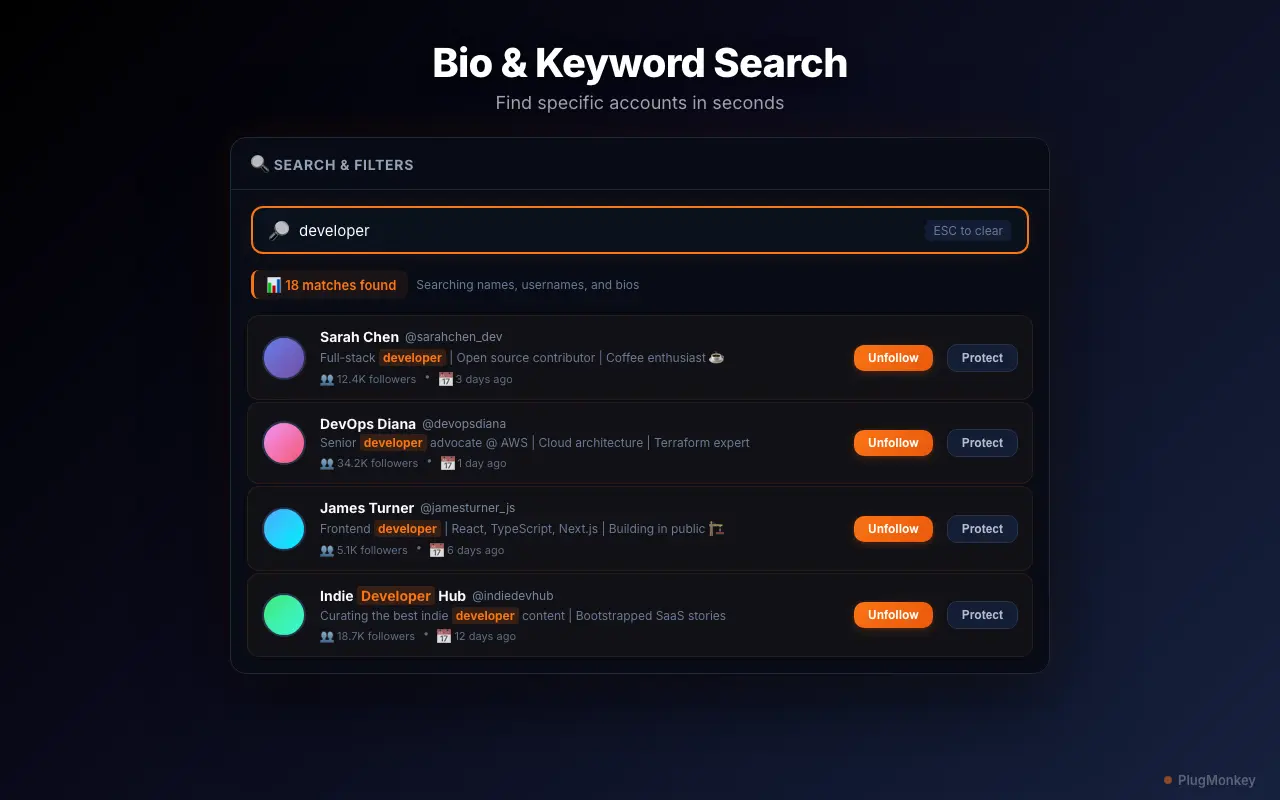
Phase 3: Filter out irrelevant accounts by keyword
Think about topics you were interested in 2-3 years ago but no longer follow. Common examples include old hobbies, previous jobs, or trends that have passed. Each keyword search surfaces a focused subset of accounts to review.
Protect your important connections with the whitelist
Run your bulk cleanup and verify improvements
Summary
A thorough Twitter/X following list cleanup involves three phases: removing dormant accounts (90+ days inactive), eliminating likely bots and spam (extreme follower ratios), and unfollowing irrelevant accounts by keyword. Combined with whitelist protection for accounts you value, this systematic approach typically reduces a following list by 20-40% while improving your feed quality dramatically. Set a quarterly reminder to repeat this process — your interests and the accounts you follow both evolve over time, and regular maintenance keeps your timeline intentional. Unfollow Pro for X's rate-limit-safe pacing ensures all bulk operations are safe for your account.
Need More Help?
Get personalized AI assistance with additional tips and troubleshooting.
AI responses are generated independently and may vary
Frequently Asked Questions
Your Timeline Deserves Better
Install Unfollow Pro for X and clean up your following list in 15 minutes. Advanced filters, whitelist protection, and safe bulk operations included.