How to Bulk Unfollow on Twitter/X in 2026
Stop unfollowing one account at a time. Use advanced filters to find accounts that clutter your feed and remove them in bulk — directly from your browser.
Before You Start
- Google Chrome browser (desktop)
- An X (Twitter) account
- Unfollow Pro for X installed from the Chrome Web Store
Install Unfollow Pro for X from the Chrome Web Store
Pin the extension to your toolbar for quick access by clicking the puzzle piece icon in Chrome and toggling the pin next to Unfollow Pro for X.
Navigate to your X (Twitter) profile page
Open the Unfollow Pro for X management panel
The floating button only appears on your own profile page (or the Following tab). If you do not see it, make sure you are logged in and viewing your own profile.
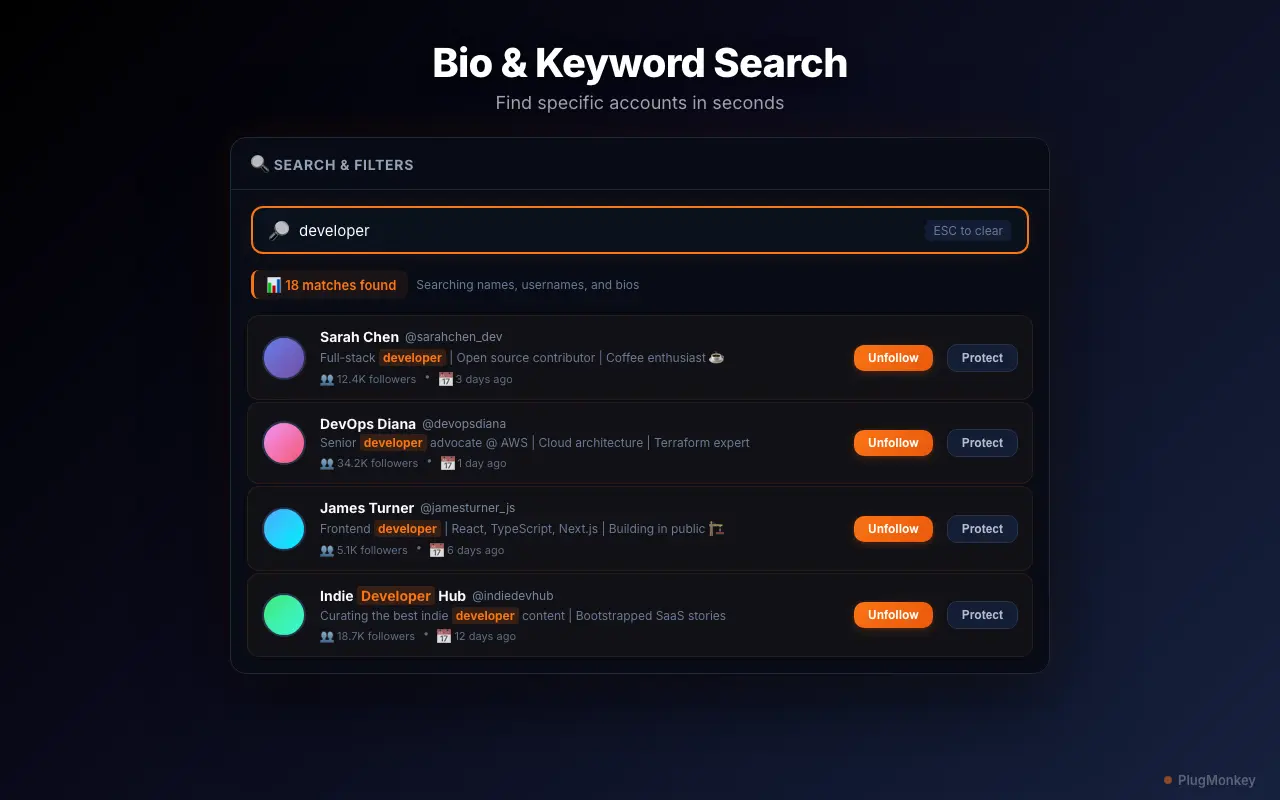
Apply filters to find accounts you want to unfollow
Start with the inactivity filter set to 90+ days. These are accounts that have been dormant for at least 3 months and are likely safe to unfollow without missing anything.
Review the filtered results
Always review before unfollowing. While you can re-follow accounts later, Twitter/X may rate-limit follow requests if you try to re-follow many accounts at once.
Add important accounts to your whitelist
Consider whitelisting close friends, business contacts, and industry leaders before running any bulk unfollow action. You can manage your whitelist from the panel settings.
Click Bulk Unfollow to remove filtered accounts
Bulk Unfollow is a PRO feature. Free users can unfollow up to 10 accounts per week using manual one-by-one removal. Upgrade at plugmonkey.xyz/pricing/x-unfollow-pro/ for unlimited bulk operations.
Summary
You have successfully bulk unfollowed accounts on X (Twitter) using advanced filters. Your timeline should immediately feel cleaner and more relevant. Repeat this process monthly to keep your following list curated. Remember to use the whitelist feature to protect accounts you care about, and start with conservative filters (90+ days inactive) before moving to more aggressive cleanup. Unfollow Pro for X's rate-limit-safe pacing ensures your account stays in good standing throughout the process.
Need More Help?
Get personalized AI assistance with additional tips and troubleshooting.
AI responses are generated independently and may vary
Frequently Asked Questions
Ready to Clean Up Your Twitter/X Following List?
Install Unfollow Pro for X free and start bulk unfollowing with advanced filters. No credit card required.