Download YouTube Shorts as MP4 — Original Quality
YouTube doesn't offer a download button on Shorts. Video Downloader Pro detects the HLS stream and saves Shorts as a single MP4 file at original quality — 720p, 1080p, or 4K depending on the source. No watermark added.
Last updated: June 21, 2026
YouTube Shorts are TikTok-style vertical videos hosted on YouTube — sub-60-second clips that play in a vertical feed. Unlike regular YouTube videos, Shorts have NO download button in the official YouTube app (mobile or web). Even YouTube Premium subscribers can only 'save to playlist' or use offline-viewing-within-YouTube — there's no save-to-device option. For creators repurposing their own Shorts across platforms, archivists preserving content, or researchers analyzing trends, Video Downloader Pro fills the gap by detecting the HLS video stream YouTube serves during Shorts playback and saving it as a standalone MP4. No watermark added, original quality preserved.
How to Download
Open the YouTube Short in a normal browser tab (not the app)
Video Downloader Pro is a Chrome extension — it works on YouTube's web interface, not the mobile app. To capture a Short:
- If you saw the Short on mobile, copy its URL and open it on desktop Chrome (URL format:
youtube.com/shorts/[id]) - If you're already on desktop, click the Short to open it in the vertical Shorts player
- Wait for the Short to start playing — the HLS stream loads after playback begins, not when the page first renders. The extension can only detect streams that have actually started loading.
YouTube's Shorts player auto-advances to the next Short after ~10 seconds of silence. To prevent auto-advance during capture: click the pause button on the current Short, then trigger the extension.
Trigger Video Downloader Pro and pick the highest quality option
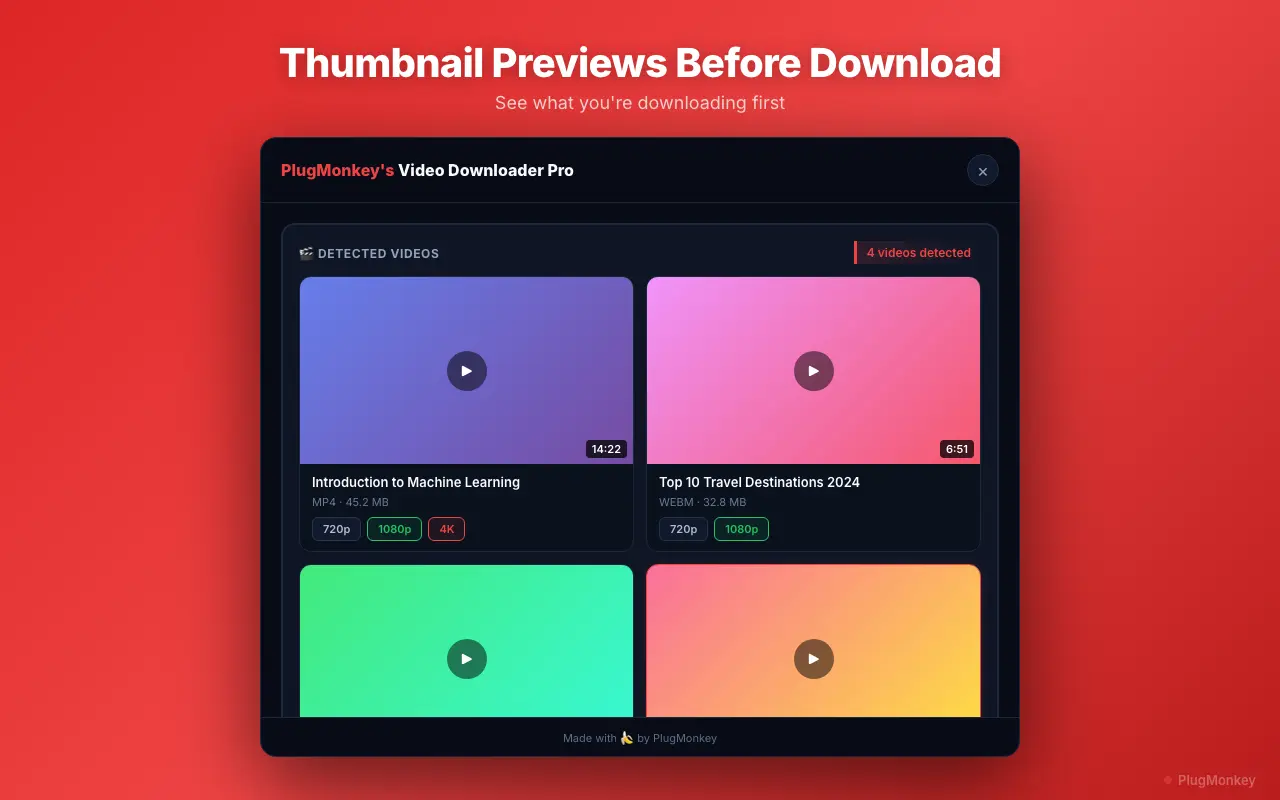
Click the Video Downloader Pro extension icon in your Chrome toolbar. For a YouTube Short you'll typically see:
- Multiple resolution variants: 360p, 480p, 720p, sometimes 1080p, occasionally 4K (depends on what the creator uploaded). Vertical Shorts mean the resolution refers to width — 1080p Short = 1080 pixels wide.
- Audio-only stream: labeled audio/mp4 — useful only if you specifically need audio extraction
- Thumbnail / preview images: skip these
For most use cases, pick the highest video resolution available. 4K Shorts are rare but exist; 1080p is common for serious creators; 720p is the default for older or quickly-shot Shorts.
Click the resolution you want — Video Downloader Pro downloads the HLS segments and muxes them into a single MP4 with synced audio. A 60-second 1080p Short is typically a 15-25 MB MP4.
Open the downloaded MP4 to verify quality + audio sync
The MP4 lands in your Downloads folder. Before using or sharing:
- Open in QuickTime, VLC, or your default video player. Confirm video + audio play correctly. Occasionally HLS segment merging can produce a sync issue — rare but check.
- Check resolution: right-click → Get Info (Mac) or Properties (Windows) → look for video dimensions. Confirms you got the resolution you selected.
- Verify no watermark: Video Downloader Pro doesn't add watermarks. If you see any text overlay or logo, it's from the Short itself (creator's branding, not extension watermark).
Common post-download workflows:
- Cross-post to TikTok / IG Reels / X video: the MP4 is already in vertical aspect ratio — drop it into your other platform's upload flow directly
- Edit in CapCut / Final Cut / DaVinci Resolve: import the MP4 like any standard video file
- Archive: rename with creator + date (e.g.,
creator_2026-06-21_short-title.mp4) so your local archive stays browsable
Batch downloading multiple Shorts (workflow)
YouTube Shorts download one at a time in the extension. For batch workflows (downloading 10-50 Shorts from a creator's channel, for example):
- Open the creator's channel → Shorts tab
- Open each Short in a new tab (Ctrl/Cmd+click on each)
- Switch through tabs, triggering Video Downloader Pro on each
- Each download runs independently — you can queue 10+ downloads simultaneously
For automating creator-channel archives at scale (100+ Shorts), the alternative is a desktop tool like yt-dlp (free, CLI, supports YouTube Shorts via the URL pattern). Browser extensions handle on-the-fly archiving of Shorts you encounter; desktop tools handle bulk channel-archive workflows.
Supported Formats
- MP4 (H.264 video + AAC audio) — universal format, plays everywhere
- Resolutions: 360p, 480p, 720p, 1080p, occasionally 4K (depends on the Short's upload)
- Audio-only extraction (M4A) — useful for audio analysis or podcast snippets
Limitations
- YouTube Shorts that are members-only or behind paywalls require active membership/subscription — the extension uses your existing logged-in session, so unlock-via-payment Shorts download normally if you've already paid
- Live Shorts (rare — Shorts can be live in newer YouTube features) require staying joined for the duration you want to capture; the extension records what streams to your browser
- Some creators disable embedding on their Shorts; this doesn't typically block downloads but occasionally affects which resolutions appear
- Downloading copyrighted Shorts for personal viewing is generally fair use; redistribution requires the creator's permission and may also conflict with music licensing (Shorts using YouTube Music Library tracks)
Need More Download Help?
Ask AI for additional tips on downloading YouTube Shorts content.
AI responses are generated independently and may vary
Frequently Asked Questions
Save YouTube Shorts as MP4 — no watermark, original quality
Install Video Downloader Pro free. Captures the HLS stream YouTube serves and muxes it into a clean MP4 — 4K when available, ready to repost or archive.