How to Download Videos From Any Website
See a video you need to save? This guide shows you how to detect, preview, and download videos from virtually any website — in resolutions up to 8K — directly from your browser.
Before You Start
- Google Chrome browser (desktop)
- Video Downloader Pro installed from the Chrome Web Store
- Sufficient storage space for downloaded video files
Install Video Downloader Pro from the Chrome Web Store
Visit any webpage with a video you want to download
YouTube is excluded per Chrome Web Store policy and the extension does not function on youtube.com. DRM-protected content (Netflix, Disney+, etc.) is also not supported.
Click the floating button to see detected videos
The floating button appears automatically when videos are detected. If you do not see it, try playing the video first — some sites load video sources lazily and the extension detects them once playback begins.
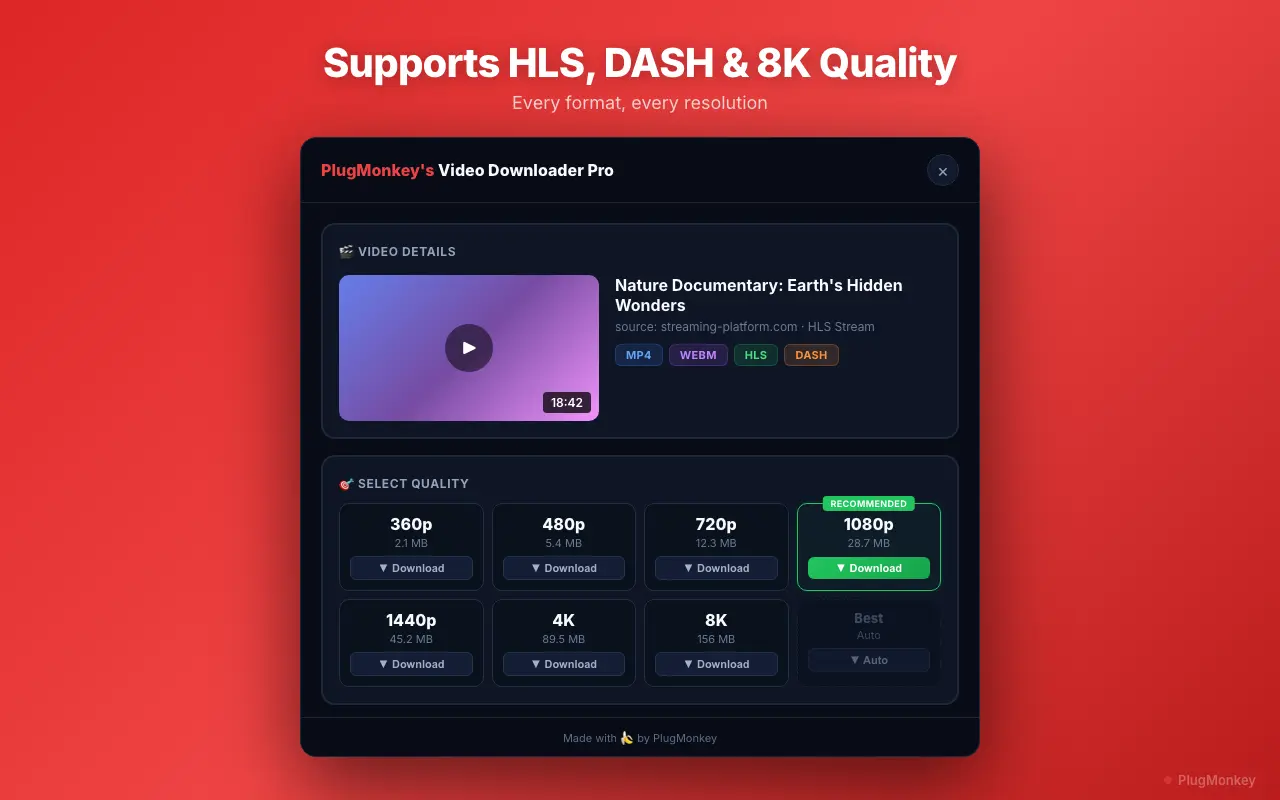
Select your preferred video quality
For most uses, 1080p (Full HD) offers the best balance of quality and file size. Choose 4K or 8K only when you need maximum quality for presentations, archiving, or professional use.
Download the video file
Find the downloaded file in your downloads folder
Video Downloader Pro saves files in their original format (usually MP4). If you need a different format, use a free converter like HandBrake or VLC. The downloaded file retains the full quality of the selected resolution.
If no video is detected: a short troubleshooting checklist
Detection depends on the video actually loading in the page. When the panel comes up empty, it is almost always one of these:
- Press play first. Many sites load the video source only when playback starts. Let it run for two or three seconds, then reopen the panel.
- The video is in an iframe from another domain. Scroll it into view and start playback — the embedded player has to initialise before its stream is visible.
- It is a segmented stream (HLS / m3u8). These appear only once enough segments have loaded. Let a few seconds buffer and the stream will show up as a single quality option.
- The site is DRM-protected. Netflix, Disney+, Hulu, Prime Video and similar services encrypt playback. No browser extension can decrypt those, and any tool claiming otherwise is misrepresenting how Chrome works.
- It is YouTube. Excluded by Chrome Web Store policy for every extension, ours included.
- The page was open before you installed. Reload the tab so the content script attaches.
Quick way to tell DRM from a detection hiccup: if the video plays fine but nothing is ever detected no matter how long it runs, it is DRM. If detection works after pressing play, it was just lazy loading.
Summary
You can now download videos from virtually any website using Video Downloader Pro. The extension automatically detects video sources on any page, shows thumbnail previews with quality options, and downloads files directly to your computer. It handles standard HTML5 players, embedded frames, and even HLS streaming formats — all in resolutions from SD to 8K. Remember that YouTube is excluded per Chrome Web Store policy, and DRM-protected content cannot be downloaded. For everything else, this is the fastest way to save web videos for personal, educational, or professional use.
Need More Help?
Get personalized AI assistance with additional tips and troubleshooting.
AI responses are generated independently and may vary
Frequently Asked Questions
Download Any Video in Seconds
Video Downloader Pro detects and downloads videos from any website in up to 8K quality. Free to install, no sign-ups.