How to Download HLS Streaming Videos from Any Site
HLS (HTTP Live Streaming) videos cannot be saved with a simple right-click. Video Downloader Pro intercepts HLS streams automatically and lets you download them in the highest available quality — no command-line tools or technical knowledge needed.
Before You Start
- Google Chrome browser (desktop)
- Video Downloader Pro installed from the Chrome Web Store
- A webpage with HLS streaming video content
Install Video Downloader Pro from the Chrome Web Store
Navigate to the page with the HLS video
You can tell a video uses HLS streaming if it loads progressively (not all at once), adapts quality based on your connection speed, or if the video URL in browser DevTools contains '.m3u8'. Most modern streaming sites use HLS.
Click the Video Downloader Pro icon to see detected streams
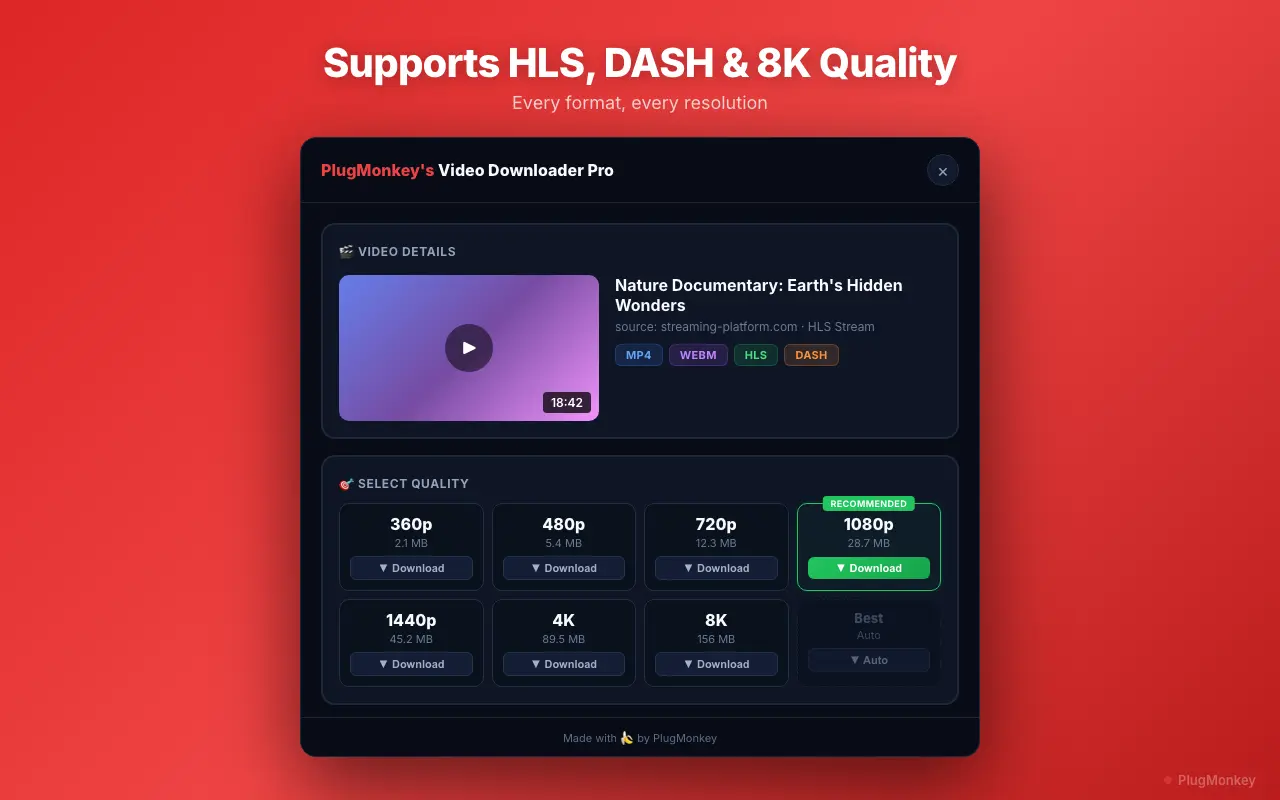
Select your preferred quality and download
HLS downloads may take longer than regular video downloads because the extension must capture and merge many small segments into one file. A 10-minute video at 1080p typically takes 1-3 minutes to process depending on your connection speed.
Handle adaptive bitrate and multi-audio streams
If you only see lower quality options (480p or below), try refreshing the page and letting the video play for 10-20 seconds at the highest quality before opening the extension. Some sites only load higher quality streams after the player determines your connection can handle them.
Summary
You have successfully downloaded an HLS streaming video using Video Downloader Pro. The extension handles the complexity of HLS (segment capture, merging, format conversion) automatically — you just click download and get a standard MP4 file. This works on virtually any website that uses HLS/m3u8 streaming, which is the majority of modern video platforms. The downloaded file plays in any video player (VLC, QuickTime, Windows Media Player) and can be edited in any video editing software. For the best results, always let the video start playing before opening the extension, and select the highest quality option available.
Need More Help?
Get personalized AI assistance with additional tips and troubleshooting.
AI responses are generated independently and may vary
Frequently Asked Questions
Download Any Streaming Video with One Click
Video Downloader Pro captures HLS, m3u8, and other streaming formats automatically. Free to install, no technical setup required.