How to Clean Up Your Instagram Following List
Your Instagram feed is only as good as the accounts you follow. Audit your following list, find the dead weight, and curate a feed that is actually worth scrolling through.
Before You Start
- Google Chrome browser (desktop)
- An Instagram account (logged in via web browser)
- Unfollow Pro for Instagram installed from the Chrome Web Store
Install Unfollow Pro for Instagram
Take stock of your current following list
Start with non-reciprocal follows
Non-reciprocal does not automatically mean 'should unfollow.' You probably follow some accounts purely for their content (news outlets, photographers, thought leaders) and do not expect a follow back. The filter is a starting point for review, not an automatic unfollow list.
Filter for inactive and abandoned accounts
Clean up by interest categories
Think about what you want your Instagram experience to be. If you use Instagram for professional inspiration, unfollow accounts that are purely entertainment (and vice versa). If you want less anxiety-inducing content, unfollow news and controversy accounts. Be intentional about what fills your feed.
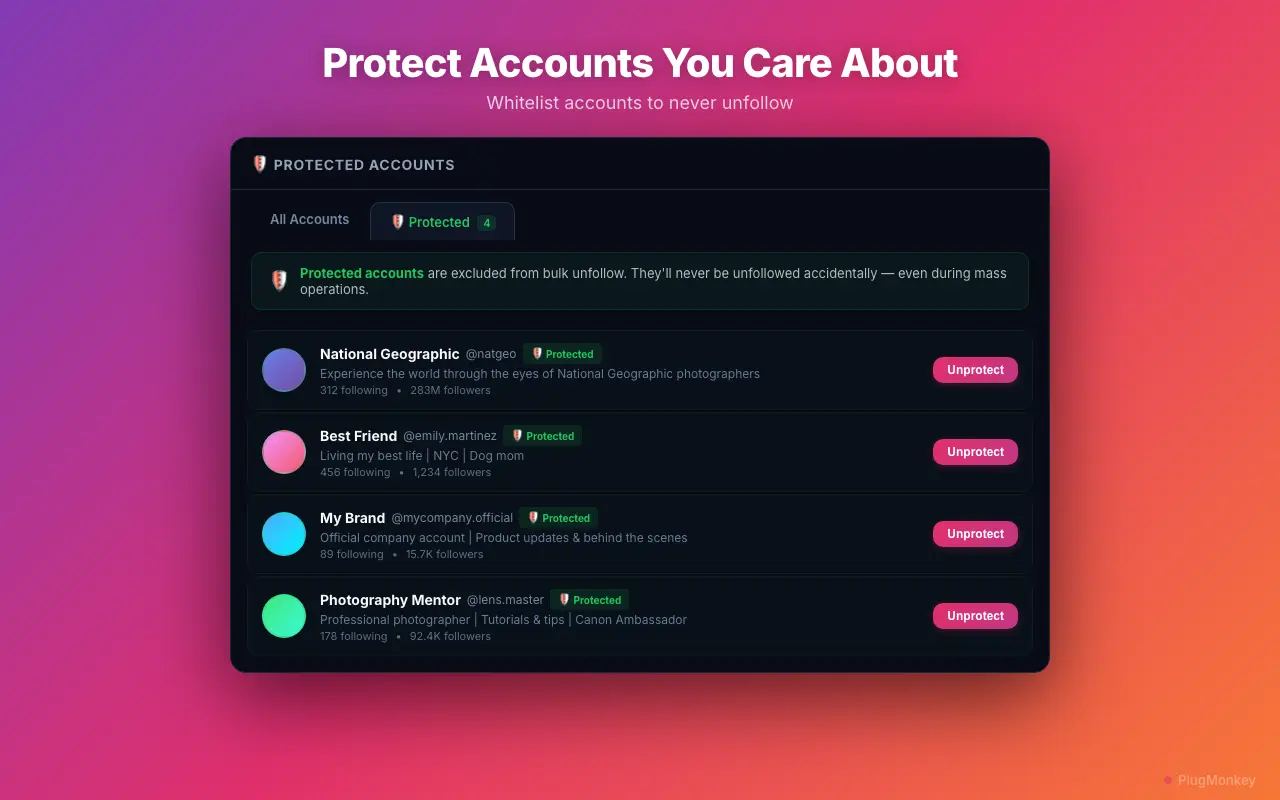
Whitelist your must-keep accounts
Run the bulk unfollow with safe pacing
Do not manually unfollow accounts on Instagram while a bulk operation is running. Do not use other unfollow tools simultaneously. Stick to one session per 24-hour period. Unfollow Pro for Instagram's pacing is designed to keep your account safe — trust it.
Summary
Your Instagram following list is now curated and intentional. By removing non-reciprocal follows, inactive accounts, and interest mismatches, your feed should feel immediately more relevant and enjoyable. A smaller, curated following list means: a better feed experience (only content you care about), improved follower-to-following ratio (signals authority), and less algorithmic noise competing for your attention. Make this a quarterly habit — every few months, run through the same filters to catch new accounts that have gone dormant or no longer align with your interests. Your Instagram experience is a direct reflection of who you follow, so curate deliberately.
Need More Help?
Get personalized AI assistance with additional tips and troubleshooting.
AI responses are generated independently and may vary
Frequently Asked Questions
Curate a Following List You Actually Enjoy
Unfollow Pro for Instagram helps you find and remove dead weight from your following list. Smart filters, safe pacing, whitelist protection. Free to install.