How to Bulk Unfollow on Instagram Without Getting Banned
Clean up your Instagram following list safely. Use smart filters to find accounts that clutter your feed, then unfollow them in bulk with built-in rate limiting that keeps your account in good standing.
Before You Start
- Google Chrome browser (desktop)
- An Instagram account (logged in via web browser)
- Unfollow Pro for Instagram installed from the Chrome Web Store
Install Unfollow Pro for Instagram from the Chrome Web Store
Navigate to your Instagram profile
Open the Unfollow Pro for Instagram management panel
Apply filters to find accounts worth unfollowing
Start conservatively. Filter for accounts that do not follow you back AND have been inactive for 90+ days. These are the safest to unfollow — they are unlikely to notice or care, and removing them instantly improves your follower-to-following ratio.
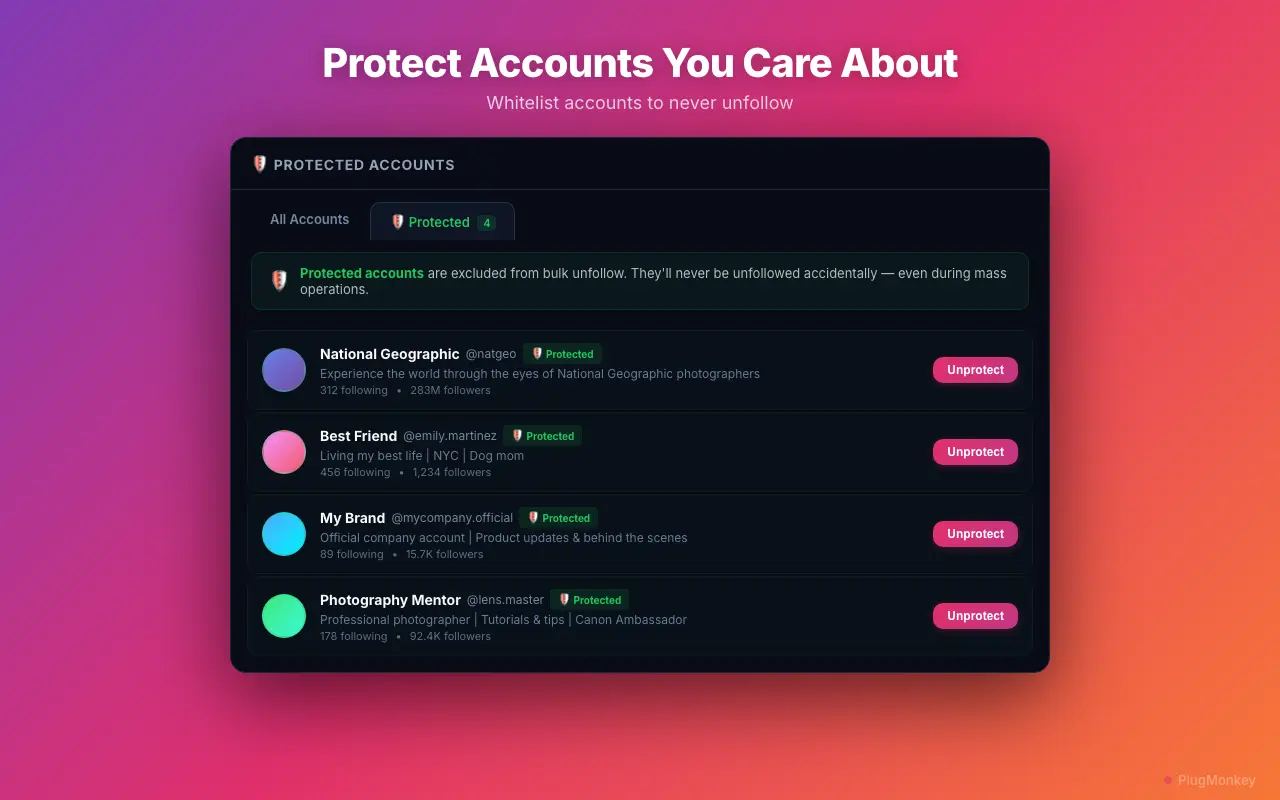
Protect important accounts with the whitelist
Run the bulk unfollow with rate-limit-safe pacing
Instagram actively detects and blocks aggressive unfollow behavior. Never use multiple unfollow tools simultaneously. Do not manually unfollow while a bulk operation is running. Unfollow Pro for Instagram's built-in pacing is calibrated to stay within safe limits — trust the timing and do not try to speed it up.
Monitor progress and review results
After a bulk unfollow session, wait at least 24 hours before running another one. This gives Instagram's systems time to reset and ensures your account stays in good standing. For very large cleanups (1,000+ unfollows), spread the process over 3-5 days.
Summary
You have safely bulk unfollowed accounts on Instagram using smart filters and rate-limit-safe pacing. Your following list is cleaner, your feed is more relevant, and your follower-to-following ratio has improved. The key to safe bulk unfollowing on Instagram is patience — Unfollow Pro for Instagram's automatic pacing handles this for you by adding natural delays between unfollows. For ongoing maintenance, run this cleanup monthly with conservative filters (non-reciprocal + 90 days inactive). Always use the whitelist to protect accounts you care about. Avoid using multiple unfollow tools or manual unfollowing during bulk operations.
Need More Help?
Get personalized AI assistance with additional tips and troubleshooting.
AI responses are generated independently and may vary
Frequently Asked Questions
Clean Up Your Instagram Following Safely
Unfollow Pro for Instagram uses smart filters and rate-limit-safe pacing to protect your account. Free to install, no API keys needed.