FAQ
How to Use AI with Your Own API Key (BYOK)?
Quick Answer
BYOK setup takes about 2 minutes. Generate an API key from OpenAI, Anthropic, or Google, paste it into Prompt Anything Pro's Settings panel, and you can use GPT-5.4, Claude Opus 4.6, or Gemini 3.1 Pro directly at published per-token pricing — typically 5–10x cheaper than the flat $20/month subscriptions. Your key stays in local browser storage and never touches PlugMonkey servers. See What Is BYOK AI? for the broader explanation.
- BYOK setup is three steps: create a provider account (OpenAI, Anthropic, or Google), generate an API key, and paste it into Prompt Anything Pro's Settings panel.
- Each provider publishes per-token pricing — OpenAI at openai.com/api/pricing, Anthropic at anthropic.com/pricing, Google at ai.google.dev/pricing.
- Most casual users spend $1–5/month on API usage versus $20/month for ChatGPT Plus or Claude Pro.
- The API key is stored locally in your browser. Prompt requests go from your browser directly to the provider — PlugMonkey never sees the key or the prompt content.
By PlugMonkey Team, Editorial
Step 1: Get an API Key
First, create an account with the AI provider you want to use and generate an API key. Each provider has a slightly different process, but all follow the same pattern: sign up, navigate to API settings, and create a new key.
- OpenAI (GPT-5.4, GPT-5.4 Mini, o3) — Sign up at platform.openai.com, go to API Keys, and click "Create new secret key"
- Anthropic (Claude Opus 4.6, Claude Sonnet 4.6) — Sign up at console.anthropic.com, navigate to API Keys, and generate a new key
- Google (Gemini 3.1 Pro, Gemini 3.1 Flash) — Visit aistudio.google.com and create an API key from the API Keys section
- Important — Copy your key immediately after generating it. Most providers only show the full key once.
Step 2: Add Your Key to Prompt Anything Pro
Open the Prompt Anything Pro extension by clicking its icon in your Chrome toolbar. Navigate to Settings > API Keys. You will see fields for each supported provider. Paste your API key into the corresponding field and click Save. The extension validates the key immediately by sending a minimal test request. If the key is valid, you will see a green confirmation. If there is an issue (incorrect key, expired key, insufficient credits), you will see a descriptive error message.
Step 3: Choose Your Model and Start Prompting
Once your API key is validated, you can select which model to use from the model dropdown in the main prompt interface. Each provider offers multiple models at different price and capability levels. You can switch between models at any time — even mid-conversation if you want to compare responses. See which AI models are supported for the full list.
- Select a provider — Choose OpenAI, Anthropic, or Google from the provider dropdown
- Pick a model — Choose the specific model (e.g., GPT-5.4, Claude Opus 4.6, Gemini 3.1 Pro)
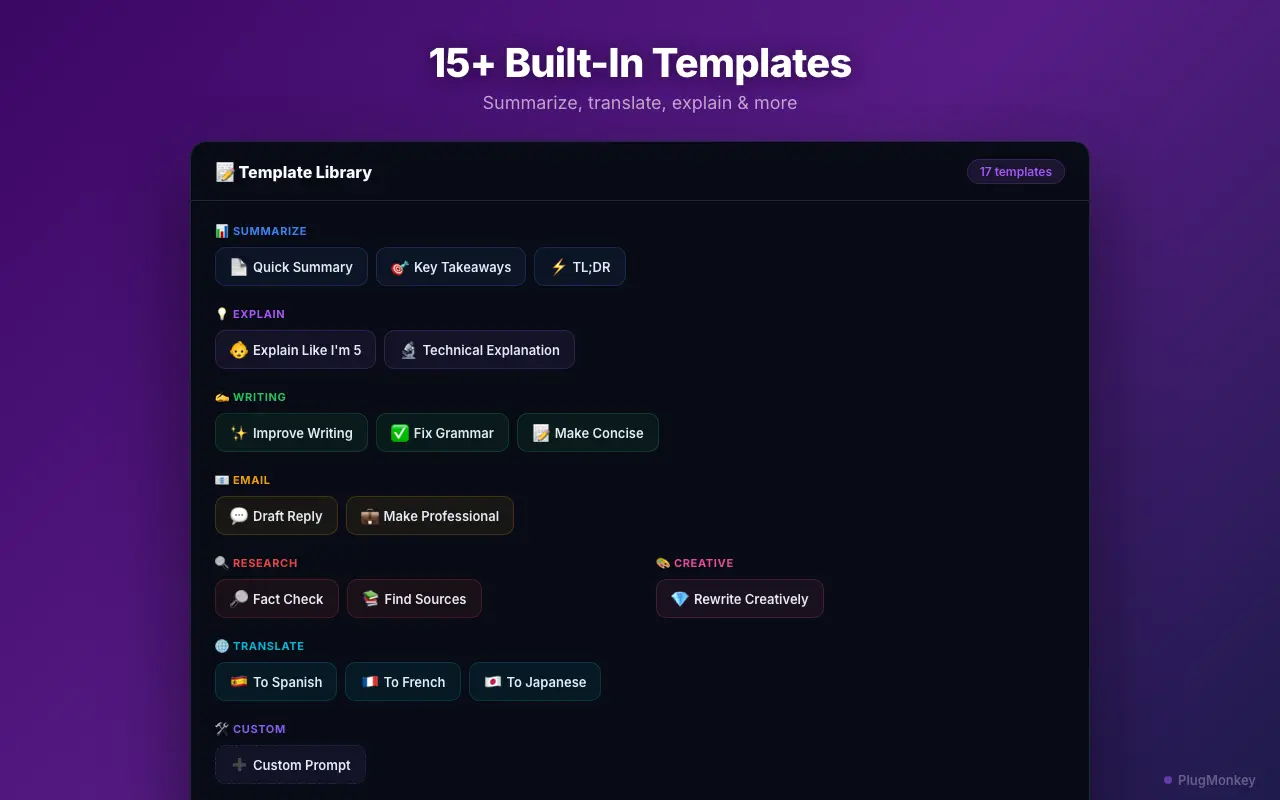
- Start prompting — Type your prompt or use a template, and the extension sends it directly to the API using your key
- Works on any website — Prompt Anything Pro overlays on any webpage, so you can use AI in context while browsing
Cost Estimates: What BYOK Actually Costs
API pricing is based on tokens (roughly 4 characters = 1 token). Most casual users spend $1-5 per month on API usage, compared to $20/month for a ChatGPT Plus subscription. Here are typical costs per interaction.
- Flagship tier (GPT-5.4, Claude Opus 4.6, Gemini 3.1 Pro) — The most capable models and the highest per-token rate, though an average prompt-and-response of a few hundred words still costs a fraction of a cent.
- Fast tier (GPT-5.4 Mini, Claude Haiku 4.5, Gemini 3.1 Flash) — Substantially cheaper per token and more than capable for summarizing, rewriting, and quick Q&A.
- Free credits — Google offers a free Gemini API tier and OpenAI gives new accounts starter credits, so you can trial BYOK before spending anything.
- Check the live rates — Per-token pricing changes as providers ship new models. Each provider publishes current rates, and the extension's built-in tracker shows your actual spend per provider.
- Monthly estimate — 100 prompts/day works out to roughly $1-5/month on a mixed choice of models. Staying exclusively on flagship models at heavy volume (500+ prompts/day) can reach $10-20/month.
Security: Your Key Stays Local
Your API key is stored locally in your browser's extension storage and is never sent to PlugMonkey's servers. When you make a prompt, the extension sends the request directly from your browser to the AI provider's API. PlugMonkey does not proxy, log, or have access to your API key or your prompts. This is one of the key security advantages of the BYOK approach.
Want a Second Opinion?
Ask AI for an independent perspective on this question.
AI responses are generated independently and may vary
Sources & Further Reading
- OpenAI API key management — official dashboard to generate and revoke keys — OpenAI (accessed May 22, 2026)
- Anthropic Claude API pricing — official per-token rates — Anthropic (accessed May 22, 2026)
- Google Gemini API pricing — official rates including free-tier limits — Google (accessed May 22, 2026)
Try Prompt Anything Pro Free
Set up BYOK in under 2 minutes. Use GPT-5.4, Claude Opus 4.6, and Gemini 3.1 Pro at API pricing — typically 5-10x cheaper than subscriptions.
4.9/5 (95 reviews)15,630 users