How to Bulk Unfollow on Instagram Without Getting Banned
To bulk unfollow on Instagram safely, stay under ~30–60 unfollows per hour and ~150–200 per day, use a browser-based tool that never asks for your password, and pace actions with randomized 5–15 second delays. Unfollow Pro for Instagram enforces these limits automatically, adds whitelist protection and action-block detection, and stops the moment Instagram throttles your session.
- Stay under roughly 30–60 unfollows per hour and 150–200 per day for established accounts. New accounts (under 3 months old) should stay under 20/hour and 100/day.
- Use a browser-based Chrome extension that runs inside your existing logged-in session — never give your Instagram password to a third-party tool, which Instagram explicitly flags as a Community Guidelines violation.
- Pace unfollow actions with randomized 5–15 second intervals and stop immediately if Instagram returns an action-block warning. First-time blocks usually clear within 24–48 hours if you do nothing.
- Whitelist friends, family, and business contacts before starting any bulk session — accidental unfollows are harder to reverse than blocked actions.
By PlugMonkey Team, Editorial
“It looks like you shared your password with a service to help you get more likes or followers, which goes against our Community Guidelines.”
Why Instagram Is Stricter Than Twitter
Instagram's Unfollow Limits
- Per hour — No more than 30-60 unfollows per hour (newer accounts should stay closer to 30)
- Per day — No more than 150-200 unfollows per day for established accounts (accounts older than 6 months with regular activity)
- Per session — Take breaks of at least 10-15 minutes between batches of unfollows
- New accounts — Accounts less than 3 months old should stay under 100 unfollows per day and 20 per hour
- Warm-up period — If you have not unfollowed anyone recently, start with 10-20 per day and gradually increase over a week
How Unfollow Pro for Instagram Keeps You Safe
- Randomized delays — Each unfollow action is followed by a randomized pause (typically 5-15 seconds), mimicking natural human behavior instead of machine-like uniform intervals
- Session limits — The extension enforces a maximum number of unfollows per session and automatically pauses when approaching the limit
- Hourly caps — Built-in hourly rate limiting prevents exceeding Instagram's thresholds, even if you leave the extension running
- Cool-down periods — After a batch of unfollows, the extension enforces a mandatory cool-down period before allowing the next batch
- Action block detection — If Instagram returns an error indicating a rate limit or action block, the extension immediately stops and notifies you to wait before resuming
Step-by-Step: Safe Bulk Unfollowing
- Step 1: Install Unfollow Pro for Instagram from the Chrome Web Store and navigate to your Instagram profile's following list
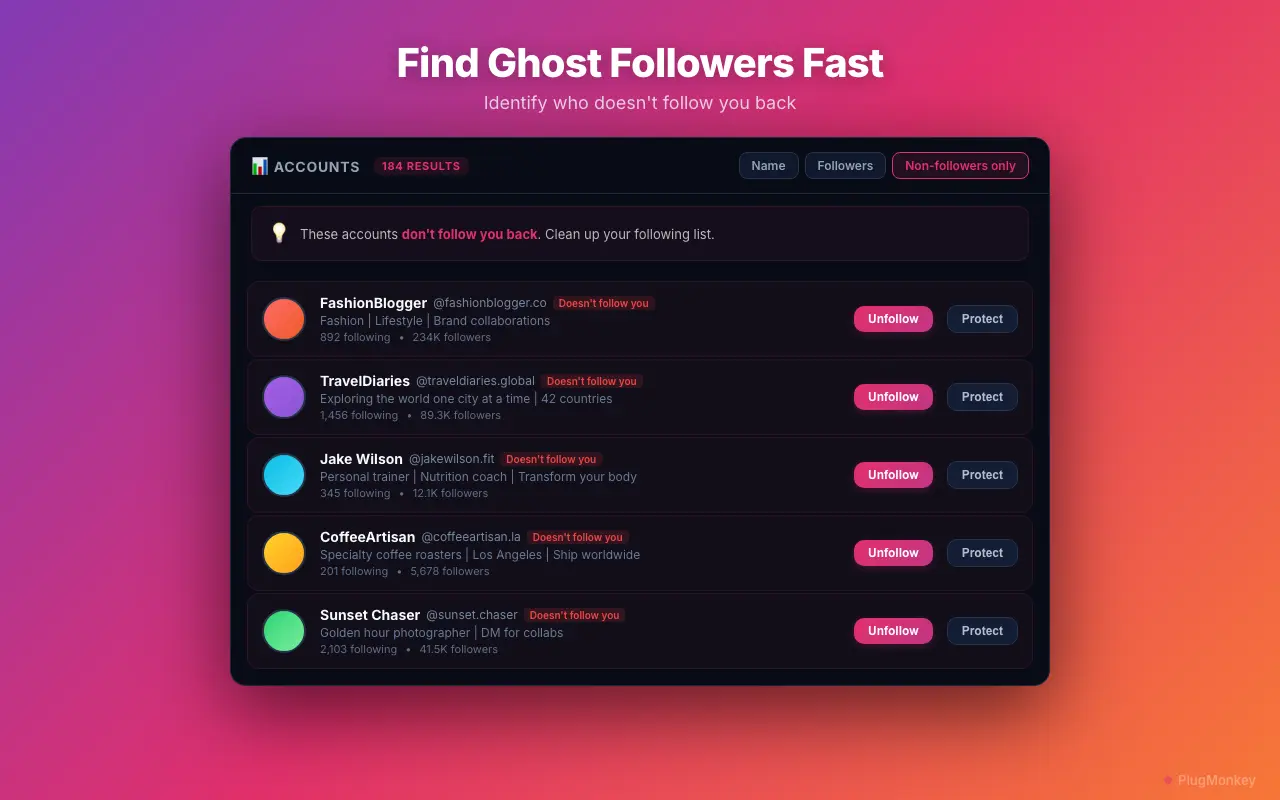
- Step 2: Use filters to identify which accounts to unfollow (non-followers, inactive accounts, or keyword-based targeting)
- Step 3: Add important accounts to your whitelist before starting (friends, family, business contacts)
- Step 4: Start a batch of 20-30 unfollows for your first session to warm up
- Step 5: Wait at least 1 hour before running another batch
- Step 6: Gradually increase batch sizes over several days — do not try to unfollow 500+ accounts on day one
What to Do If You Get Action Blocked
Free vs Pro for Instagram Unfollowing
The Numbers Behind This Answer
Every figure below cites a primary source. Click through to verify.
Widely cited safe daily unfollow ceiling for established Instagram accounts (older than ~6 months with regular activity). Above this volume, soft-block probability rises sharply.
Source: Hootsuite — Instagram Limits Explained2026
Established-account hourly unfollow ceiling. Newer accounts (less than 3 months old) should stay closer to 20/hour to avoid action-block triggers.
Source: Buffer — Instagram action limits guide2026
Typical duration of a first-time Instagram action block. Continuing automated activity during a block can extend it to 3–7 days; ignoring the block and switching devices does not reset the timer.
Source: Instagram Help Center — Action Blocks2026
Randomized delay interval Unfollow Pro for Instagram enforces between actions to mimic human pacing. Combined with a 20–25/hour cap, this stays well under Instagram's documented thresholds.
Source: PlugMonkey — Unfollow Pro for Instagram spec2026
Want a Second Opinion?
Ask AI for an independent perspective on this question.
AI responses are generated independently and may vary
Sources & Further Reading
- About action blocks on Instagram — official explanation of throttle behavior and graduated enforcement — Meta / Instagram Help Center (accessed May 22, 2026)
- Third-Party Apps — Instagram's policy on services that require password sharing or take credentials — Meta / Instagram Help Center (accessed May 22, 2026)
- Inauthentic Behavior policy — Meta's Community Standards for follower-purchase and coordinated automation — Meta Transparency Center (accessed May 22, 2026)
- Instagram Limits Explained — published reference on hourly and daily action thresholds across follow, unfollow, like, and comment actions — Hootsuite (accessed May 22, 2026)
- Instagram limits guide — Buffer's reference on safe pacing for established and new accounts — Buffer (accessed May 22, 2026)
- Unfollow Pro for Instagram — rate-limit, randomized pacing, and action-block detection spec — PlugMonkey (accessed May 22, 2026)
Try Unfollow Pro for Instagram Free
Clean up your Instagram following list safely. Built-in rate limiting, randomized delays, and whitelist protection. Free to start.