Can I Find Who Unfollowed Me on Instagram?
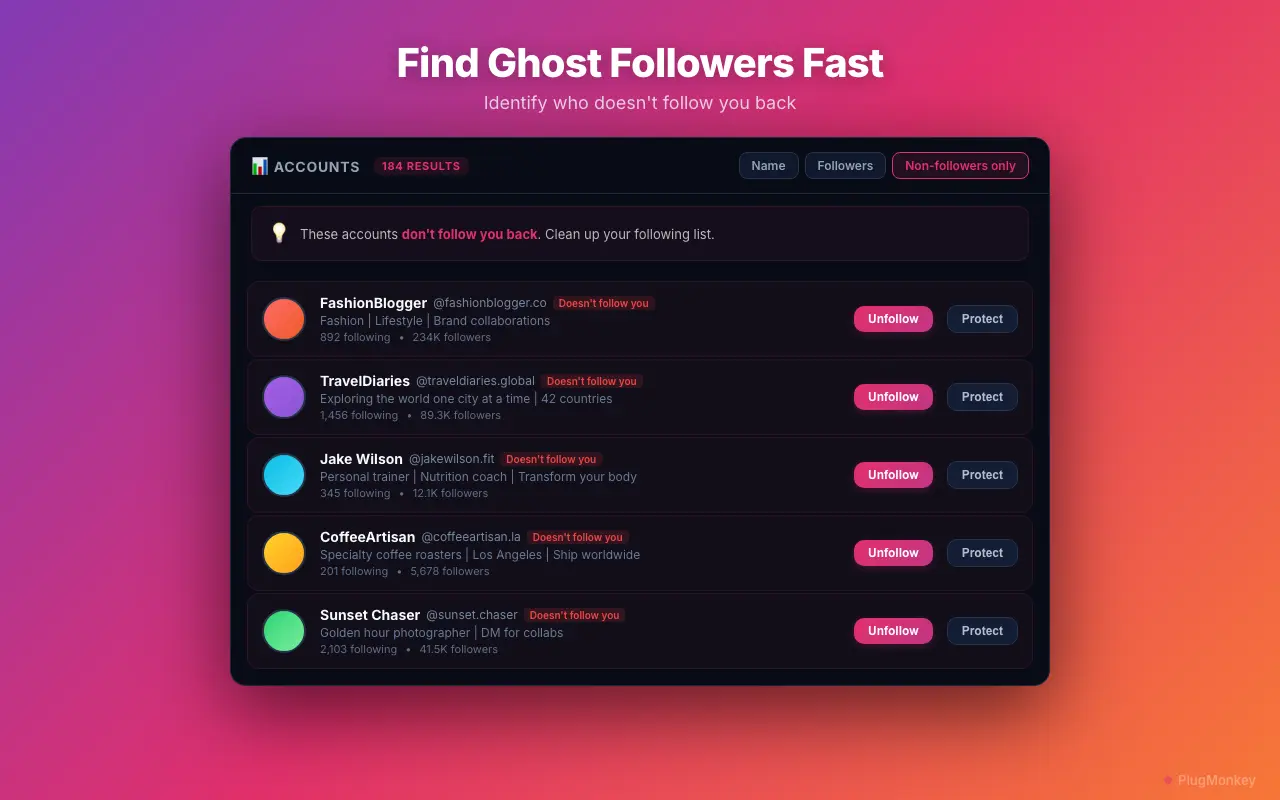
Indirectly — Instagram does not provide an unfollow log or notify you when someone unfollows. No browser-based tool can produce a timestamped "who unfollowed me" record after the fact. What Unfollow Pro for Instagram can show you is the current list of non-followers: accounts you follow that don't follow you back. By running this scan on a recurring cadence (or by exporting your full follower list weekly and diffing CSVs), you can identify accounts that newly appear as non-followers — a reliable proxy for recent unfollowers.
- Instagram does not provide unfollow notifications or an unfollow log — by design, to reduce social friction on the platform.
- Non-follower detection (Following minus Followers) shows your current one-sided connections, which is the most reliable proxy for who recently unfollowed.
- To approximate an unfollow timeline, take periodic snapshots: run the non-follower scan weekly, or export your full followers list to CSV and diff successive exports.
- Any tool claiming a timestamped "who unfollowed me" log either uses periodic snapshots under the hood or requires risky account access via password sharing.
By PlugMonkey Team, Editorial
Non-Follower Detection: How It Works
Why Instagram Doesn't Show Unfollow History
Tracking Changes Over Time
- Method 1: Non-follower comparison — Run the non-follower scan weekly and note any new non-followers
- Method 2: Follower list export — Export your followers to CSV weekly and compare the files to find accounts that disappeared
- Method 3: Manual notes — If specific accounts matter, add them to your whitelist and check their follow status periodically
What to Do with Your Non-Follower List
- Bulk unfollow non-followers — The most common action. Use Unfollow Pro for Instagram's non-follower filter to unfollow accounts that do not follow you back, improving your follower-to-following ratio.
- Selective cleanup — Review the list and decide case by case. Some non-followers may be brands, celebrities, or informational accounts you want to keep following.
- Whitelist exceptions — Add accounts you want to keep following (regardless of whether they follow back) to your whitelist before running a bulk unfollow
- Combine with other filters — Stack the non-follower filter with inactive account detection to find non-followers who are also dormant — the lowest-value connections in your following list. See safe bulk unfollowing for the full process.
Want a Second Opinion?
Ask AI for an independent perspective on this question.
AI responses are generated independently and may vary
Sources & Further Reading
- About following on Instagram — official documentation, including what Instagram does and does not notify on — Meta / Instagram Help Center (accessed May 22, 2026)
- Why does Instagram say my action was blocked? — context on Instagram's enforcement and password-sharing warning — Meta / Instagram Help Center (accessed May 22, 2026)
Try Unfollow Pro for Instagram Free
Find out who doesn't follow you back. Unfollow Pro for Instagram's non-follower detection is free to use.