FAQ
Can I Filter Who to Unfollow with Unfollow Pro for X?
Quick Answer
Yes. Unfollow Pro for X ships with six combinable filters — inactive accounts, non-followers, follower count, verified status, bio keyword, and follower-to-following ratio — so you can target exactly which accounts to unfollow instead of clearing your following list blindly. All filters are accessible on the free tier; inactive-account detection (last-tweet scanning) is the one Pro-gated filter, since it requires extra profile-by-profile work.
- Unfollow Pro for X provides six combinable filters: inactive accounts, non-followers, follower count thresholds, verified status, bio keyword, and follower-to-following ratio.
- Filters use AND logic — accounts must match every active filter to appear in your unfollow list, which lets you stack rules like "inactive 90+ days AND under 100 followers AND non-follower".
- Inactive-account detection (last-tweet scanning) is the only Pro-gated filter; the other five are available on the free tier.
- Whitelist acts as an override — any whitelisted account is excluded from results regardless of which filters match, protecting clients and key contacts from accidental removal.
By PlugMonkey Team, Editorial
Available Filter Types
Unfollow Pro for X provides six primary filter categories that you can combine for precise targeting. Each filter can be used independently or stacked with others to narrow your results.
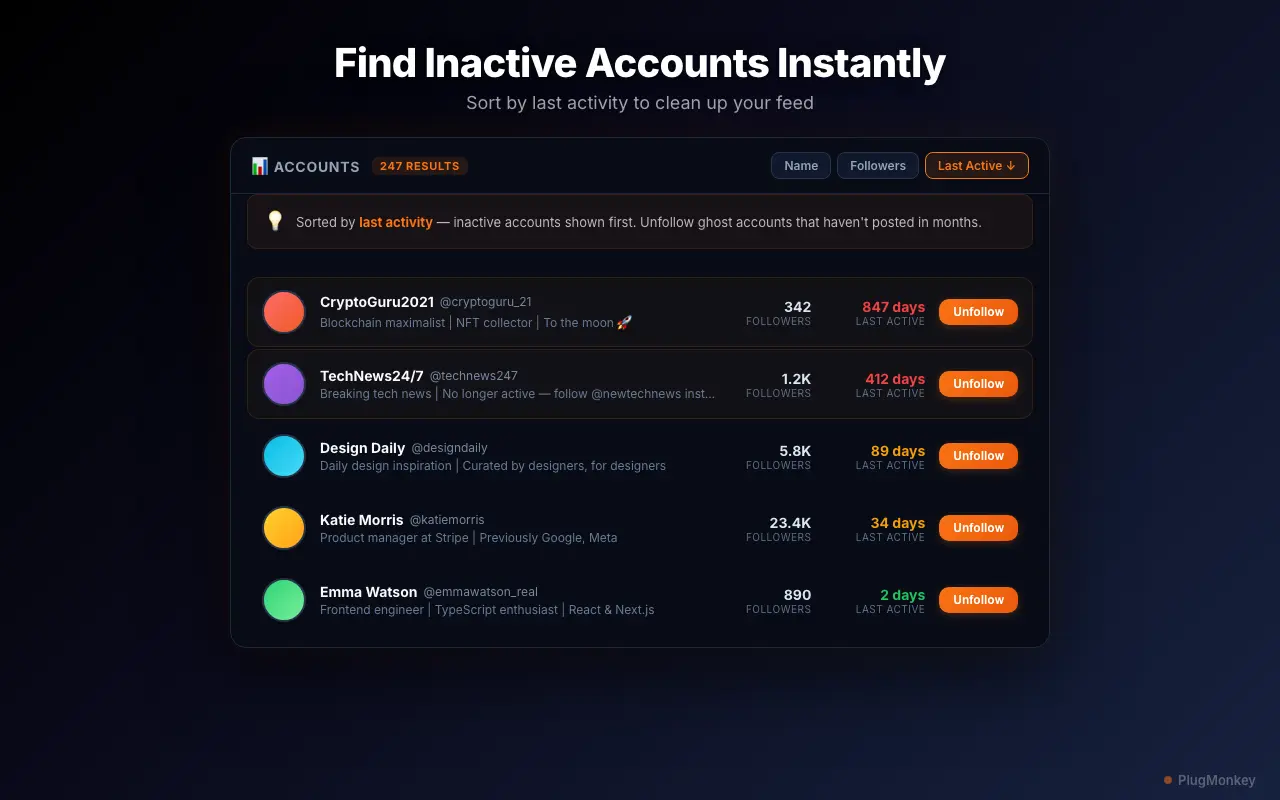
- Inactive accounts — Find accounts that have not posted in 30, 60, 90, or 180+ days. This is the most popular filter since inactive accounts add zero value to your timeline. (Pro only for inactive detection)
- Non-followers — Identify accounts that do not follow you back. Useful for cleaning up one-sided connections and improving your follower-to-following ratio.
- Follower count — Set minimum or maximum follower count thresholds. For example, remove accounts with fewer than 50 followers (likely spam or abandoned) or more than 500K followers (celebrities who will never engage with you).
- Verified status — Filter to include or exclude verified accounts. Keep all verified accounts while cleaning up unverified ones, or vice versa.
- Bio keyword search — Search account bios for specific terms. Find accounts related to a topic you are no longer interested in, or exclude accounts with specific keywords you want to keep.
- Following ratio — Target accounts with poor follower-to-following ratios. Accounts that follow thousands but have few followers are often spam or bot accounts.
How to Combine Filters
Filters work together using AND logic — meaning an account must match all active filters to appear in your unfollow list. For example, you could set up: "Inactive for 90+ days AND has fewer than 100 followers AND does not follow me back." This would surface dormant, low-value accounts that have no connection to you. The ability to combine filters is what makes Unfollow Pro for X significantly more useful than simple "unfollow all" scripts. You stay in control of exactly who gets removed from your following list.
Whitelist: The Ultimate Filter Override
Even with the best filters, there may be accounts you want to keep no matter what. The whitelist feature acts as an override — any account on your whitelist is automatically excluded from unfollow results, regardless of what filters it matches. Add your close friends, business partners, and favorite creators to the whitelist before running any bulk operation. Learn more about the full bulk unfollow process including whitelist management.
Free Tier vs Pro Filter Access
All basic filters are available on the free tier, so you can evaluate the filtering system before upgrading. The key difference is that inactive account detection (scanning when accounts last posted) is a Pro-only feature, since it requires additional processing to scan each profile. The free tier includes non-follower detection, follower count filtering, verified status filtering, bio keyword search, and following ratio filtering — combined with 10 unfollows per week.
Want a Second Opinion?
Ask AI for an independent perspective on this question.
AI responses are generated independently and may vary
Sources & Further Reading
- X follow/unfollow limits — official rate-limit documentation — X Help Center (accessed May 22, 2026)
- Chrome content scripts — official extension architecture used to read X follower lists in-session — Chrome for Developers (accessed May 22, 2026)
Try Unfollow Pro for X (Twitter) Free
Try all filters free — 10 unfollows per week with full filter access. No credit card required.
4.8/5 (156 reviews)28,470 users