How to Use AI on Any Webpage Without Switching Tabs
Stop copying text into ChatGPT. Select any text on any webpage, click a button, and get instant AI responses — using your own API keys for full privacy and cost control.
Before You Start
- Google Chrome browser (desktop)
- Prompt Anything Pro installed from the Chrome Web Store
- An API key from at least one supported provider — OpenAI, Anthropic, Google, xAI, or Groq (local models via Ollama/LM Studio need no key)
Install Prompt Anything Pro from the Chrome Web Store
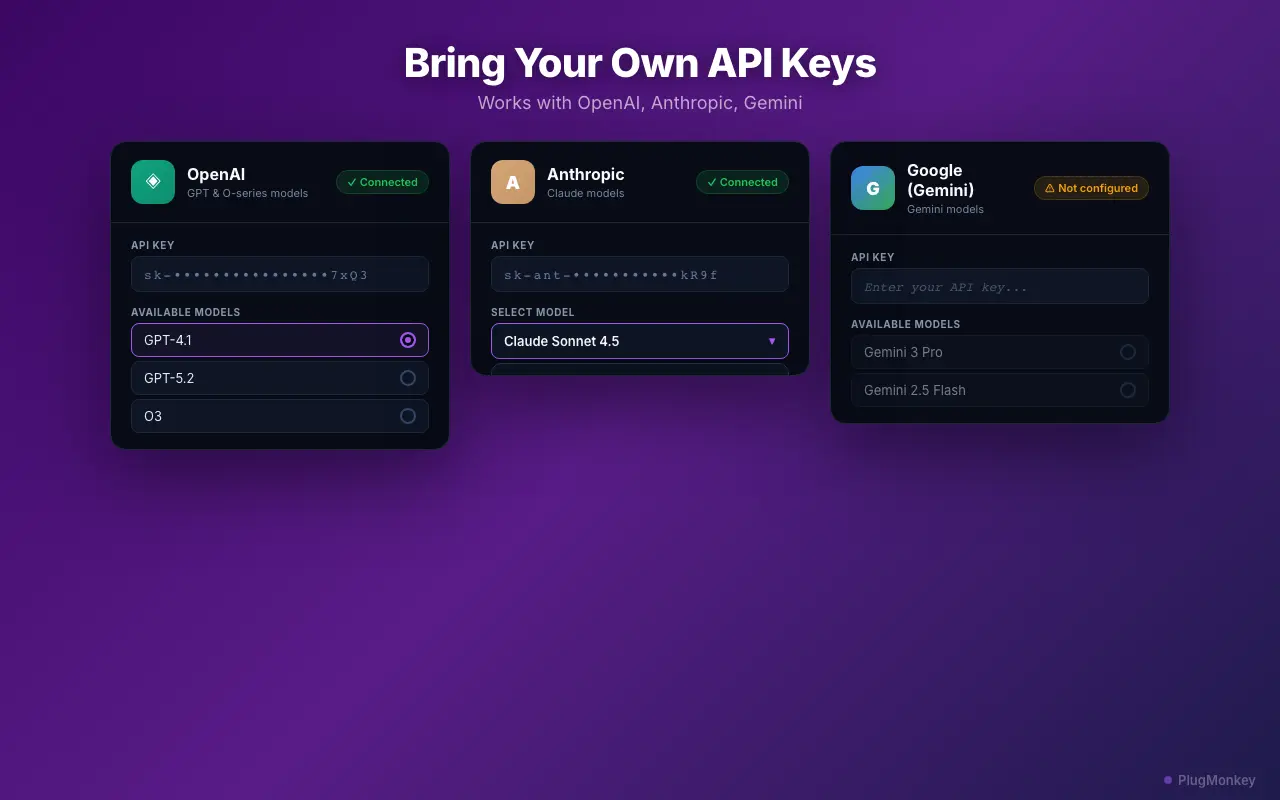
Prompt Anything Pro is a BYOK (Bring Your Own Keys) tool. You pay API providers like OpenAI, Anthropic, and Google directly at their rates — no middleman markup. For most users, this costs pennies per day compared to $20+/month subscriptions.
Add your API key from a supported provider
Keep your API keys private. Never share them publicly. Prompt Anything Pro stores keys encrypted in Chrome's local storage — they never leave your browser except to authenticate with the AI provider you chose.
Select text on any webpage
Click the floating button and choose a template
The 'Explain Like I Am 5' template is excellent for understanding technical documentation. The 'Summarize' template condenses long articles into key points. Experiment with different templates on the same text to see which output works best for your needs.
Select your AI model and send the prompt
Copy, save, or refine the response
Track your usage and manage your library
Check the usage tracker weekly to monitor your API costs. Most users spend less than $5/month using AI directly through their own API keys — significantly less than ChatGPT Plus ($20/month) or Claude Pro ($20/month) subscriptions.
Summary
You can now use AI on any webpage without switching tabs, copying text, or paying monthly subscriptions. Prompt Anything Pro's BYOK approach means you pay API providers directly at their rates — typically pennies per query versus $20+/month for subscription tools. With 430+ built-in templates, 30+ models across seven providers — OpenAI, Anthropic, Google, xAI, and Groq, plus local models and Chrome's built-in AI — and a searchable local library, you have a complete AI assistant that works everywhere you browse. Your API keys and all response data stay in your browser, giving you full control over privacy and costs.
Need More Help?
Get personalized AI assistance with additional tips and troubleshooting.
AI responses are generated independently and may vary
Related Guides
Frequently Asked Questions
AI on Every Page You Visit
Prompt Anything Pro brings AI to your browser. Select text, choose a template, get instant answers. Your keys, your data, your control.