FAQ
Can I Export My Following List, Not Just Followers?
Quick Answer
Yes — Followers Exporter Pro for X exports both your followers (people who follow you) and your following list (people you follow), as separate CSV or JSON files. Switch modes by toggling between the Followers and Following tabs in the extension panel; both modes capture the same data fields and run inside your logged-in session. Exporting both lists is the prerequisite for non-follower analysis (followers \ following set difference).
- Followers Exporter Pro for X supports both Followers (who follows you) and Following (who you follow) exports — toggled via tabs in the extension panel.
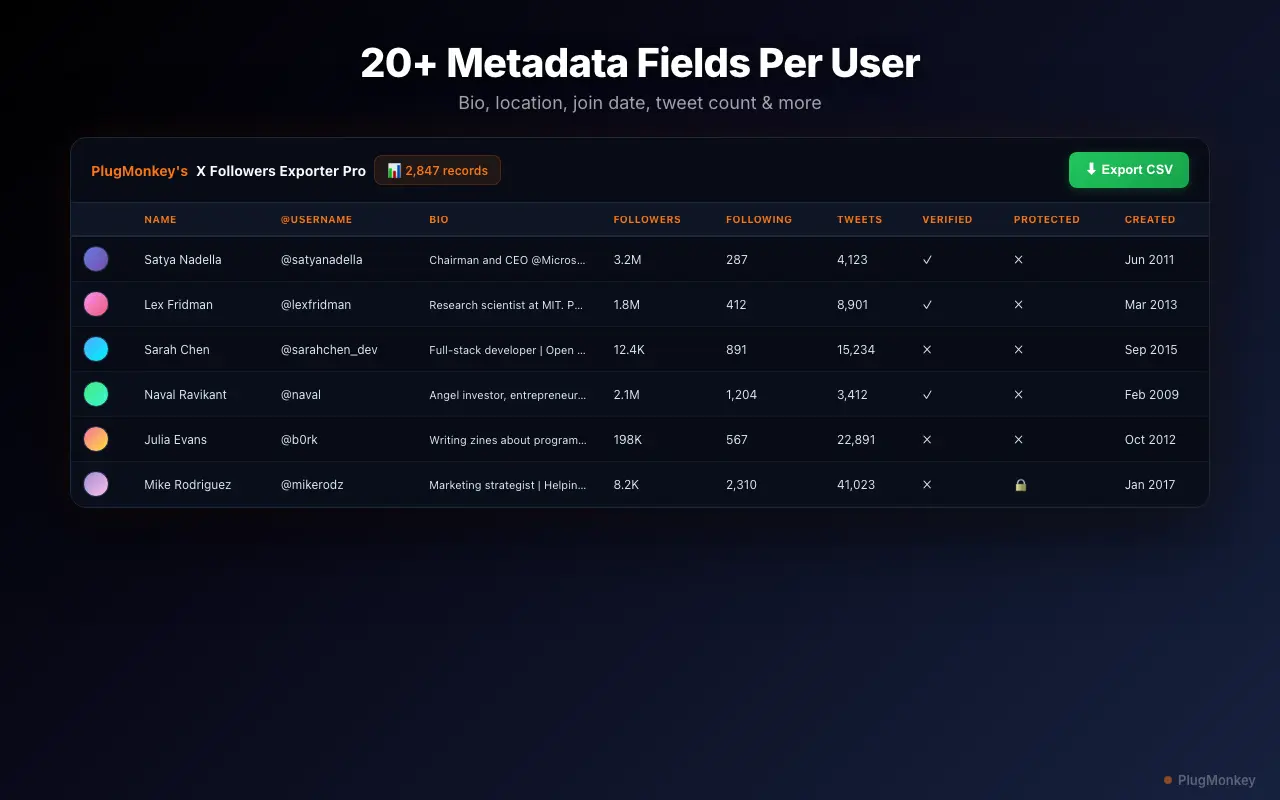
- Both modes capture identical data fields (username, bio, follower/following counts, verified status, join date, location, website) and identical formats (CSV, JSON).
- Exporting both lists is how you compute non-followers: any account in Following but not in Followers is a one-sided relationship.
- Backup-before-cleanup pattern: export your full Following list before running a bulk unfollow so you can re-follow any account you removed by mistake.
By PlugMonkey Team, Editorial
Followers vs Following: What's the Difference?
On X (Twitter), these are two distinct lists. Your followers are people who have chosen to follow your account — they see your posts in their timeline. Your following list contains accounts you have chosen to follow — their posts appear in your timeline. Followers Exporter Pro for X gives you access to both lists, which serve different use cases depending on your goals.
- Followers export — Your audience. Useful for audience analysis, CRM import, and understanding who engages with your content.
- Following export — Your network. Useful for following list audits, identifying inactive accounts you follow, and cleaning up your timeline.
How to Switch Between Export Modes
Switching between follower and following exports is straightforward. Navigate to the profile you want to export from on X, then click the Followers Exporter Pro for X icon. The extension displays two tabs: Followers and Following. Select the tab for the list you want to export and click the export button. The scan starts immediately, and the same data fields are captured for both modes. You can also export both lists separately and compare them to identify non-followers (accounts you follow that do not follow you back).
Use Cases for Following List Exports
Exporting your following list has several practical applications beyond simple curiosity.
- Following list audit — Review who you follow in a spreadsheet. Identify accounts you no longer recognize or care about, then use Unfollow Pro for X to clean them up.
- Non-follower analysis — Export both lists, then compare them to find one-sided connections. Accounts on your following list but not your followers list are non-followers.
- Backup before cleanup — Before running a bulk unfollow, export your full following list as a record of who you followed. This lets you re-follow anyone you unfollowed by mistake.
- Competitive analysis — Export the following list of competitor accounts (from their public profile) to see who they engage with and where their network overlaps with yours.
Same Data Fields for Both Lists
Whether you export followers or following, you get the same comprehensive data for each account: username, display name, bio, follower count, following count, verified status, join date, location, and website. The output format options (CSV and JSON) are also identical for both modes. See what data fields are exported for the full breakdown.
Want a Second Opinion?
Ask AI for an independent perspective on this question.
AI responses are generated independently and may vary
Sources & Further Reading
- About following and unfollowing on X — official documentation — X Help Center (accessed May 22, 2026)
- Public and protected accounts on X — defines what's visible in follower/following lists — X Help Center (accessed May 22, 2026)
Try Followers Exporter Pro for X (Twitter) Free
Export followers or following — your choice. Free tier includes 100 exports per scan with all data fields.
4.9/5 (89 reviews)5,470 users