Download Private Vimeo Videos You Can Already Watch
Private Vimeo videos (unlisted links, password-protected, embed-restricted, member-only) play normally when you have access — but Vimeo rarely offers a download button. Video Downloader Pro captures the HLS stream as a clean MP4 at the source quality. Works only when you can already view the video; it doesn't bypass Vimeo's access controls.
Last updated: June 21, 2026
Vimeo's privacy model is more granular than YouTube's. Videos can be: public (anyone), unlisted (URL-only access), password-protected (URL + password), domain-restricted (only embeddable on specific sites), or hidden-from-Vimeo (link required, no search). When you have legitimate access to a private Vimeo video — a course you paid for, a client preview, a wedding video shared with you, an internal company video — the download experience varies wildly: some uploaders enable downloads (you'll see a button), most don't. Video Downloader Pro captures the HLS stream your browser receives when playing the video. Critical clarification: it can only download what you can currently view; password-protected videos require you to enter the password first (the extension uses your unlocked session).
How to Download
Confirm you have legitimate access to the Vimeo video
The extension uses your browser session — if you can't play the video normally, the extension can't capture it. Three access scenarios:
- Unlisted video: you have the URL, click it, video plays. The URL is the access key.
- Password-protected: you have the URL, click it, Vimeo prompts for password, enter it, video plays. Password unlocks the session.
- Domain-restricted: you can only view from a specific domain (e.g., the course platform's player). Vimeo blocks direct vimeo.com URLs in this case. The extension can capture during embedded playback IF you're viewing on the authorized domain.
- Member-only: requires Vimeo account with active membership. Log in to Vimeo first.
Test before downloading: just play the video normally. If it plays, the extension can capture. If it shows 'Sorry, this video is private,' you don't have access and the extension can't help either.
Start the video playing — let the HLS stream load
Click play on the video. Vimeo's player loads the HLS manifest and starts streaming. Video Downloader Pro detects the stream during playback. Two practical notes:
- Wait a few seconds for buffering. The extension detects streams that have actually started loading — not just the page render.
- For domain-restricted embeds: the video plays in an iframe embedded on the authorized domain (a course platform, a portfolio site). The extension can still detect the stream — it scans iframes too. If it doesn't detect, try clicking the Vimeo logo in the player (opens the source URL in a new tab) and try again on that tab if accessible.
For very short videos (under 10 seconds), trigger the extension immediately — sometimes the stream load is too fast for the extension to register if you wait.
Pick the highest quality from the detected streams
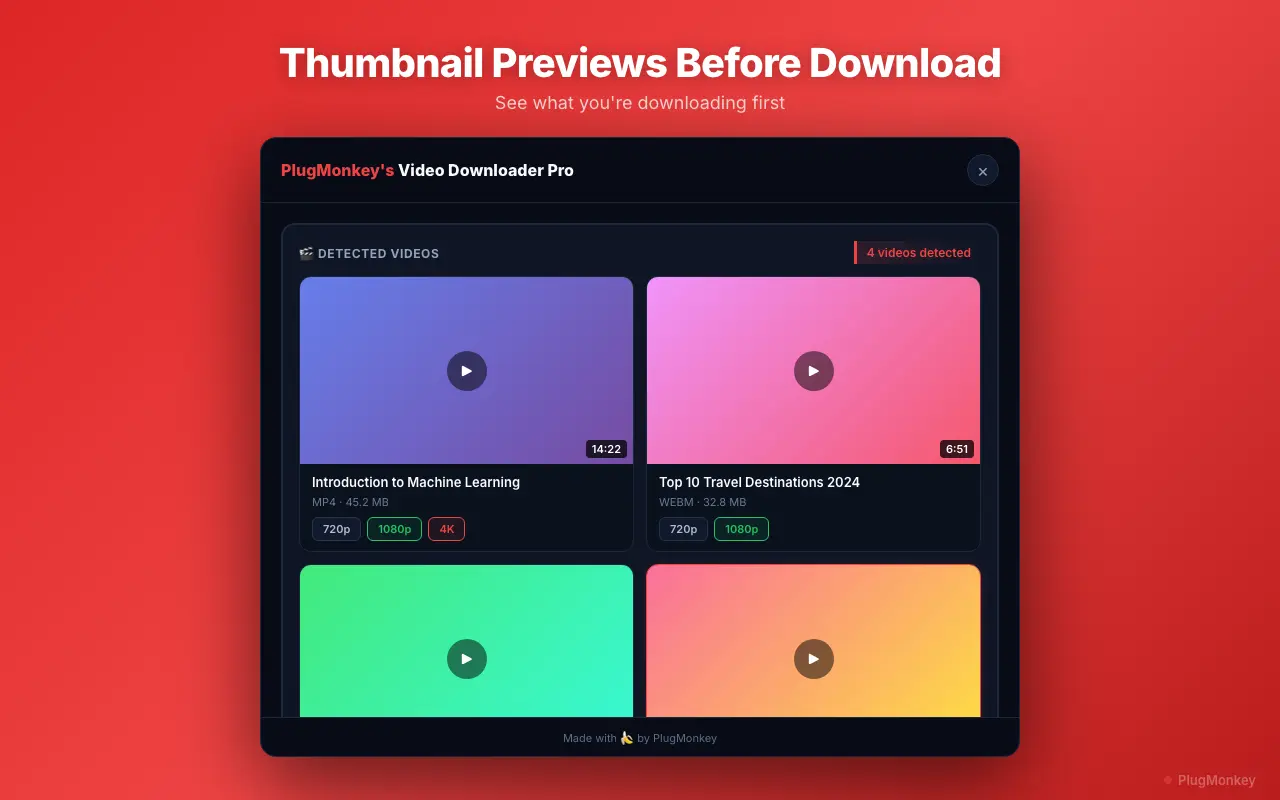
Click the Video Downloader Pro extension icon. For a Vimeo video you'll typically see:
- Multiple resolution variants: 360p, 540p, 720p, 1080p, sometimes 4K (depends on what the creator uploaded and Vimeo Plus/Pro/Business tier they have)
- HLS or DASH segmented streams: labeled with resolution + bitrate (e.g., '1080p, 4.5Mbps')
- Audio-only: useful for audio extraction
For most use cases, pick the highest resolution available. Vimeo serves higher quality than most platforms for paid accounts; a 1080p Vimeo upload is often higher bitrate than a 1080p YouTube upload of the same content.
The extension downloads HLS segments and muxes into a single MP4. File sizes are larger than YouTube/Instagram for equivalent length because Vimeo encodes at higher bitrates.
Verify the download + understand legal/ethical limits
The MP4 lands in your Downloads folder. Verification:
- Open in QuickTime, VLC, or your default video player — confirm video + audio play correctly
- Check resolution + bitrate — right-click → Get Info / Properties to verify you got what you selected
- Audio sync check — HLS muxing occasionally produces sync issues; rare but verify
Legal and ethical reality of downloading private Vimeo videos:
- Your own uploads: always fine — you own the rights
- Videos you paid for (online courses, paid content): typically you have a license for personal viewing. Re-downloading what you already have access to for offline backup is generally OK (check the course's TOS — some prohibit downloads as a piracy-protection measure)
- Client work / wedding videos / private commissions: if you commissioned it or paid for it, you have rights to a copy; the downloaded version IS your copy
- Shared-with-you content (friend's family video, etc.): personal archive is generally fine; redistribution requires the original sharer's permission
- NEVER OK: downloading content the original creator explicitly prohibited downloads on, then redistributing it. The 'private' setting is the creator's signal — respect it beyond personal use.
Supported Formats
- MP4 (H.264 video + AAC audio) — universal format, plays everywhere
- Resolutions: 360p, 540p, 720p, 1080p, sometimes 4K (depends on the source upload + creator's Vimeo plan)
- Audio-only extraction (M4A) — for audio analysis or podcast snippets
Limitations
- Requires legitimate view access to the video — the extension uses your existing logged-in/unlocked session, NOT credentials. Tools claiming to bypass Vimeo's privacy controls are scams or phishing.
- Domain-restricted embeds (videos only playable on specific sites) require you to view on the authorized domain — the extension can detect streams within iframes on the authorized site
- Password-protected videos require entering the password first; the extension uses the unlocked browser session, doesn't crack passwords
- Vimeo's DRM-protected content (rare, used by some premium content) cannot be downloaded by any legitimate tool — DRM blocks the stream from being captured
- Re-downloading content you DON'T have rights to view in the first place isn't possible (the extension can't see what your browser can't see)
- Course platforms and creators commonly prohibit downloads in their TOS — even when technically possible, redistribution or sharing can trigger account termination + legal action
Need More Download Help?
Ask AI for additional tips on downloading Vimeo Private Videos content.
AI responses are generated independently and may vary
Frequently Asked Questions
Capture private Vimeo videos you have legitimate access to
Install Video Downloader Pro free. Works on unlisted, password-protected, and embed-restricted Vimeo videos when you can already view them. Does NOT bypass Vimeo's access controls.