Video Downloader Pro vs Y2mate Pro
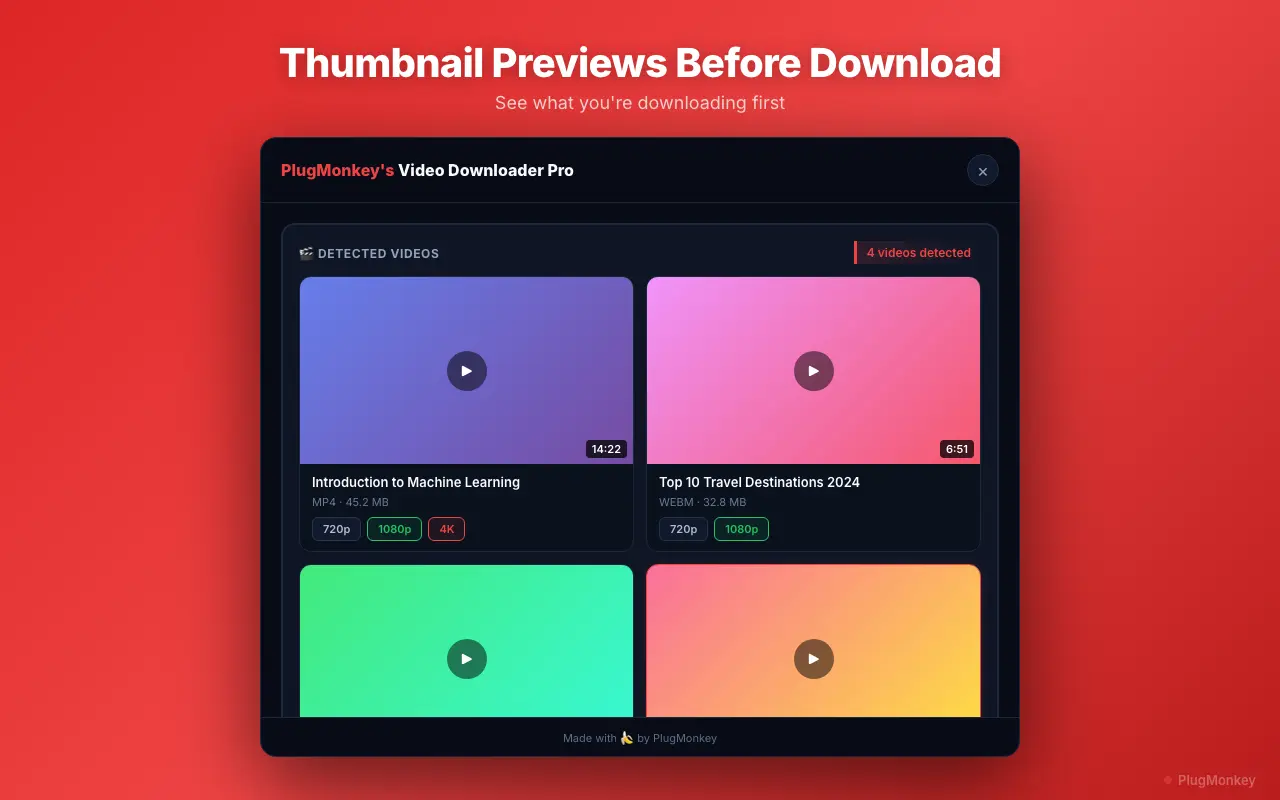
Same job, opposite architectures. Y2mate Pro is a web service — paste a URL, get a download link, hope no ads load malware. Video Downloader Pro is a Chrome extension that detects video streams on any page you visit. The differences are bigger than 'web vs extension.'
TL;DR
Video Downloader Pro is a Chrome extension that auto-detects videos on whatever page you have open — no URL paste step, no third-party server in the loop, no ad-injection risk. Y2mate Pro is the paid tier of y2mate.com, a web service that requires pasting URLs and routes through y2mate's servers. Both can download Twitter, Vimeo, Facebook, Dailymotion content. Choose Video Downloader Pro for everyday browsing — the auto-detection model makes it 10x faster per video. Choose Y2mate Pro only if you specifically need YouTube downloads (which CWS-policy-compliant extensions including Video Downloader Pro can't offer).
- Y2mate Pro is a paid web service ($4.95/mo); Video Downloader Pro is a free-to-install Chrome extension with paid Pro features at $6.99/mo or $49.99 lifetime.
- Y2mate works on YouTube (which Chrome Web Store policy excludes for extensions). Video Downloader Pro works on 1,000+ other sites — TikTok, Twitter/X, Facebook, Vimeo, Dailymotion, Twitch, Reddit, LinkedIn.
- Y2mate's ad-supported model has a documented malware risk history. Video Downloader Pro runs entirely in your browser — no third-party server, no ad injection.
- Y2mate requires copy-paste per URL. Video Downloader Pro detects streams as you browse — 10x faster workflow for users who download regularly.
Head-to-Head Comparison
5 categories compared honestly
🏗Architecture & How It Works
Video Downloader Pro WinsChrome extension that detects video streams on any page you visit.
- Runs as a Manifest V3 Chrome extension in your browser
- Detects HLS, DASH, MP4, WebM streams the page is loading — no URL paste needed
- Downloads happen directly from the platform's CDN to your machine
- No third-party server in the data path — your browsing isn't logged by us
Web service requiring URL paste, server-side processing, ad-supported.
- Visit y2mate.com, paste the video URL, click download
- Y2mate's servers fetch the video from the platform, transcode if needed
- Returns a download link from y2mate's CDN — not the original source
- Ad-supported business model — multiple display, redirect, and popunder ads per visit
Verdict: Different architectural models with different trade-offs. Video Downloader Pro's extension model is faster and more private but requires installation. Y2mate Pro's web model requires no install but introduces y2mate's servers into the data path and routes traffic through their (ad-supported) infrastructure.
🌐Platform Coverage
= Tie1,000+ sites supported, excluding YouTube (Chrome Web Store policy).
- Twitter / X (including spaces, GIF-as-MP4)
- Facebook (SD and HD tiers), Instagram (Reels, Stories, IGTV, feed)
- Vimeo (Pro and Business 4K), TikTok (watermark-free), Dailymotion
- Twitch (VODs, clips, sub-only content), Reddit, LinkedIn, Pinterest
- Generic HLS / m3u8 stream support for embedded video on any site
YouTube as flagship, plus Facebook, Twitter, Vimeo, TikTok, Dailymotion.
- YouTube downloads (the differentiator — extensions can't legally offer)
- Twitter / X, Vimeo, Facebook, Dailymotion, TikTok supported
- Audio-only conversion (MP3) for podcast extraction
- Quality presets up to 4K where the source supports it
Verdict: If YouTube downloading is your primary need, Y2mate Pro wins. Chrome Web Store policy specifically prohibits extensions from advertising YouTube downloads (Y2mate's web service is exempt because it's not an extension). For Twitter, Vimeo, TikTok, and everything else, Video Downloader Pro's extension model is faster.
🛡Privacy & Data Path
Video Downloader Pro WinsBrowser-only — no third-party server involved in the download path.
- Video stream URLs detected and downloaded entirely client-side
- No analytics on which videos you download, no server-side logs
- Zero data retention — the extension doesn't have a backend
- Your IP connects directly to the platform's CDN (e.g., Twitter's CDN)
All traffic flows through Y2mate's servers in their data path.
- Pasted URLs are sent to Y2mate's backend for processing
- Y2mate's servers fetch the video on your behalf — their IP, not yours
- Y2mate's privacy policy applies to anything you submit
- Ad scripts on the page load tracking pixels regardless of Pro tier
Verdict: Video Downloader Pro's architecture has fewer hops and no third-party data custody. For privacy-sensitive use cases (journalists, lawyers, anyone handling sensitive video) the extension's data path is materially better.
⚡Speed & Workflow Efficiency
Video Downloader Pro WinsAuto-detects streams on every page — one-click capture.
- Visit a video page → extension icon shows available streams → click download
- Zero copy-paste required — works on whatever page is open
- Batch download multiple videos detected on the same page
- Resume support if download is interrupted (HLS-segment level)
Copy-paste each URL into y2mate.com, wait for processing, click download link.
- Open y2mate.com in a new tab
- Copy the video URL from the original platform
- Paste into y2mate's input field
- Wait for server-side processing (5-30 seconds depending on video length)
- Click the generated download link (carefully — many fake 'Download' buttons are ads)
Verdict: For users who download multiple videos per week, Video Downloader Pro's auto-detection saves significant time — typically 10-15 seconds per video vs Y2mate Pro's 30-60 seconds plus ad navigation. Add up across a week and the difference is meaningful.
⚠Ads & Malware Risk
Video Downloader Pro WinsZero ads, zero injection — the extension has no ad surface.
- No ads in the extension UI
- No ads injected into pages you visit
- No redirect chains, popunders, or fake download buttons
- Open-source security review eligible — runs in your browser only
Heavy ad load, fake download buttons, history of malicious ad delivery.
- Multiple banner ads, popunder ads, and redirect ads per visit
- Fake 'Download' buttons designed to deceive ad-blocker users
- Documented incidents of malware delivery via ad networks (2021-2024 reports)
- Pro tier reduces but doesn't eliminate ads
Verdict: Y2mate's ad-supported model is the documented risk. Multiple security reports have flagged y2mate-served ads as malware vectors. Video Downloader Pro's no-ad extension model eliminates this entire risk category.
At a Glance
Quick feature comparison
| Feature | Video Downloader Pro | Y2mate Pro | |
|---|---|---|---|
| Architecture | Chrome extension (client-side) | Web service (server-side) | |
| YouTube support | No (Chrome Web Store policy) | Yes | |
| Other platforms (1,000+ sites) | Yes | ~50 platforms | |
| Ads in UI | None | Heavy (reduced on Pro) | |
| Workflow | Auto-detect (~5 sec / video) | Copy-paste URL (~30-60 sec / video) | |
| Third-party server in data path | No | Yes (Y2mate's servers) | |
| Pricing | Free + $6.99/mo or $49.99 lifetime | $4.95/mo (Pro only) | = |
| Free tier exists | Yes (Chrome Web Store install free) | Yes (with heavy ads) | = |
Need a Second Opinion?
Ask AI to break down the key differences and help you decide.
AI responses are generated independently and may vary
Pricing: Video Downloader Pro vs Y2mate Pro
Y2mate Pro
Free tier exists but is heavily ad-supported with documented malware risks.
- Subscription-only pricing
- Lose access when you cancel
Video Downloader Pro
Video Downloader Pro's $49.99 lifetime option pays back vs Y2mate Pro's $4.95/month within 10 months — and you own it forever instead of renting monthly.
30-day money-back guarantee
Which Is Right for You?
Choose Video Downloader Pro
- You download videos from Twitter, Vimeo, TikTok, Facebook, or any of the 1,000+ supported non-YouTube platforms
- You value the no-server-in-the-loop privacy architecture (journalists, lawyers, anyone handling sensitive video)
- You're downloading more than 2-3 videos per week and the workflow time matters
- You don't want ads or fake download buttons in your video-saving workflow
- You prefer a one-time lifetime payment over an ongoing subscription
Choose Y2mate Pro
- YouTube downloads are your primary use case (Chrome Web Store policy excludes extensions including Video Downloader Pro)
- You only need to download videos occasionally (under once per week) and don't want any new browser extensions installed
- You're on a non-Chrome browser where extensions aren't easily available
- You're comfortable navigating around heavy ads to get to the actual download link
The fast, ad-free, YouTube-excluded Chrome extension for everything else
Install Video Downloader Pro free from the Chrome Web Store. Auto-detection on 1,000+ sites, browser-only data path, no ads, no malware risk.