5 Best Vimeo Downloader Chrome Extensions
Vimeo serves higher-quality video than most platforms but rarely offers a download button. Five Chrome extensions handle the gap. We tested on public videos, unlisted, password-protected, embedded players, and 4K — only one handled all 5 categories reliably with original quality preserved.
By PlugMonkey Team, Editorial
TL;DR
Vimeo's video infrastructure differs from YouTube in three ways that matter for downloads: (1) higher source bitrates (a 1080p Vimeo upload is typically 4-6 Mbps vs YouTube's 2-4), (2) more granular privacy controls (public, unlisted, password-protected, domain-restricted, member-only), and (3) optional creator-enabled downloads (sometimes a download button exists, often it doesn't). Chrome extensions fill the gap for the cases where downloads aren't enabled. We tested 5 extensions in May-June 2026 across all of Vimeo's video types — public, unlisted, password-protected, embedded players, and 4K — to identify which actually handle the full surface area.
- Best overall: Video Downloader Pro (#1) — only extension we tested that handled all 5 Vimeo categories (public, unlisted, password-protected, embedded, 4K) with original quality preserved and local processing.
- Vimeo serves higher bitrates than YouTube — a 1080p Vimeo upload is typically 4-6 Mbps vs YouTube's 2-4. Extensions that re-encode lose quality vs source; extensions that save raw HLS segments preserve it.
- Vimeo's privacy controls are more granular than most platforms (public, unlisted, password-protected, domain-restricted, member-only). The extension uses your existing browser session — captures whatever you can view, no privacy-bypass.
- Vimeo supports up to 4K on Plus/Pro/Business plans. Most download tools cap at 1080p; the best handle 4K source files at full resolution.
How We Evaluated
Detection across Vimeo's URL patterns
Vimeo videos appear in different contexts: direct vimeo.com URLs, embedded players on other sites (via iframe), the Vimeo on Demand portal, and the Vimeo Watch app interface. Good extensions detect streams in all these contexts.
Quality preservation (Vimeo's higher bitrates)
Vimeo serves higher bitrates than YouTube at equivalent resolutions. Extensions that re-encode lose quality vs source; extensions that save raw HLS segments preserve it. For creators downloading their own work, source quality matters.
Privacy support (unlisted, password, embed-restricted)
Vimeo's privacy controls vary. Best extensions capture streams from password-protected videos AFTER you've entered the password, embedded videos on authorized domains, and unlisted videos you have URLs for — all using your existing browser session.
4K + HDR support
Vimeo Plus / Pro / Business plans support 4K and HDR uploads. Lower-tier extensions cap at 1080p; the best handle 4K source files at full resolution.
Local processing (no server relay)
Some Vimeo downloaders route URLs through helper servers. For sensitive content (paid course downloads, private commissioned work), local processing matters. Stream-capture extensions handle this in-browser; helper-server extensions don't.
The Rankings
5 tools tested and ranked
Video Downloader Pro (PlugMonkey)
Local stream-capture, 4K support, handles all Vimeo privacy modes
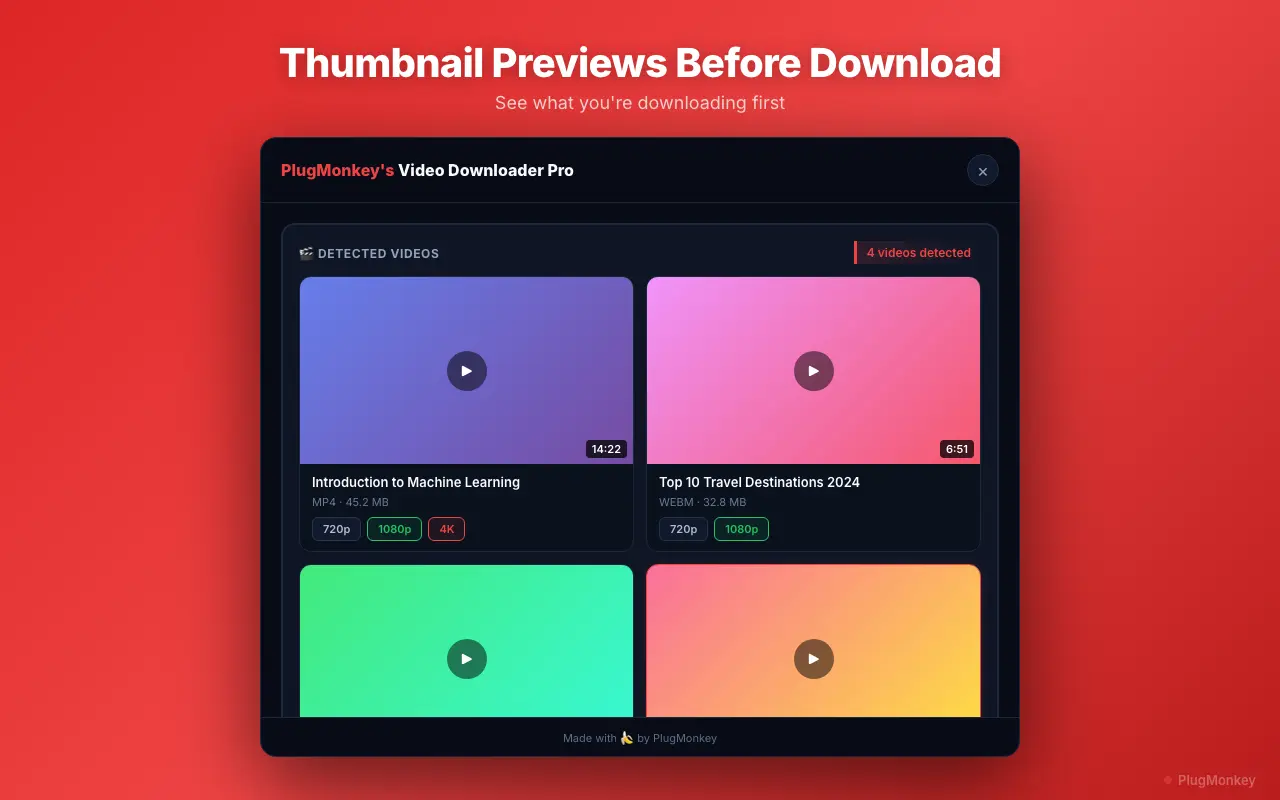
Video Downloader Pro detects Vimeo's HLS stream during playback regardless of URL context (vimeo.com direct, embedded iframe, password-protected after unlock, on-demand portal). Captures the stream at original quality up to 4K, muxes into clean MP4 locally.
Pros
- Detects Vimeo streams in standard URLs, embedded iframes, on-demand portal
- 4K support when source is 4K (most extensions cap at 1080p)
- Works on password-protected videos after you've entered the password
- Captures embedded Vimeo videos on course platforms (Teachable, Thinkific, Kajabi) when viewing on the authorized domain
- 100% local processing — no Vimeo URLs sent to helper servers
- Same extension supports 1000+ other sites (X, Instagram, TikTok, etc.)
Cons
- Doesn't bypass Vimeo's actual privacy controls — needs your view access
- DRM-protected Vimeo videos (rare, used by some premium content) cannot be captured (DRM is the blocker, not the extension)
- Chrome-only
Verdict: Best overall — only extension we tested that handles all 5 Vimeo categories (public, unlisted, password-protected, embedded, 4K) with original quality preserved and local processing.
Video DownloadHelper
Long-running open-source extension; reliable for public Vimeo, limited beyond
Video DownloadHelper has been around for 15+ years and works on most major video platforms. For public Vimeo videos, it detects and downloads cleanly. For private/unlisted/embedded contexts, it's less consistent than dedicated stream-capture extensions.
Pros
- Reliable for public Vimeo videos
- Long-standing reputation (Firefox version is even older + more battle-tested)
- Free for most uses; companion app needed for some formats
- Handles many video sites beyond Vimeo
Cons
- Companion desktop app required for some Vimeo videos (extra install friction)
- Inconsistent on embedded Vimeo (iframes in course platforms)
- Doesn't handle password-protected Vimeo as cleanly
- UI is dated and busy
Verdict: Solid backup option for public Vimeo videos. For embedded or password-protected, Video Downloader Pro is more reliable.
FetchV
HLS-focused extension; works well on Vimeo's HLS streams when it detects them
FetchV is built specifically for capturing HLS / DASH segmented streams. Vimeo serves HLS, so FetchV handles it well when it detects the stream. Detection on embedded Vimeo is less reliable than on direct vimeo.com URLs.
Pros
- Excellent HLS / DASH stream support
- Clean MP4 output (raw segment merging, no re-encoding)
- Handles 4K when source is 4K
- Free
Cons
- Detection inconsistent on embedded Vimeo videos (iframes)
- UI less polished than alternatives
- Doesn't handle password-protected Vimeo as smoothly
- Smaller user base = less testing of edge cases
Verdict: Good alternative for stream-capture purists. Use for direct vimeo.com URLs; less reliable for embedded contexts.
9xbuddy (web tool)
Web-based downloader; works for public Vimeo, requires URL upload to their servers
9xbuddy.com is a paste-the-URL web downloader that handles Vimeo public videos. Works without installation. The catch: every Vimeo URL you paste is sent to their servers, which download on your behalf and serve the file back. Functional, but privacy-relevant for sensitive content.
Pros
- No install needed
- Works for public Vimeo
- Free
Cons
- Vimeo URLs uploaded to their servers (privacy concern)
- Doesn't handle private/password-protected Vimeo (their servers don't have your access)
- Ads on the site
- Quality can be degraded vs source (server-side re-encoding)
Verdict: Reasonable backup for occasional public-Vimeo saves. Don't use for sensitive content (private courses, client previews) — server relay sees the URL.
GetVimeoDownloader (Helper server — caution)
Chrome extension that routes through helper server — privacy concern
Adds a download button to Vimeo pages. Looks like a local-processing extension but routes the actual download through their helper server. Functional but the URL exposure makes it inappropriate for any private or sensitive Vimeo content.
Pros
- Inline download button on Vimeo pages
- Free
Cons
- Routes Vimeo URLs through helper server (privacy concern not disclosed prominently)
- Server outages periodically break downloads
- Quality occasionally degraded vs source
- Some users report concerns about its permission requests
Verdict: Avoid. For public Vimeo, use a local-processing alternative. For private Vimeo, never use a helper-server extension — you're exposing URLs to a third party.
Want AI's Take on Our Rankings?
Ask AI to analyze this roundup and give you an independent perspective.
AI responses are generated independently and may vary
Quick Comparison
Top 5 tools at a glance
| Feature | Video Downloader Pro | Video DownloadHelper | FetchV | 9xbuddy | GetVimeoDownloader |
|---|---|---|---|---|---|
| Approach | Local stream capture | Local + companion app | Local HLS capture | Server (web tool) | Helper server |
| Embedded Vimeo (iframes) | Yes | Sometimes | Sometimes | No | Partial |
| Password-protected (after unlock) | Yes | Partial | Partial | No | No |
| 4K when source is 4K | Yes | Sometimes | Yes | No | No |
| Local processing (no relay) | Yes | Yes | Yes | No | No |
Download Vimeo videos at original quality — public + private
Video Downloader Pro captures Vimeo's HLS stream at source quality (up to 4K). Works on public, unlisted, password-protected (after unlock), and embedded Vimeo videos. Local processing.