Updated Nov 2026

How to Monitor Reddit for Brand Mentions in 2026

Set up automated keyword monitoring across Reddit. Get scored results, buyer intent categorization, and desktop alerts — all from a Chrome extension.

Beginner
10 minutes
7 steps

By

Before You Start

  • Google Chrome browser (desktop)
  • Scout Pro for Reddit installed from the Chrome Web Store
  • A list of brand names, product names, and competitor names you want to track
1

Install Scout Pro for Reddit from the Chrome Web Store

Visit the Chrome Web Store listing and click "Add to Chrome." The extension is free to install and runs its first scan as soon as you add your first keywords. No API keys, no Reddit developer accounts, and no external sign-ups required.
2

Add your brand and competitor keywords

Navigate to any page on reddit.com and click the floating PlugMonkey button to open the Scout panel. Go to the Keywords section and add your monitoring terms. Include: your brand name (exact and common misspellings), product names, competitor brand names, and industry-specific terms people use when discussing your category. For example, a SaaS company might add: "YourBrand", "YourProduct", "CompetitorA", "CompetitorB", and problem-related terms like "need a better CRM" or "looking for project management tool."
Pro Tip

Start with 3-5 high-priority keywords and expand later. Focus on your brand name, your top product, and your main competitor. You can always add more keywords once you see how the monitoring results look.

3

Create subreddit groups for focused monitoring
Organize your monitoring by creating Subreddit Groups. Click "Add Group" and give it a name (e.g., "Industry Subreddits" or "Competitor Communities"). Add the relevant subreddits to each group — communities where your target audience discusses topics related to your brand. For example, a B2B SaaS tool might monitor r/SaaS, r/startups, r/smallbusiness, r/Entrepreneur, and niche subreddits specific to their industry. You can assign different keywords to different groups for targeted monitoring.
Scout Pro for Reddit's monitoring dashboard for keywords and subreddits
4

Configure your scan interval and notification preferences

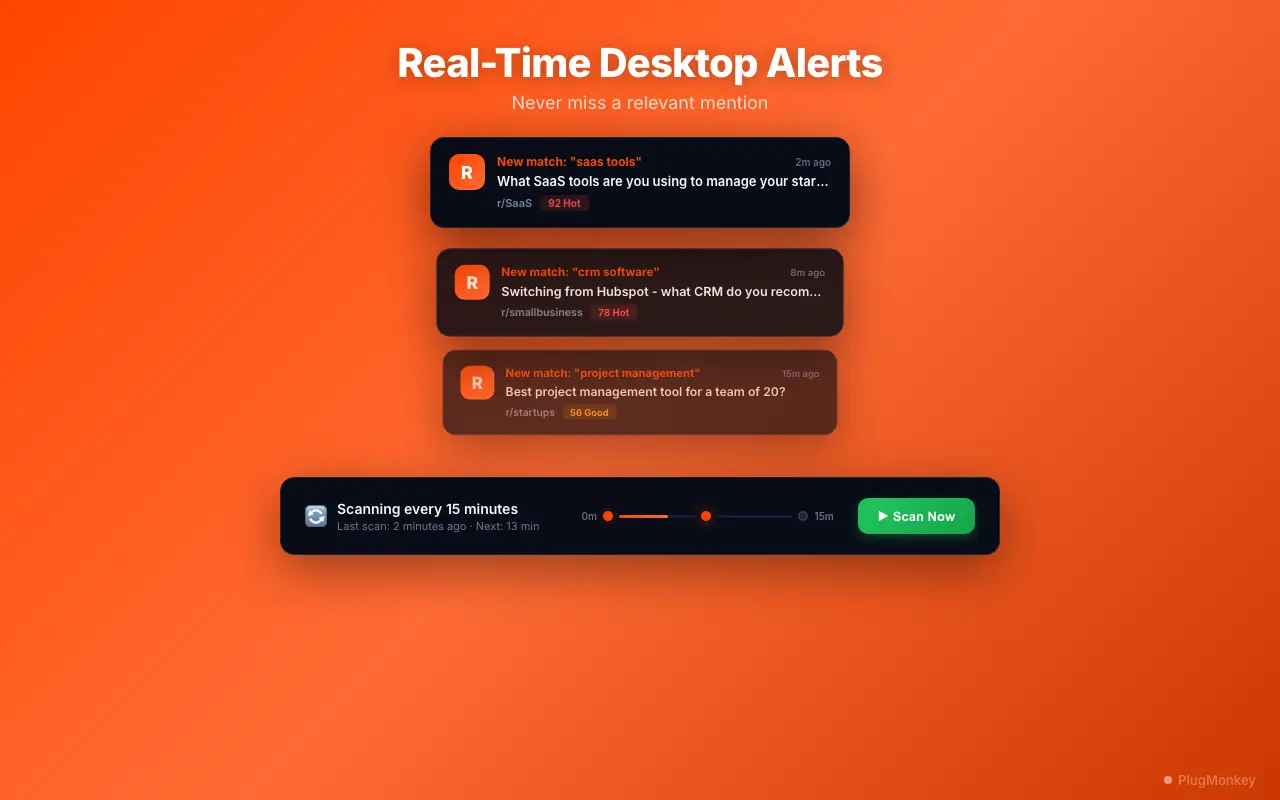
In the Settings section of the Scout panel, configure how often the extension scans Reddit for new matches. Free users scan when they click Scan now (at most once an hour) or add a keyword; PRO users also get automatic background scans every 30 minutes, 1, 2 or 4 hours (the default is 1 hour). To stay under Reddit's limits the extension reads at most one feed every 2 to 3 minutes, so a long subreddit list takes longer than the interval to cover. Enable Desktop Notifications to receive alerts when hot leads (score 50+) are discovered. You can also configure whether notifications show for all matches or only high-scoring ones.
Pro Tip

For brand monitoring, a scan every hour or so is usually sufficient — Reddit conversations develop over hours, not minutes. Upgrade to PRO for automatic background scans every 30 minutes if you need to respond to customer complaints or competitor mentions quickly.

5

View your dashboard and review scored results

After the first scan completes, open the full dashboard by clicking "Open Dashboard" in the Scout panel. The dashboard has 4 tabs: Hot Leads, All Matches, Saved, and Archived. Each result shows the post/comment title, subreddit, matched keyword, intent category (Solution Request, Money Talk, Pain Point, Comparison, Recommendation, or General), and an intent score from 0-100.
6

Set up hot alerts for quick response

Hot alerts notify you after a scan finds a high-scoring match — these are conversations with strong buyer intent where responding quickly gives you an advantage. Enable desktop notifications for results scoring 50+ to catch conversations like 'Looking for a tool that does X' or 'Has anyone tried [your competitor]?' These are your highest-value opportunities for natural, helpful engagement.
7

Save leads and export data for your CRM

When you find a valuable conversation, click "Save" to bookmark it with notes and tags. Saved results go to the Saved tab where you can organize them by category, add follow-up notes, and track engagement status. Use the CSV Export feature to download your leads for import into your CRM (HubSpot, Salesforce, Pipedrive, etc.) or marketing tools. The export includes all metadata: post URL, subreddit, score, category, your notes, and timestamps.
Pro Tip

Create a weekly export routine: download your saved leads every Friday and import them into your CRM. This keeps your outreach pipeline fresh and ensures no high-intent conversations slip through the cracks.

Summary

You now have automated Reddit monitoring for brand mentions, competitor discussions, and high-intent conversations. Scout Pro for Reddit scans when you click Scan now (and in the background on PRO), categorizes every match by buyer intent (Solution Request, Money Talk, Pain Point, Comparison, Recommendation, General), and scores each result from 0-100 for prioritization. Hot alerts after each scan point you to the time-sensitive opportunities. Use the dashboard to review, filter, and save leads, then export to your CRM for follow-up. The key to effective Reddit monitoring is keyword selection — start with your brand name and top competitors, then expand based on what the tool surfaces. Regular weekly reviews of your dashboard will reveal patterns in how your brand and industry are discussed on Reddit.

Need More Help?

Get personalized AI assistance with additional tips and troubleshooting.

AI responses are generated independently and may vary

Frequently Asked Questions

Never Miss a Brand Mention on Reddit

Scout Pro for Reddit monitors keywords, scores results by buyer intent, and alerts you when conversations matter. Free to install.