How to Unfollow on LinkedIn Without Removing
Unfollowing hides someone's posts from your feed while keeping the connection completely intact. It's the polite way to quiet down your feed — no burned bridges, no notifications. Here's how to do it one-by-one or in bulk.
Before You Start
- Google Chrome browser (desktop)
- A LinkedIn account, logged in via the browser
- For bulk unfollowing: Connection Remover Pro for LinkedIn installed from the Chrome Web Store
Understand what unfollow does (and doesn't) do
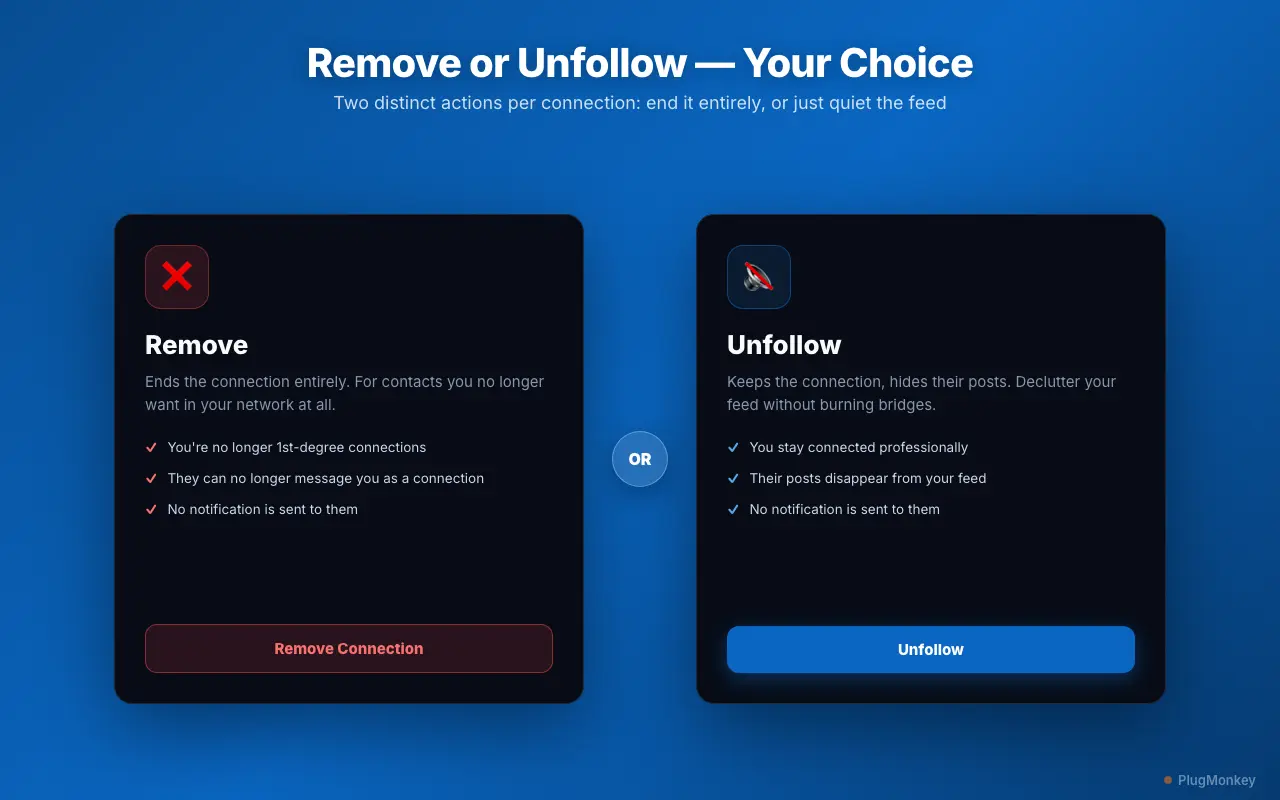
Unfollowing is often confused with removing, but they're very different:
- Unfollow — you stay connected (still 1st-degree), but their posts stop appearing in your feed. You can still message each other and visit each other's profiles normally.
- Remove — ends the connection entirely.
Unfollow is ideal when a connection posts too much, shares off-topic content, or floods your feed — but you still value the professional relationship. Like removing, unfollowing sends no notification, so the other person won't know.
Unfollowing is the low-risk choice. Because the connection stays intact, there's nothing to undo later beyond simply following them again if you change your mind.
Unfollow one person the built-in LinkedIn way
There are two simple manual methods on LinkedIn:
From their profile:
- Open the person's profile.
- Click the More button below their headline.
- Select Unfollow.
From a post in your feed:
- Click the … in the top-right corner of one of their posts.
- Choose Unfollow [Name].
Both achieve the same result. This works well for the occasional noisy contact, but clearing out many at once means repeating it dozens of times.
Install Connection Remover Pro for LinkedIn for bulk unfollowing
The free version includes up to 15 combined remove/unfollow actions per week. PRO removes the cap and adds Mass Unfollow for clearing your feed in bulk.
Filter to the connections cluttering your feed
Open the panel and use the filters to build your unfollow list:
- Search by name or headline to find specific noisy accounts
- Filter by company to quiet posts from a particular organization
- Filter by connection age to focus on older contacts whose posts no longer feel relevant
The panel previews the matches and shows a live count. Add anyone you still want to hear from — or bulk-actions to your Protected list so they're never touched.
Mass Unfollow to declutter your feed (PRO)
With your filtered list ready, use Mass Unfollow to unfollow every matching connection in one click. A progress bar tracks the run and you can cancel anytime. Pick a pacing mode — Conservative, Normal, or Fast — with Conservative recommended for large batches.
Because every contact stays connected, this is a completely reversible way to reset a noisy feed: your network is unchanged, only what you see is.
Summary
Unfollowing on LinkedIn hides a person's posts while keeping the connection intact — the ideal move when you want a quieter feed without ending a professional relationship. You can unfollow one person via their profile's More menu or the … on any of their posts. For a feed full of noise, Connection Remover Pro for LinkedIn lets you filter by name, company, or connection age and Mass Unfollow the matches in one click, with Conservative pacing for safety. No notification is sent, and since the connection stays, it's fully reversible — just follow them again if you change your mind.
Need More Help?
Get personalized AI assistance with additional tips and troubleshooting.
AI responses are generated independently and may vary
Frequently Asked Questions
Quiet Your LinkedIn Feed Without Burning Bridges
Connection Remover Pro for LinkedIn lets you bulk-unfollow noisy connections while keeping every relationship intact. No notifications, fully reversible. Free to install.