The ChatGPT Chrome Extension Explained
Stop copying text into a separate tab. A ChatGPT Chrome extension brings AI to the page you're already on — here's how they work, what separates a good one from a bad one, and how to run it for pennies a month.
Before You Start
- Google Chrome browser (desktop)
- An API key from OpenAI, Anthropic, or Google (free to create; only needed for BYOK extensions)
Understand what a ChatGPT Chrome extension actually does
The core idea is simple: instead of copying text, switching to chatgpt.com, pasting, reading the answer, and switching back, the AI comes to you. Select text on any page, trigger the extension, and the response appears right there.
Most of them offer some combination of:
- Select-and-prompt — highlight text, pick an action, get an answer in place
- A sidebar or overlay so the original page stays visible
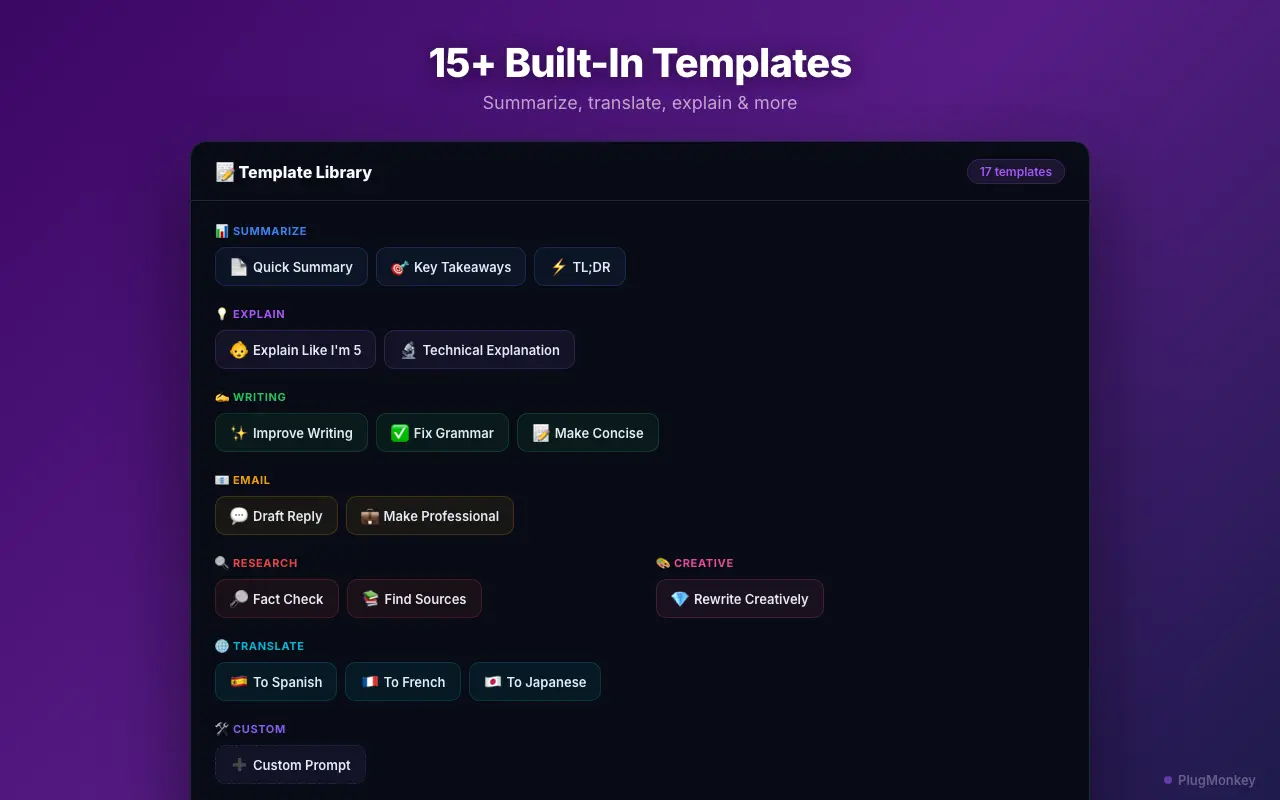
- Preset templates — summarize, explain, rewrite, translate, review code
- A saved history of past responses
The time saved is not the AI itself, it is the tab-switching and re-pasting you stop doing dozens of times a day.
Know the two pricing models before you install anything
This is the single biggest difference between extensions, and it is easy to miss until you're already paying.
- Subscription extensions proxy your prompts through the vendor's own servers and charge a flat monthly fee, typically $10-$20/month. You pay the same whether you send 5 prompts or 500.
- BYOK (bring your own key) extensions use your API key and talk to OpenAI, Anthropic, or Google directly. You pay the AI provider per token used, with no middleman markup.
For most people BYOK is dramatically cheaper. A typical query on a current model runs a fraction of a cent, so a few hundred prompts a month usually lands under a couple of dollars — versus $20/month flat for a subscription tool or ChatGPT Plus.
BYOK pays off fastest for bursty usage. If you use AI heavily some weeks and not at all in others, per-token billing costs nothing in the quiet weeks while a subscription keeps charging.
Check where your data actually goes
Worth checking before you install, because extensions differ a lot here:
- Does the extension proxy your prompts through its own servers? Subscription tools generally must, which means your selected text passes through a third party.
- Where is the API key stored? It should live in your browser's local storage, not on a vendor server.
- Is your history stored locally or in their cloud?
- What permissions does it request? A select-and-prompt tool needs access to page content, which is broad by nature — so the vendor's data handling matters.
A BYOK extension has a structural advantage here: because your browser talks to the AI provider directly, there is no third party in the middle to log anything.
Treat your API key like a password. Never paste it into a website form, and revoke it from the provider's console if you ever suspect it leaked.
Get an API key (for BYOK extensions)
Creating a key takes about two minutes and is free — you only pay for what you use afterward:
- OpenAI — platform.openai.com/api-keys
- Anthropic — console.anthropic.com/settings/keys
- Google — aistudio.google.com/app/apikey
Copy the key as soon as it is generated — providers typically show it only once. You can add just one provider to start; there is no need to sign up for all of them.
Set a monthly spend limit in your provider's billing settings the moment you create the key. It costs nothing and removes any worry about a runaway bill.
Install Prompt Anything Pro and add your key
Prompt Anything Pro is a BYOK extension built around the model above. After installing from the Chrome Web Store:
- Click the extension icon and open Settings.
- Paste your API key into the matching provider field (OpenAI, Anthropic, Google, xAI, or Groq — local models via Ollama/LM Studio need no key).
- Save. The key is stored locally in your browser and is only ever sent to the provider you chose.
You get access to 400+ built-in templates across 30+ models from seven providers — including the current frontier model from each major lab — and you can switch models per prompt depending on the task. The free version includes a weekly prompt allowance plus 50 saved library entries; PRO removes the cap and adds custom templates, bulk operations, and history export.
Use it: select, prompt, done
The daily loop is short:
- Select text on any page — an article, a docs page, an email, a code diff.
- Trigger the extension from the floating button or your keyboard shortcut.
- Pick a template (Summarize, Explain, Fix Grammar, Translate, Fact Check) or type a custom prompt.
- Choose a model if this particular task deserves a stronger or cheaper one.
- Copy, save, or follow up without leaving the page.
Good habits that make it worth the install: keep a couple of templates you actually reuse, use a cheaper model for routine summarizing and a stronger one for reasoning, and check the token tracker occasionally so you know exactly what you're spending.
The biggest wins are the boring repetitive ones — summarizing long threads before replying, turning docs into plain English, and cleaning up writing. Those add up far faster than occasional clever prompts.
Summary
A ChatGPT Chrome extension removes the copy-paste-switch-back loop by bringing AI onto the page you're already reading. The decision that matters most is the pricing model: subscription extensions proxy prompts through vendor servers for a flat $10-$20/month, while BYOK extensions use your own API key and bill per token — usually a couple of dollars a month for normal use, with no third party handling your text. Creating a key at OpenAI, Anthropic, or Google is free and takes two minutes. Prompt Anything Pro takes the BYOK route with 400+ templates across 30+ models from seven providers, keys stored locally, and a free tier to try before paying anything.
Need More Help?
Get personalized AI assistance with additional tips and troubleshooting.
AI responses are generated independently and may vary
Frequently Asked Questions
AI on Every Page, Without the Subscription
Prompt Anything Pro brings 400+ templates and 30+ models to any webpage using your own API key. Your keys and data stay in your browser. Free to install.