The Superpowers for Instagram Alternative Focused on Safe Unfollowing
Superpowers for Instagram bundles many features — stories, mass like, analytics — with basic unfollow. Unfollow Pro for Instagram focuses on one thing: safe, smart unfollowing with advanced filtering, whitelist protection, and built-in rate limits. $6.99/month or $49.99 lifetime.
 By Zee Calder
TL;DR
Superpowers for Instagram is a Swiss-army-knife Chrome extension offering story viewing, mass liking, post downloading, analytics, and basic mass unfollow. It does many things but unfollowing lacks depth — no advanced filtering, limited whitelist options, and aggressive actions that risk account blocks. Unfollow Pro for Instagram is purpose-built for unfollowing: search and filters (verified, private, no profile picture), a protected list for important accounts, and paced runs that back off when Instagram limits requests. $6.99/month or $49.99 lifetime.
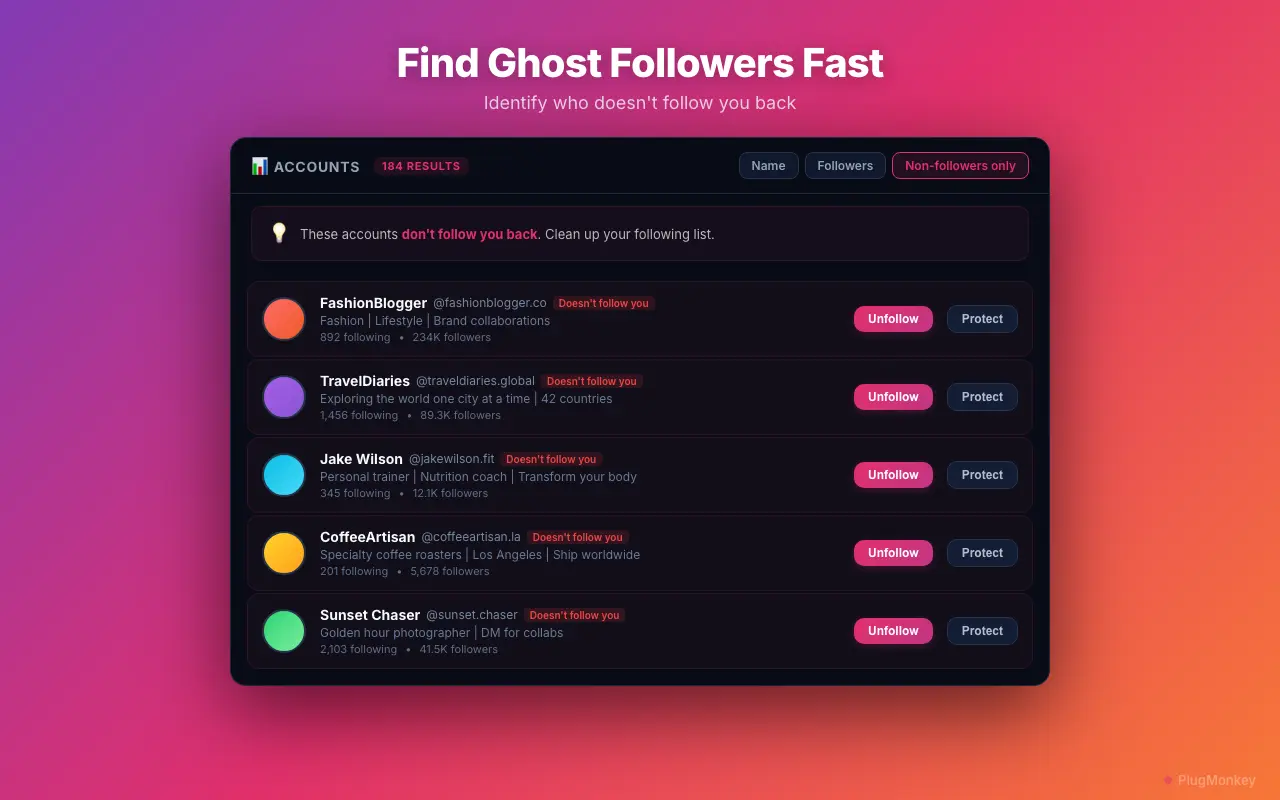
Where Superpowers for Instagram Falls Short on Unfollowing
Basic unfollow with no advanced filtering
Superpowers for Instagram offers mass unfollow, but filtering options are limited. No activity-based filtering, no engagement analysis, no follower-count-based targeting. You either unfollow everyone or pick manually.
Aggressive automation risks account blocks
The extension's mass actions (like, follow, unfollow) can trigger Instagram's action block detection. Users report temporary blocks and reduced reach after using bulk features without proper rate limiting.
Feature bloat makes the interface cluttered
Superpowers for Instagram packs stories, mass like, post download, analytics, and more into one extension. If you just need unfollowing, the interface is cluttered with features you don't use.
Limited whitelist protection
When mass unfollowing, protecting important accounts (brand partners, close friends, key influencers) requires careful manual selection. Superpowers lacks a dedicated whitelist system to prevent accidental unfollows.
Inconsistent updates and reliability
Multi-feature extensions are harder to maintain. When Instagram changes its UI, one feature may break while others work. Users report inconsistent behavior across updates, especially with the unfollow functionality.
Unfollow Pro for Instagram vs Superpowers for Instagram
Feature-by-feature comparison
| Feature | Superpowers for Instagram | Unfollow Pro for Instagram |
|---|---|---|
| Focus | Multi-purpose toolkit (stories, likes, analytics, unfollow) | Dedicated unfollow management |
| Unfollow filtering | Basic (limited criteria) | Search, verified, private, no profile picture |
| Whitelist protection | Limited | Dedicated whitelist system |
| Rate limiting | User-configurable (often too aggressive) | Built-in safety limits (Instagram thresholds) |
| Account safety | Risk of action blocks from bulk features | Designed for safe, rate-limited unfollowing |
| Monthly cost | Free tier + premium ($4.99+/mo) | $6.99/month |
| Lifetime option | No | $49.99 one-time |
| Story viewing & download | Yes | No — unfollowing only |
| Mass like automation | Yes (TOS risk) | No — unfollowing only |
| Non-follower detection | Basic | Advanced with multiple filter criteria |
Pricing: Unfollow Pro for Instagram vs Superpowers for Instagram
Superpowers for Instagram
Free tier with limited features. Premium plans start at $4.99/month for advanced features. No lifetime option.
- Subscription-only pricing
- Lose access when you cancel
Unfollow Pro for Instagram
Unfollow Pro for Instagram lifetime ($49.99) pays for itself after 10 months vs the premium plan. Purpose-built unfollowing with better safety and filtering.
30-day refund if it doesn't work as described
Still Deciding?
Get an independent AI perspective on which tool is the better fit for you.
AI responses are generated independently and may vary
Is Unfollow Pro for Instagram Right for You?
Switch If You...
- You primarily need unfollow management and the multi-feature toolkit is overkill
- You've experienced action blocks from Superpowers for Instagram's bulk features
- You want dedicated unfollow filtering — search, verified, private, no profile picture
- You need dedicated whitelist protection for important accounts
- You want built-in rate limiting that respects Instagram's safety thresholds
- You prefer a lifetime purchase over ongoing subscription
Consider Other Options If You...
- You actively use multiple features — story viewing, mass like, post download, analytics
- The free tier covers your basic needs and you don't need advanced unfollow filtering
- You want a single extension for all Instagram enhancements, not just unfollowing
Safe unfollowing. Advanced filters. Whitelist protection.
Unfollow Pro for Instagram: purpose-built for safe mass unfollow with smart filtering. $49.99 lifetime — or try free.