The Pastedownloader Alternative That Lives Inside Your Browser
Pastedownloader requires you to copy a video URL, switch tabs, paste it into their website, wait for processing, then download — all while their servers log every URL you submit. Video Downloader Pro is a Chrome extension that detects videos on the page you're already on and downloads them in one click. Local processing means no third-party server ever sees the URLs you save.
By PlugMonkey Team, Editorial
TL;DR
Pastedownloader is one of the highest-traffic paste-the-URL video downloader websites — DataForSEO clocks the brand at ~60,500 US searches per month. It works the way every web-based video downloader works: copy the source URL, switch tabs, paste it on pastedownloader.com, wait for their server to fetch the video, then download. The technical model has three structural trade-offs vs a Chrome extension: (1) every URL you submit is logged on their server (privacy), (2) the workflow requires tab-switching for every video (efficiency), (3) the site is ad-monetized (UX). Video Downloader Pro is a Chrome extension that does the same job without those trade-offs — local processing, one-click in the source page, no ads.
- Pastedownloader's web-tool model logs every video URL you paste on their server. For your own content, client work, or anything privacy-sensitive, that's the deal-breaker.
- The paste-and-wait workflow takes 4-6 actions per video (copy URL → switch tab → paste → wait for server → download → switch back). The extension takes 1 click in the page you're already on.
- Pastedownloader is ad-supported with pop-unders, banner ads, and 'click here to download' bait links. The extension has none.
- Same site coverage: both tools handle YouTube, TikTok, Instagram, Twitter, Facebook, Vimeo, Pinterest, Dailymotion, and most of the rest. The choice is workflow + privacy, not capability.
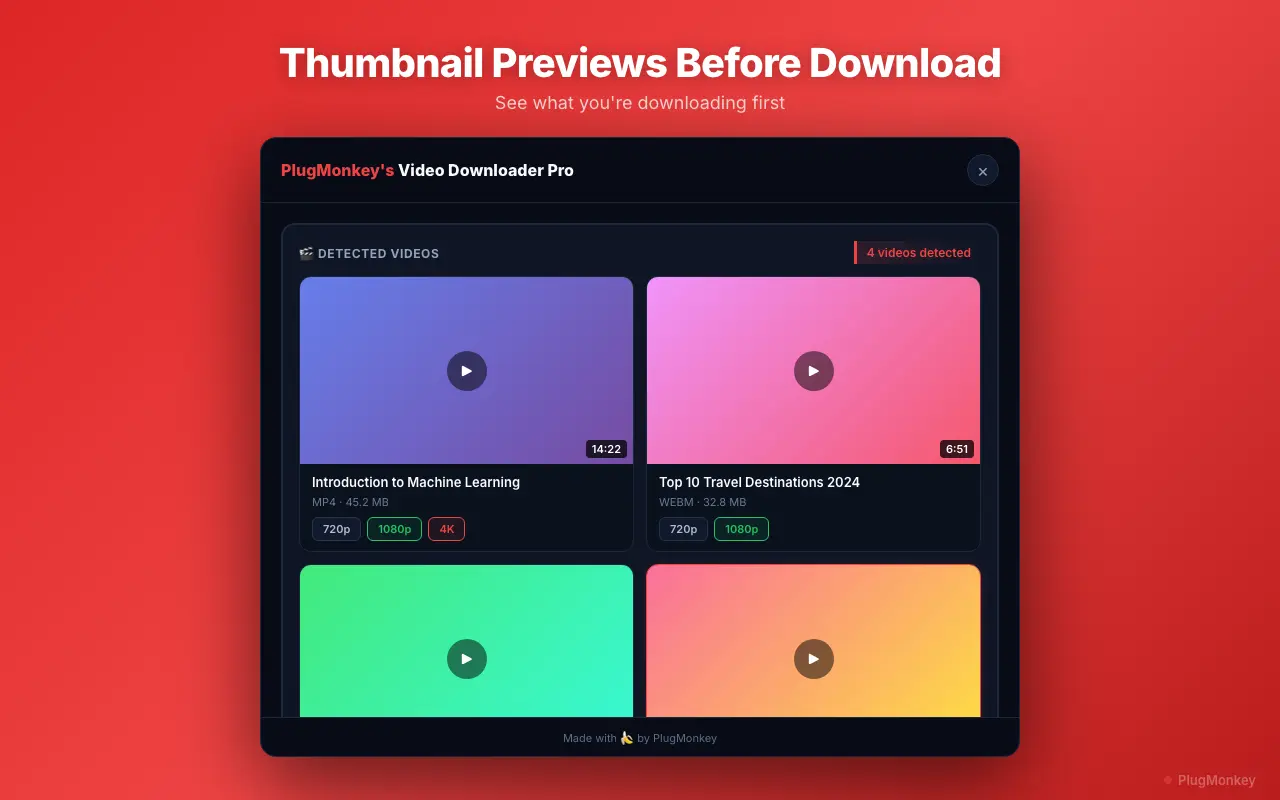
Why People Look for a Pastedownloader Alternative
Every URL you paste is logged on Pastedownloader's servers
The paste-and-download model requires their server to fetch the video on your behalf, which means every URL you submit is logged with your IP. For public viral content this is academic; for your own private uploads, client work, or anything you'd rather not have a third party catalog, it's the structural reason to switch.
Copy-paste workflow eats time across multiple downloads
For one video, the friction is small. For ten videos, the cost is real: copy URL → switch tab → paste → wait for server fetch → click download → switch back → next video. A Chrome extension does the same job in one click inside the source page, with no tab-switching.
Ad-heavy interface with bait links
Pastedownloader is monetized through banner ads, pop-unders, and fake 'click here to download' buttons that mask the real download link. Even savvy users occasionally mis-click. A locally-processing extension has no monetization surface — no ads at all.
Server-side processing adds latency and quality risk
Pastedownloader fetches the video on their server, then re-serves it to you — adding a round-trip and sometimes a re-encoding step that degrades quality vs source. A Chrome extension intercepts the original CDN URL directly from your browser, so the file you download is exactly what the platform hosts.
No deeper-than-feed video access without your session
Pastedownloader can only download videos their servers can access. Private Instagram videos, sub-only Twitch VODs, password-protected Vimeo videos, private-board Pinterest pins — none of these work because their server doesn't have your authentication. A browser extension uses your existing logged-in session, so any video you can view, you can download.
Video Downloader Pro vs Pastedownloader
Feature-by-feature comparison
| Feature | Pastedownloader | Video Downloader Pro |
|---|---|---|
| Architecture | Web tool — server-side fetch | Chrome extension — local processing |
| URLs sent to third-party server | Yes — every URL logged | No — never leaves your browser |
| Workflow per video | 6+ actions (copy / switch / paste / wait / download / return) | 1 click in the source page |
| Ads on the interface | Banner + pop-under + bait links | None |
| Access to your logged-in content | No — their server can't authenticate as you | Yes — uses your existing browser session |
| Quality preservation | Server re-fetch occasionally re-encodes | Original CDN file, no re-encoding |
| Site coverage | YouTube, TikTok, Instagram, Twitter, Facebook, Vimeo, etc. | Same major sites — 1,000+ supported |
| Watermarks added by the tool | No | No — on any tier including free |
| Free option | Free with ads | Free tier: 5 downloads/week, no watermarks, no ads |
| Paid option | Premium tier (ad-free) | $6.99/mo · $29.99/yr · $49.99 lifetime |
Pricing: Video Downloader Pro vs Pastedownloader
Pastedownloader
Pastedownloader is monetized via banner ads, pop-unders, and 'click here to download' bait links. A premium tier removes ads.
- Subscription-only pricing
- Lose access when you cancel
Video Downloader Pro
Video Downloader Pro's free tier gives you ad-free, watermark-free, locally-processed downloads (5/week). The $49.99 lifetime tier removes the weekly cap permanently — pay once vs the ongoing ad exposure and URL-logging trade-off of a free web tool.
30-day money-back guarantee
Still Deciding?
Get an independent AI perspective on which tool is the better fit for you.
AI responses are generated independently and may vary
Is Video Downloader Pro Right for You?
Switch If You...
- You care about privacy — Pastedownloader logging every URL is a structural deal-breaker
- You download more than one or two videos per session — the copy-paste workflow adds up fast
- You need to download from logged-in surfaces (private Instagram, sub-only Twitch, password-protected Vimeo) that Pastedownloader's server can't access
- You're tired of the ad-laden interface and 'click here to download' bait link confusion
- You want guaranteed source-quality files with no server-side re-encoding round-trip
- You're using Pastedownloader for client work, your own private uploads, or anything where third-party URL logging is unacceptable
Consider Other Options If You...
- You only download a video once every few weeks and the paste-then-download workflow doesn't bother you
- You're on a non-Chromium browser (Firefox, Safari) where the extension isn't available
- You specifically need a workflow that works on mobile — Pastedownloader works on mobile browsers, Chrome extensions don't
One click, local, no URL logging — a Chrome extension you don't paste into.
Video Downloader Pro detects videos on the page you're already on and downloads them locally. No third-party server, no ads, no copy-paste workflow. Free for Chrome.