The InstaSave Alternative That Lives Inside Your Browser
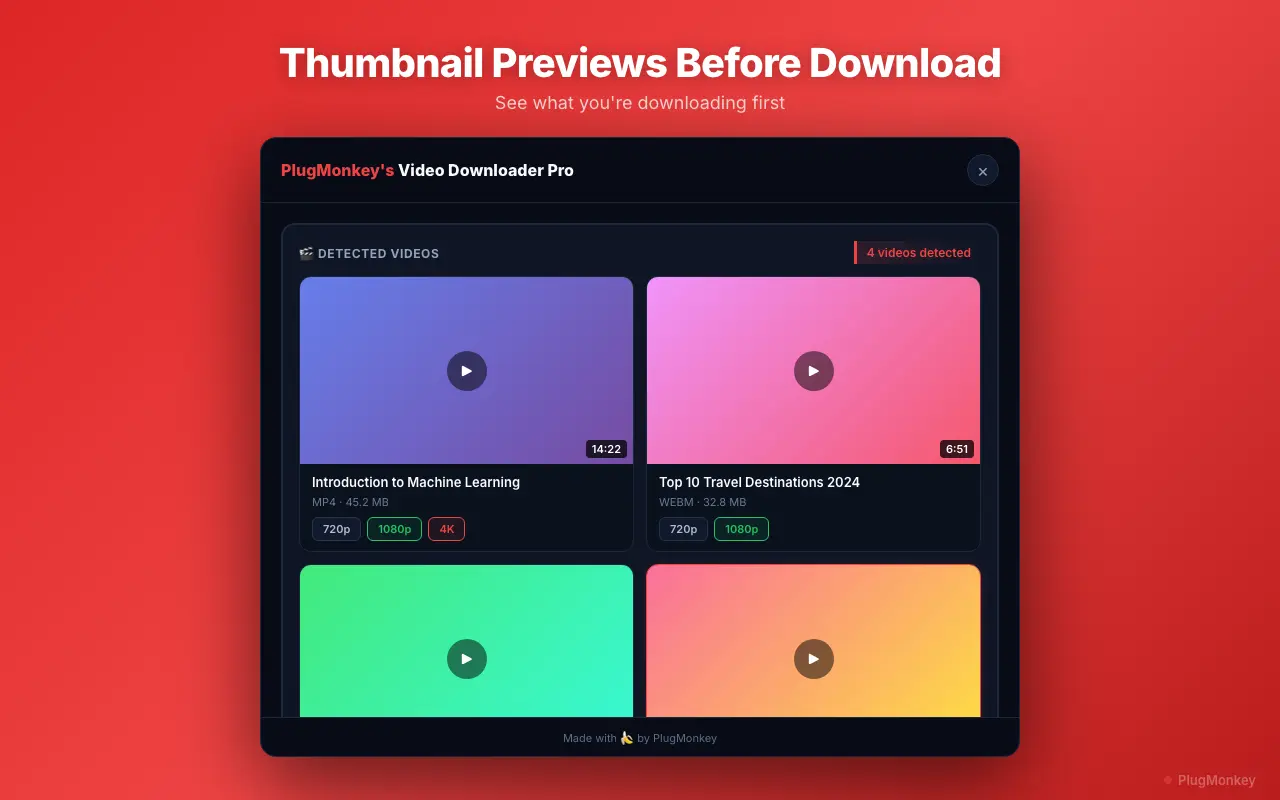
InstaSave requires you to copy the Instagram post URL, switch tabs, paste it, wait for their server to fetch — and their server can't access your private Instagram content because it doesn't have your login. Video Downloader Pro is a Chrome extension that detects Instagram videos on the page you're already on (using your existing session for private accounts you follow) and downloads them in one click. Local processing, no URL logging, no ads.
By PlugMonkey Team, Editorial
TL;DR
InstaSave is one of several high-traffic paste-the-URL Instagram video downloader websites — DataForSEO clocks the brand at ~14,800 US searches per month at KD 24. It works the way every paste-URL Instagram downloader works: copy the post / Reel / IGTV URL, switch tabs to instasave.website, paste, wait for their server to fetch the video, then download. Functionally equivalent to snapinsta, snapdownloader, downloadgram, and the dozen other Instagram-focused paste-URL tools. The technical model has four structural trade-offs vs a Chrome extension: every URL is logged on their server, the workflow takes multiple actions per video, the site is ad-monetized, and — most importantly for Instagram — their server cannot access private-account content because it doesn't have your authenticated session. Video Downloader Pro is a Chrome extension that does the same job without those trade-offs.
- InstaSave cannot download Instagram videos from private accounts you follow — their server doesn't have your login. A Chrome extension uses your existing browser session and can access anything you can view.
- Every Instagram URL you paste on InstaSave is logged on their server. For your own posts, family content, or anything you'd rather not catalogue with a third party, that's the structural deal-breaker.
- The paste-and-wait workflow takes 5-6 actions per video. The Chrome extension takes 1 click in the Instagram page you're already on.
- Same coverage: both tools handle Reels, Stories (when not expired), IGTV, and feed videos. The extension also works on Stories the MOMENT you view them — no race against the 24-hour expiry clock.
Why People Look for an InstaSave Alternative
Cannot access private Instagram content — even from accounts you follow
This is the biggest structural limitation. InstaSave's server fetches what their server can reach without authentication. Private Instagram accounts (accounts that have approved you as a follower) are invisible to their server because they don't have your login session. A browser extension uses your existing Instagram session and can capture anything you can view manually.
Every Instagram URL you paste is logged on InstaSave's servers
InstaSave's server-side fetch model requires logging the URL — that's how their system knows what to download. For public viral content this is academic; for your own posts, family videos, or any private content, every paste leaves a trail with your IP attached on a third-party server.
Stories expire in 24 hours — paste-and-wait might be too slow
Instagram Stories disappear after 24 hours. If you see a Story you want to save, the paste-URL workflow (copy URL, switch tabs, paste, wait for fetch) adds friction at exactly the wrong time. A Chrome extension catches the Story stream the moment you open the Story viewer — no race against the expiry clock.
Ad-heavy interface with pop-unders and bait links
InstaSave is monetized through banner ads, pop-under windows, and 'click here to download' bait buttons that mask the real download link. Even savvy users occasionally mis-click into other sites. A locally-processing extension has no monetization surface.
Server-side re-fetch adds latency and occasional quality loss
InstaSave downloads the video on their server, then re-serves it to you — a round-trip that occasionally includes re-encoding. A Chrome extension intercepts the original CDN URL directly from your browser. The file is bit-identical to what Instagram actually hosts, with no re-encoding.
Video Downloader Pro vs InstaSave
Feature-by-feature comparison
| Feature | InstaSave | Video Downloader Pro |
|---|---|---|
| Architecture | Web tool — server-side fetch | Chrome extension — local processing |
| Private-account videos (you follow) | No — server can't authenticate as you | Yes — uses your existing session |
| Stories (24-hour expiry) | Yes (if pasted before expiry) | Yes (caught the moment you view) |
| URLs sent to third-party server | Yes — every URL logged | No — never leaves your browser |
| Workflow per video | 5-6 actions (copy / switch / paste / wait / download) | 1 click in the Instagram page |
| Watermark on output | None | None |
| Ads on the interface | Banner + pop-under + bait links | None |
| Coverage beyond Instagram | Instagram-only | 1,000+ sites — TikTok, Twitter, Facebook, Vimeo, etc. |
| Free option | Free with ads | Free tier: 5 downloads/week, no watermarks, no ads |
Pricing: Video Downloader Pro vs InstaSave
InstaSave
InstaSave is monetized via banner ads, pop-unders, and bait links. The paste-URL architecture means no premium tier unlocks private-account access — that's a structural limit, not a paywall.
- Subscription-only pricing
- Lose access when you cancel
Video Downloader Pro
Video Downloader Pro's free tier delivers 5 watermark-free, ad-free, locally-processed Instagram downloads per week — and uniquely supports private accounts you follow. The $49.99 lifetime tier removes the weekly cap permanently.
30-day money-back guarantee
Still Deciding?
Get an independent AI perspective on which tool is the better fit for you.
AI responses are generated independently and may vary
Is Video Downloader Pro Right for You?
Switch If You...
- You follow private Instagram accounts and want to save their content (InstaSave can't access these at all)
- You're a creator downloading your own Instagram videos — your URLs shouldn't be logged on a third-party server
- You save Instagram Stories regularly and need to beat the 24-hour expiry clock
- You're tired of InstaSave's pop-under ads and bait links
- You also download from TikTok, Twitter, Facebook, or other platforms — InstaSave is Instagram-only
Consider Other Options If You...
- You only download a public Instagram video once every few months and the no-install convenience outweighs the ads
- You're on a non-Chromium browser (Firefox, Safari) where the extension isn't available
- You're on mobile — InstaSave works in mobile browsers, Chrome extensions don't
Instagram Reels, Stories, IGTV — one click, local, supports private accounts you follow.
Video Downloader Pro detects Instagram videos on the page you're already on and saves them locally — including from private accounts you follow (which InstaSave cannot access). No third-party server, no ads, no paste-and-wait. Free for Chrome.