The Followerwonk Alternative for Raw Follower Data
Followerwonk's $23-$99/month dashboards are useful if you want pre-built analytics. If you want raw CSV data to process in Sheets, Airtable, or Python, Followers Exporter Pro for X at $49.99 lifetime is materially cheaper and more flexible.
 By Zee Calder
TL;DR
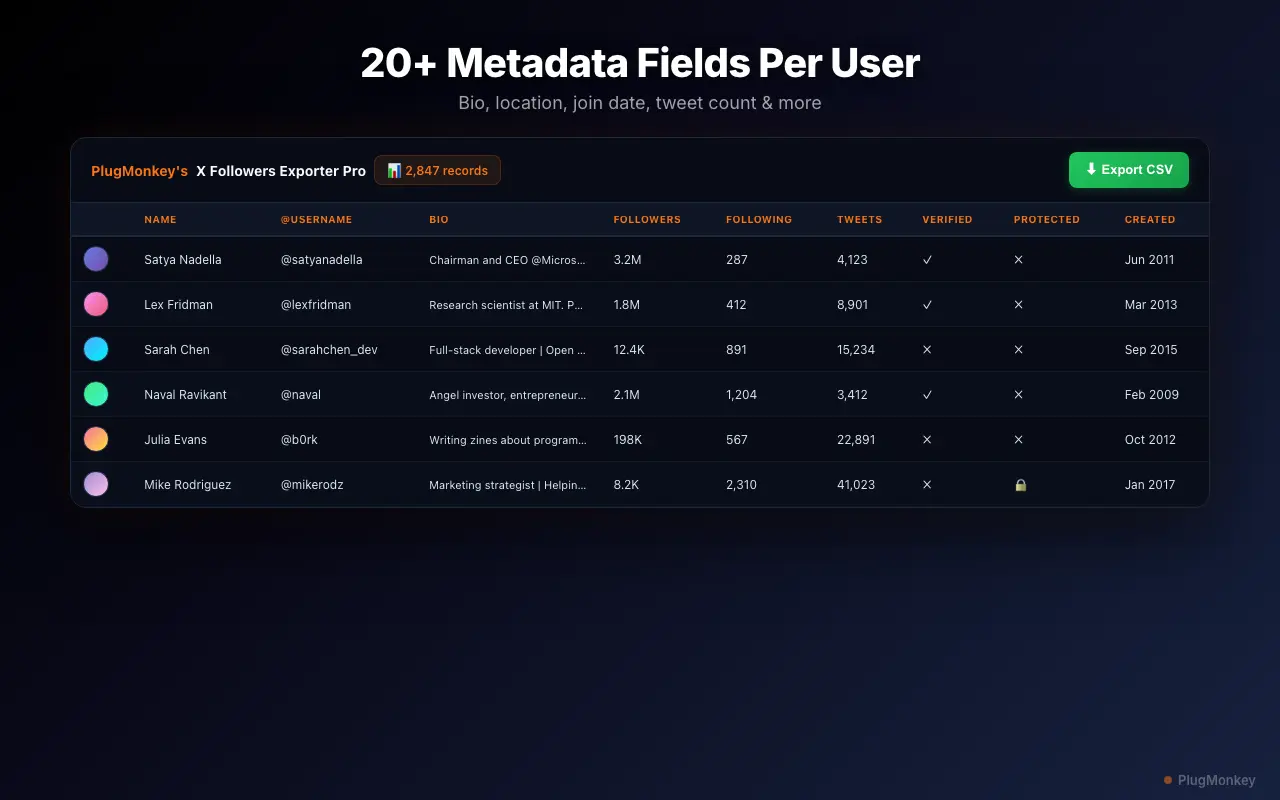
Followerwonk is Twitter audience analytics ($23-$99/month) — dashboards for follower composition, best-time-to-tweet, follower comparison between two accounts. Followers Exporter Pro for X is a Chrome extension that exports raw follower data as CSV with 20 fields per follower. Different deliverables for different jobs — if you have analytical tools (Sheets, Airtable, Python), Followers Exporter Pro for X at $49.99 lifetime gives you the data; Followerwonk gives you the pre-built UI. The two often coexist in larger teams. For founders, indie hackers, and agencies handling multiple client accounts, Followers Exporter Pro for X's per-license-not-per-account model is materially cheaper.
Where Followerwonk Falls Short
Per-account analytics quota that adds up fast
Followerwonk's pricing tiers gate follower-analysis quota per Twitter account analyzed. Standard tier ($63/month) handles a few accounts; Pro tier ($99/month) is needed for agency-style multi-client workflows. Total cost for an agency managing 5 client accounts approaches $1,200/year on Pro tier alone.
Server-side analysis with OAuth requirement
Followerwonk requires Twitter OAuth authorization, then runs analysis on their servers. For agencies under NDA or working with sensitive client follower data, the OAuth + server-side data custody model is materially riskier than browser-only architectures.
Dashboard UI, not raw data export
Followerwonk's analytics are pre-built dashboard views. If your analytical workflow uses Sheets, Airtable, Python, or a custom dashboard, Followerwonk's CSV export (gated to Pro tier at $99/month) is an afterthought feature, not the primary product.
Recurring subscription with no lifetime option
Followerwonk pricing is monthly or annual recurring. No lifetime option means ongoing costs that compound — over 5 years at Standard tier that's $3,780 in subscription fees.
Followers Exporter Pro for X vs Followerwonk
Feature-by-feature comparison
| Feature | Followerwonk | Followers Exporter Pro for X |
|---|---|---|
| Primary output | Dashboard analytics | Raw CSV / JSON data |
| Pricing | $23-$99/month recurring | Free + $6.99/mo or $49.99 lifetime |
| Data custody | OAuth + server-side analysis | Browser-only, no OAuth |
| Multi-account / agency use | Per-account, tier-gated | Unlimited accounts per license |
| Data fields exported | Pro tier only, limited fields | 20 fields per follower |
| Best-time-to-tweet analytics | Yes (flagship feature) | No (out of scope) |
| Follower comparison between two accounts | Yes (built-in 'Compare users') | Manual via CSV diff |
| Re-export / refresh | Subject to tier quota | Anytime, no rate limit |
| Lifetime purchase option | No | Yes ($49.99) |
| Architecture | Web SaaS | Chrome extension |
Pricing: Followers Exporter Pro for X (Twitter) vs Followerwonk
Followerwonk
Beginner tier $23/mo (limited quota), Standard $63/mo (most common), Pro $99/mo (unlimited + comparison features). Annual prepay discounts available.
- Subscription-only pricing
- Lose access when you cancel
Followers Exporter Pro for X (Twitter)
Followers Exporter Pro for X's $49.99 lifetime pays back vs Followerwonk Standard ($63/mo) within first month. Over 12 months: save ~$700. Over 5 years: save ~$3,700.
30-day refund if it doesn't work as described
Still Deciding?
Get an independent AI perspective on which tool is the better fit for you.
AI responses are generated independently and may vary
Is Followers Exporter Pro for X (Twitter) Right for You?
Switch If You...
- You want raw follower data for analysis in your own tools (Sheets, Airtable, Python, R)
- You're an agency managing multiple X accounts and per-account pricing doesn't scale
- You value browser-only architecture for privacy-sensitive client work
- You prefer lifetime purchase over monthly subscription that compounds over years
- Your analytical workflow is bespoke and Followerwonk's pre-built dashboards don't quite fit
- You only need follower data, not best-time-to-tweet analytics
Consider Other Options If You...
- Best-time-to-tweet analytics is your primary use case — Followerwonk delivers this as their flagship feature
- You want ready-made dashboards and don't want to build analytical workflows yourself
- Follower-comparison between two accounts is a recurring need (Followerwonk has a dedicated comparison view)
- You're already paying for marketing analytics tools and want Twitter analytics as one of several integrated services
Raw follower data for your own tools — $49.99 lifetime, not $63/month
Install Followers Exporter Pro for X free. 20 fields per follower, browser-only architecture, no OAuth.